X
Hello Frappe Community,
I’m seeking guidance on how best to structure ERPNext to handle our specialized metal manufacturing operation. Our challenge lies in complex, multi-stage production flows and precise traceability requirements for coiled materials.
1. Our Business Model: Multi-Stage Manufacturing
We produce several lines of products from coiled raw materials:
| Production Stage | Input Materials | Output / Process | Final Products |
|---|---|---|---|
| Stage 1: PPGI Painting | GI Coil + Powder Coating/Paint | Coating and Curing | Pre-Painted Galvanized Iron (PPGI) Coils (Intermediate Good) |
| Stage 2: Slitting | HRC/CRC/GI Coils | Coil is slit into multiple narrow strips. (Primary material transformation) | Steel Strips / Sheets (Intermediate Good) |
| Stage 3: Forming | PPGI Coils / Steel Strips | Roll Forming, Bending | Corrugated Sheets, Angle, Rail, Studs, Wall Lining Channel (Finished Goods) |
2. Our Critical Traceability & Consumption Challenges
Our most important need is to enforce material specifications that vary per unit of stock, which conflicts with standard fixed-BOM logic:
| Challenge Area | Our Requirement | ERPNext Adaptation Question |
|---|---|---|
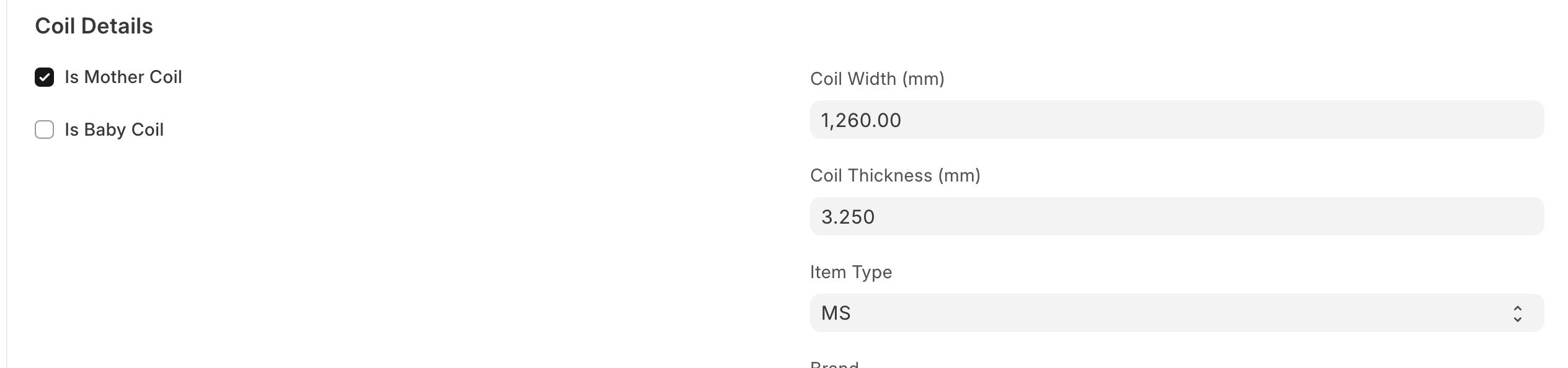
| Coil Traceability | Every Raw Coil (GI, CRC, HRC) must be uniquely tracked by Coil ID, Thickness, Width, and Weight upon receipt. | Should we use Serialized Inventory or Batched Inventory? How can we create custom fields to capture Thickness and Width directly on the Serial/Batch master for each coil? |
| Paint Traceability | Powder Coating consumption is highly variable and depends on the specific RAL Color and the Coil Thickness. | How should we model RAL Color? Should it be a Batch Attribute tied to the Lot, or must we create a separate Item Code for every color? |
| Variable Consumption | The BOM quantity for paint is not static; it is consumed based on the area or weight of the specific coil being painted. | How can we configure the Bill of Materials (BOM) or the Stock Entry to allow operators to enter the actual paint consumed during the Work Order completion (Backflush method), rather than using a fixed BOM quantity? |
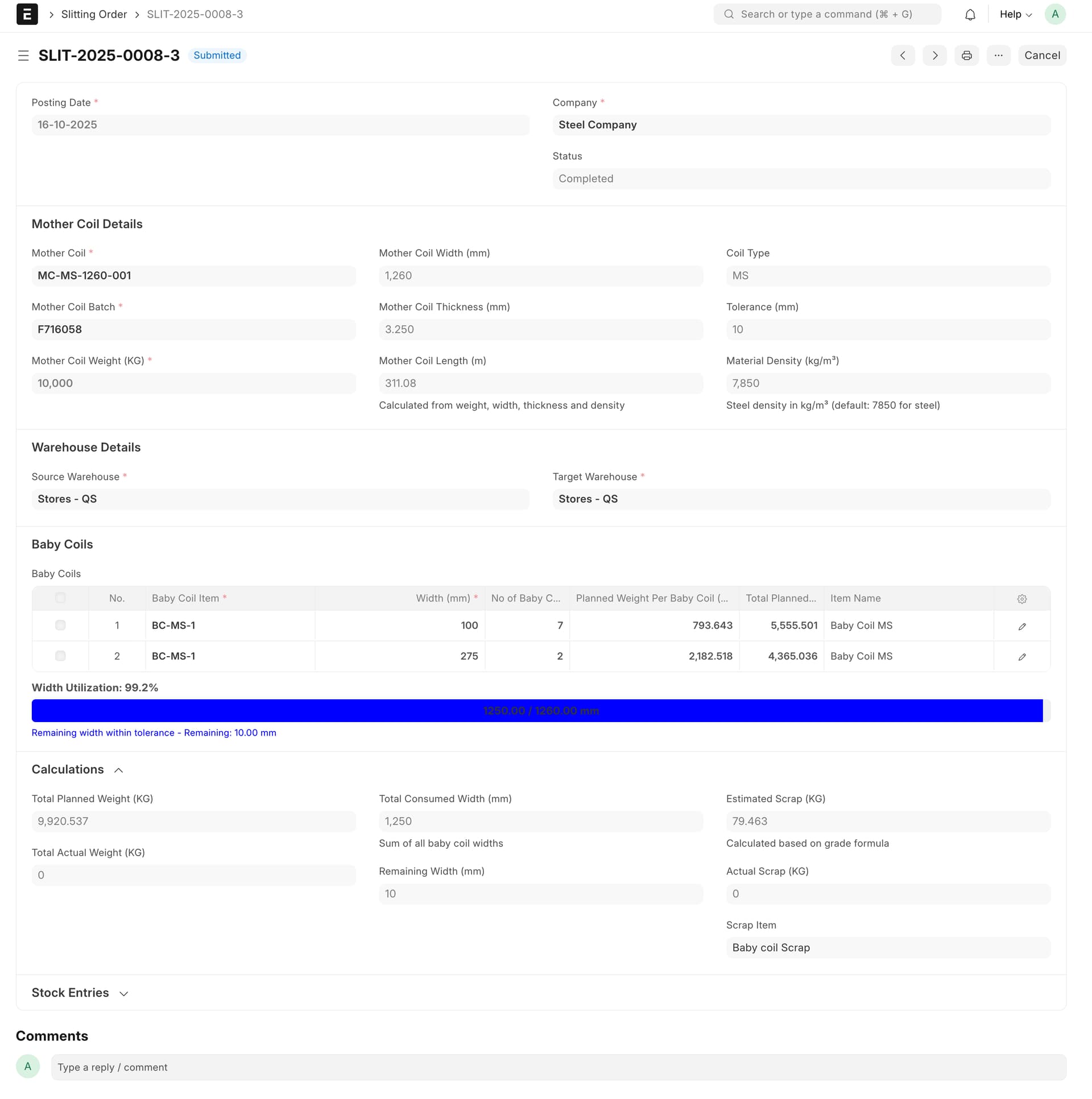
| Slitting Yield | The process converts 1 input Coil (by weight/length) into multiple output Strips (varying lengths/widths), generating scrap. | What is the best way to model the Slitting Work Order? Should we use Production Planning to create multiple Strips from one coil, tracking the yield/scrap quantity? |
3. Proposed Adaptation Strategy
My initial thought is that we must rely heavily on Batch and Serial Number features, utilizing custom fields tied to the item master for traceability.
-
Item Master: Define generic items (e.g.,
GI-COIL-BASE,PAINT-POWDER-BASE). -
Custom Fields: Add fields like
Coil Thickness,Coil Width, andRAL Colorto the Batch master template. -
BOMs: Create multi-level BOMs to link the processes (e.g., a “Forming BOM” consuming PPGI Coils, and a “PPGI Painting BOM” consuming GI Coils).
Any guidance, especially from those who have implemented ERPNext for slitting or coil processing within the manufacturing module, would be greatly appreciated!
Thank you!