partially solve
step
go to location - /opt/bench/erpnext
- bench get-app GitHub - ESS-LLP/process-manufacturing: PROCESS MANUFACTURING
- bench --site demo1 install-app process_manufacturing
- folder will appear on - /opt/bench/erpnext/apps
- click on top profile icon on header settings->my setting
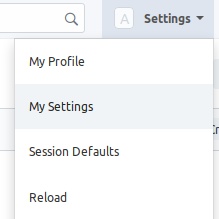
5.click on Allow Modules , is your added module is display in that list then your app install successfully
now go desk and search for “open your-app-name” now you can use it
eg. open process_manufacturing
if not appear in search then,
- search for Module Def list → search your module name in list serach
click on it to edit assign domain to it you can create domain name eg.process manufacturing
save it
2.go to setting->domain setting->check your domain and save
3. search for DocType → serach in table → Process Manufacturing in module textbox
you will see name and module in table
4.now provide Role Permissions Manager to it .
now go desk and search for “open your-app-name” now you can use it
eg. open process_manufacturing
by search you will open or use your app in erpnext
but it not display in desk .
if somebody know how to show your app on desk please reply