@bahaou if i dont want these changes to commit? i dont want to push custom app to git. Then what should i do?
@Aditya_Vig , uninstall it if you don’t need it.
@bahaou these all problems started when i added erpnext and version 13. Before that i was to do update and everything. But now i am also not able to bench start. I am not able to open my site also.
@Aditya_Vig why you can’t use bench start ?
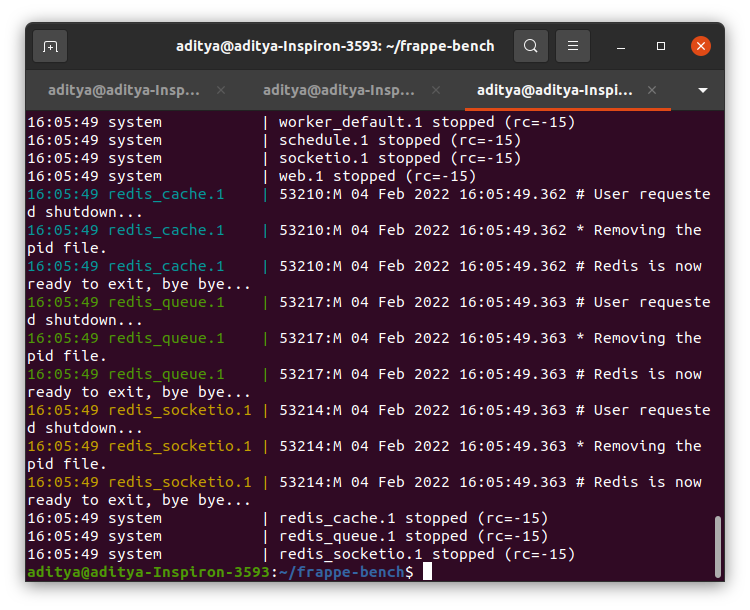
@bahaou when i do it, it is not running.
@Aditya_Vig omg. nothing is right . are you willing to install a brand new app ?
Hi @Aditya_Vig
The first thing you need to do is
Go to the apps folder and then kyc_customization folder
Once there type – git status
It will tell you the files that need to commit or discard.
try:
bench setup requirements
this is helping me
In frappe-bench/apps/frappe/frappe/utils/backups.py, I changed the delete_temp_backups() function as the following and it had solved my issue.
def delete_temp_backups(older_than=24):
    """
    Cleans up the backup_link_path directory by deleting older files and directories.
    """
    older_than = cint(frappe.conf.get('keep_backups_for_hours', older_than))
    backup_path = get_backup_path()

    if os.path.exists(backup_path):
        file_list = os.listdir(backup_path)

        for this_file in file_list:
            this_file_path = os.path.join(backup_path, this_file)

            try:
                # Check if the path is a file or directory and handle accordingly
                if os.path.isfile(this_file_path) and is_file_old(this_file_path, older_than):
                    os.remove(this_file_path)
                elif os.path.isdir(this_file_path):
                    # Use shutil.rmtree to remove directories
                    shutil.rmtree(this_file_path)
                    print(f"Removed directory: {this_file_path}")
            except Exception as e:
                print(f"Error removing {this_file_path}: {str(e)}")
Thank you, that worked for me also.
worked well for me, so you can rely on it with confidence.
this solved my issue
It’s worked.
This was caused because the backup could not be completed successfully. The tail of the log file tail -f PATH_TO/frappe_bench/logs/backup.log had “mysqldump not found in PATH! This is required to take a backup” error because recent mariadb starting with MariaDB 10.5 and above, the traditional mysqldump binary has been replaced by mariadb-dump, which is functionally equivalent. On Debian Bookworm, installing mariadb-client will give you:
/usr/bin/mariadb-dump- But not
/usr/bin/mysqldumpby default
Since Frappe ERPNext still expects mysqldump, you can fix this by creating a symlink:
sudo ln -s /usr/bin/mariadb-dump /usr/bin/mysqldump
Then verify:
bash
mysqldump --version
You should see something like:
Code
mariadb-dump Ver 10.5.18-MariaDB for Linux on x86_64
You can then run bench update and it backs up properly without issues.