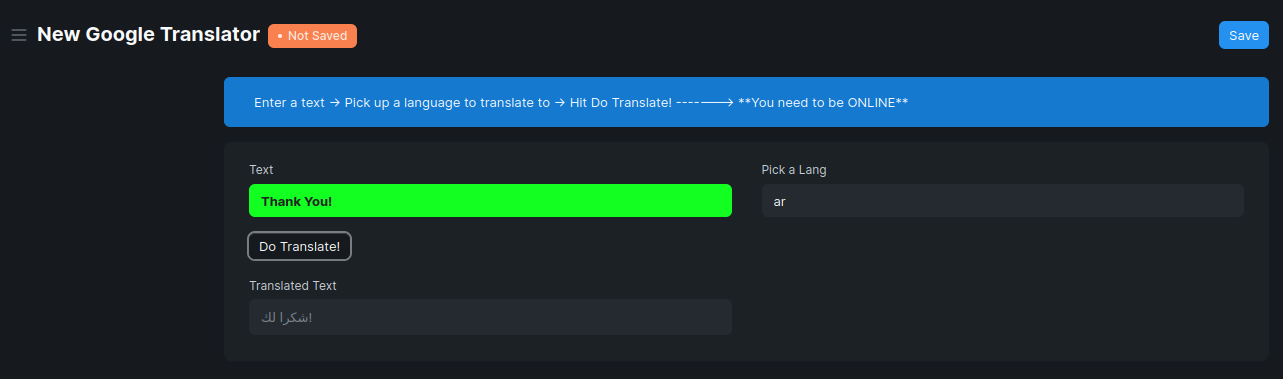
It works perfectly 
.js Code:
// Omar M Shehada
frappe.ui.form.on('Google Translator', {
	refresh: function(frm) {
		frm.set_intro('Enter a text -> Pick up a language to translate to -> Hit Do Translate! -------> **You need to be ONLINE**')

		// Making edits on the css level
        set_css(frm);
	},

	btn: function(frm) {
		frm.call({
			doc: frm.doc,
			method: 'frm_call',
			args: {
				msg: 'Hallo!'
			},
			freeze: true,
			freeze_message: __("Translating..."),
			callback: function(r) {
				frappe.msgprint(r.message)
			}
		});
	}

});


// Making edits on the css level
function set_css(frm) {
  document.querySelectorAll("[data-fieldname='text']")[1].style.color = '#202020'
  document.querySelectorAll("[data-fieldname='text']")[1].style.fontWeight = 'bold'
  document.querySelectorAll("[data-fieldname='text']")[1].style.background = '#12ff21'
}
.py Code:
import frappe
from frappe import _
from frappe.model.document import Document
from googletrans import Translator

class GoogleTranslator(Document):
	# Keep in mind that this doctype needs to be connected to the Internet
	@frappe.whitelist()
	def frm_call(self, msg):
		import time
		time.sleep(0.5)
		trans = Translator()
		text = self.text

		try:
			out = trans.translate(text, dest=self.pick_a_lang[:2])
			self.translated_text = out.text
		except:
			self.translated_text = 'It works. Try it!'
Result: