Introducing Atlas — a workspace for Frappe developers

Hi everyone! :waving_hand:

I’d like to share something I’ve been building with Frappe and using it in production developments: Atlas.

While working on Frappe projects, we often switch between our editor, servers, AI chats, documentation and project notes. We wanted to bring more of that workflow together inside the familiar Frappe Desk.

Atlas is built primarily for developers, while keeping everyday tasks approachable through conversation.

Here’s what it brings together:

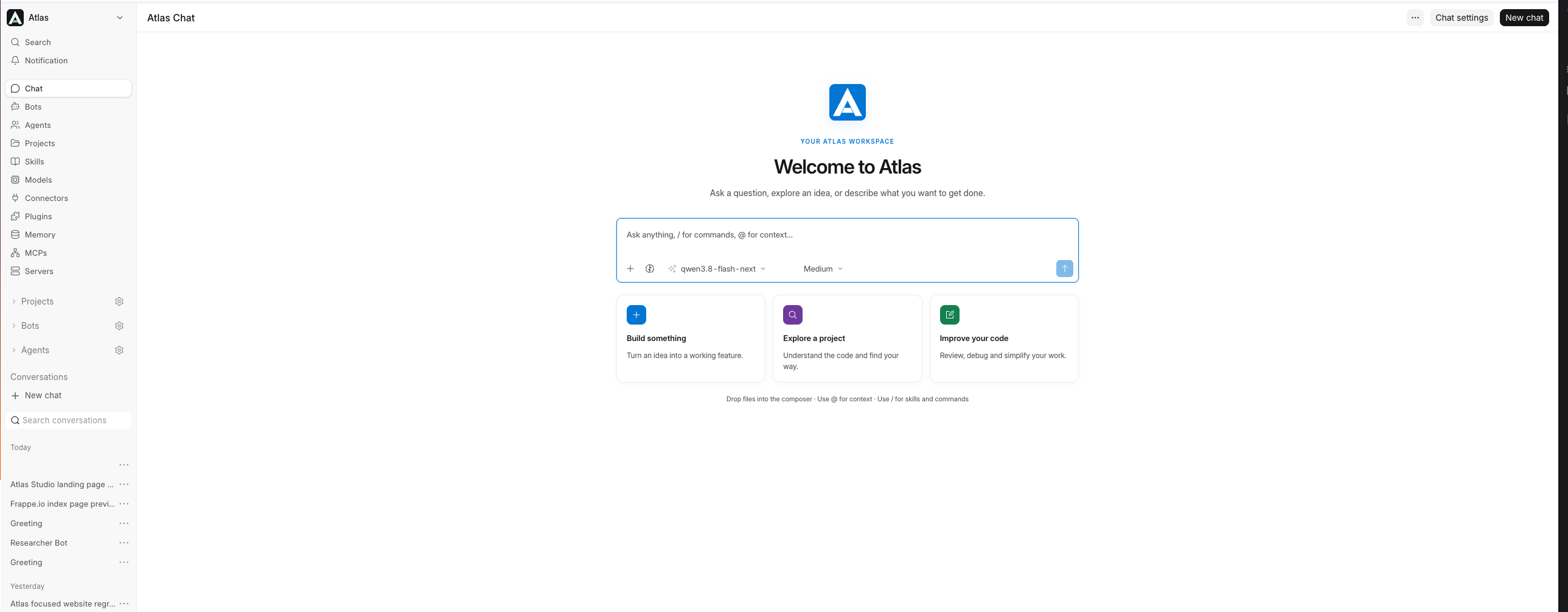
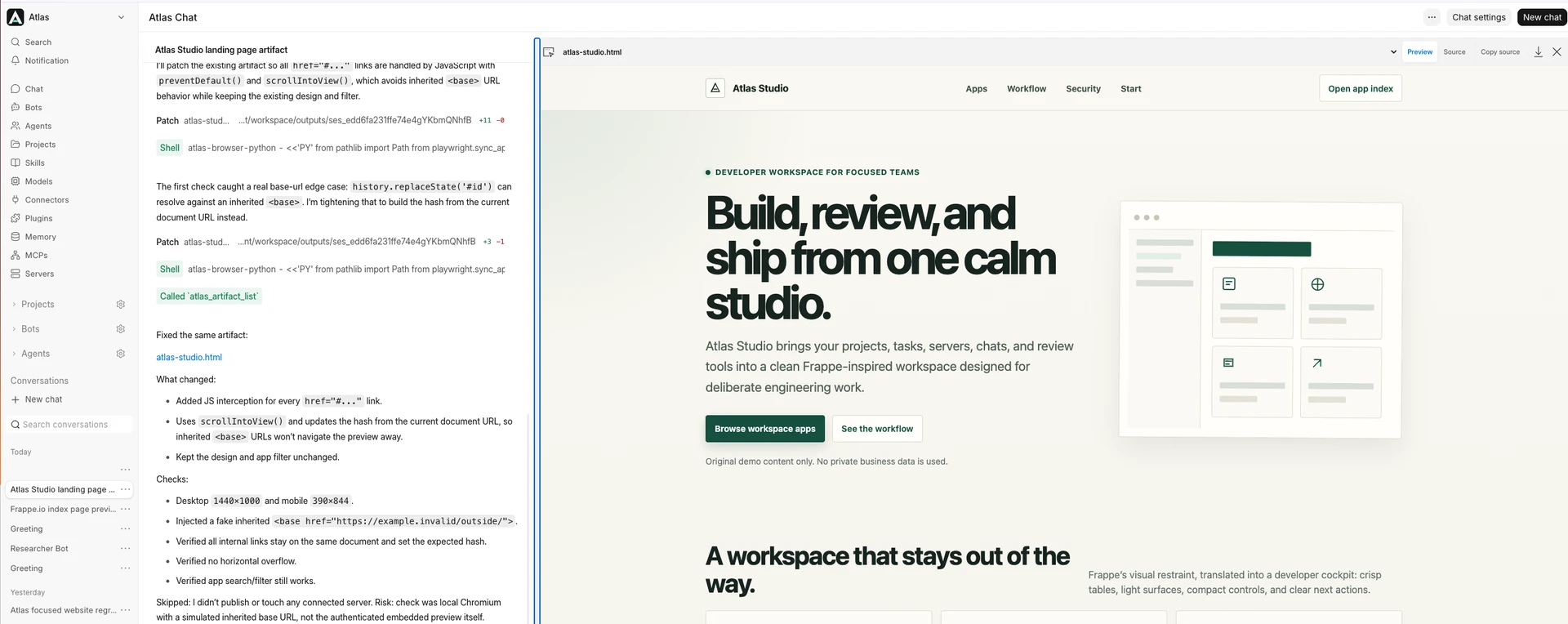
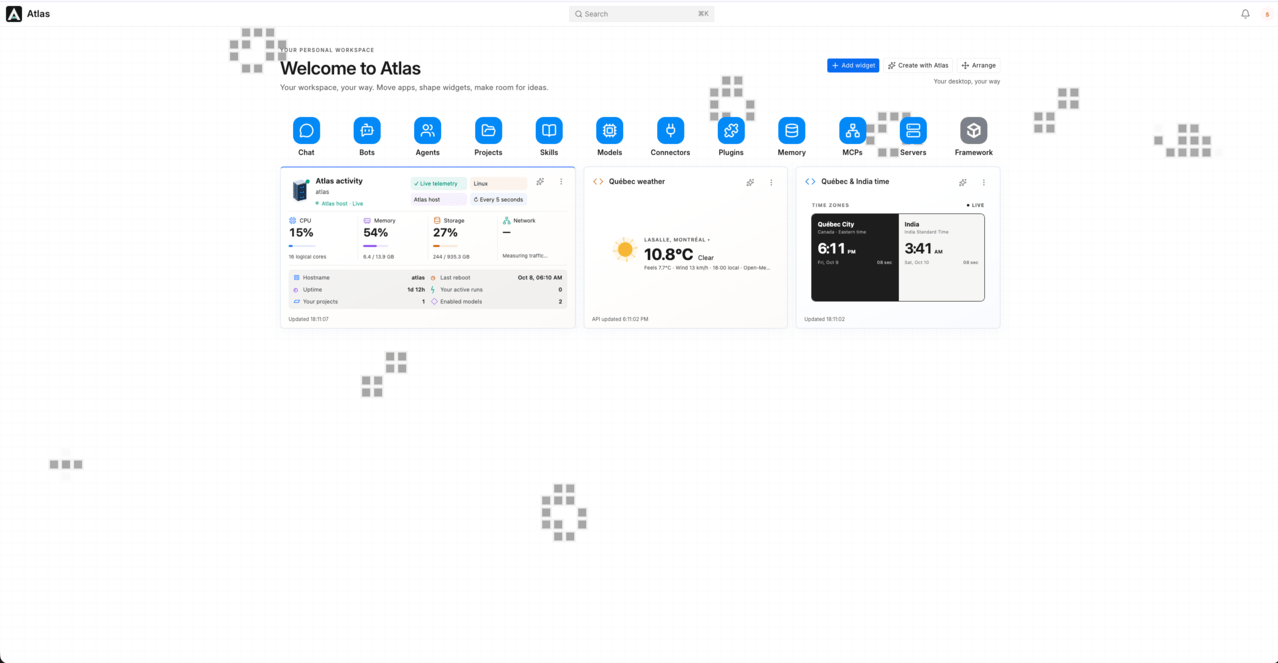
  • Chat: discuss requirements, explore code, build pages and preview the results.

  • Projects and servers: connect development workspaces and keep related conversations and project context together.

  • Coding tool integration: give tools such as Codex and Cursor access to project knowledge, source search, skills and memory through MCP.

  • Bots and recurring duties: create a bot through chat, explain its responsibilities and schedule recurring work.

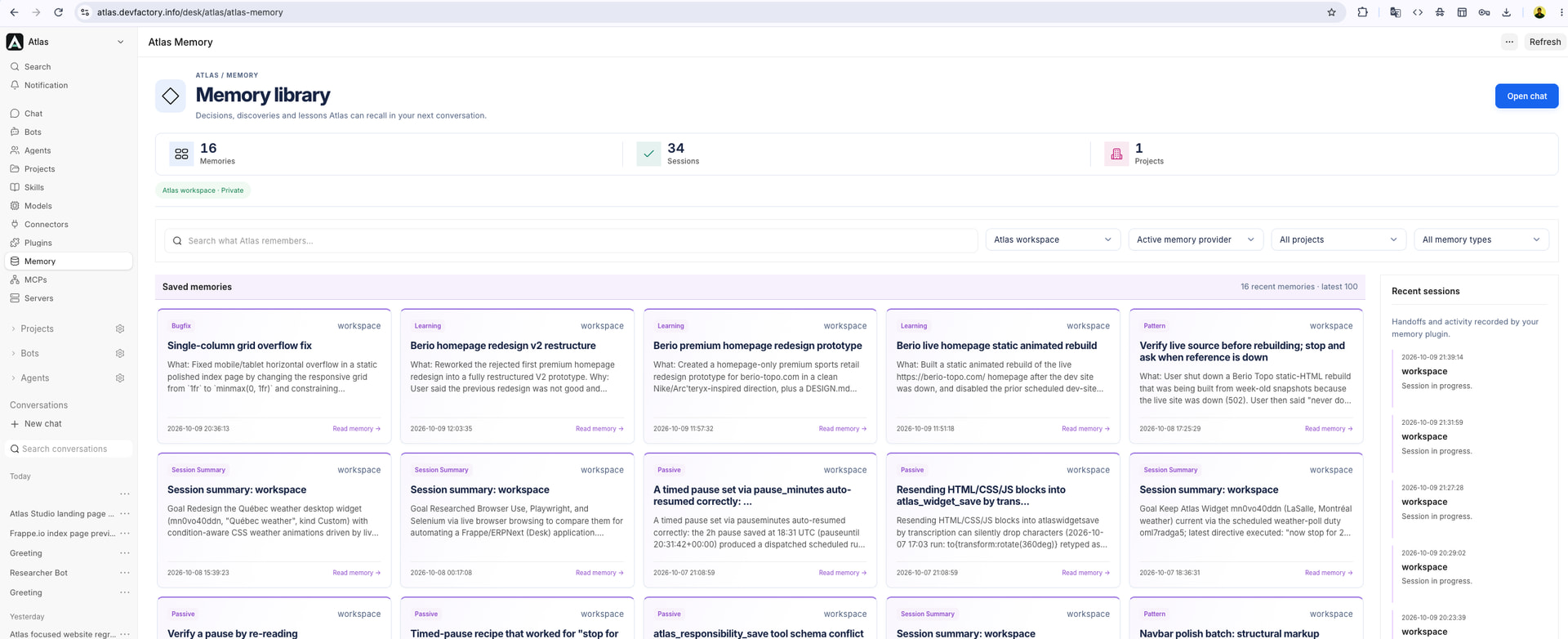
  • Skills, plugins and memory: add reusable guidance and retain useful knowledge for future tasks.

  • Frappe / ERPNext connections: work with connected site records using the account’s permissions.

  • Models: I’m a big fan of local model, i have a DGX Spark, i’m hosting Qwen3.8 Flash Next into it and the whole atlas app is build with the help of this model. but you can register a cloud model too.

I’ve attached a walkthrough showing the actual interface, including building a landing-page preview and creating a bot with a recurring duty through chat. Long waiting periods are cut to keep it watchable.

It’s still evolving, and I’d love to hear what fellow Frappe developers think. Which parts would be useful in your workflow, and what would you approach differently?

Thanks for taking a look!
Looks great! Where can we find the project?

@CostaRica , this is not opensouce yet but there is plan. i’ll share deatils soon.

Looks good. Just note a little naming collision … there is already an Atlas on Frappe universe (will be part of new cloud system).

This looks like a useful way to bring different parts of the development workflow together. I especially like the idea of recurring tasks and keeping project context in one place. How has the experience been using it with real production projects so far?

thanks @avc , i was not aware of it.

@BlakeWest Thanks! The experience has been good so far, and Atlas is still evolving through use with real projects.

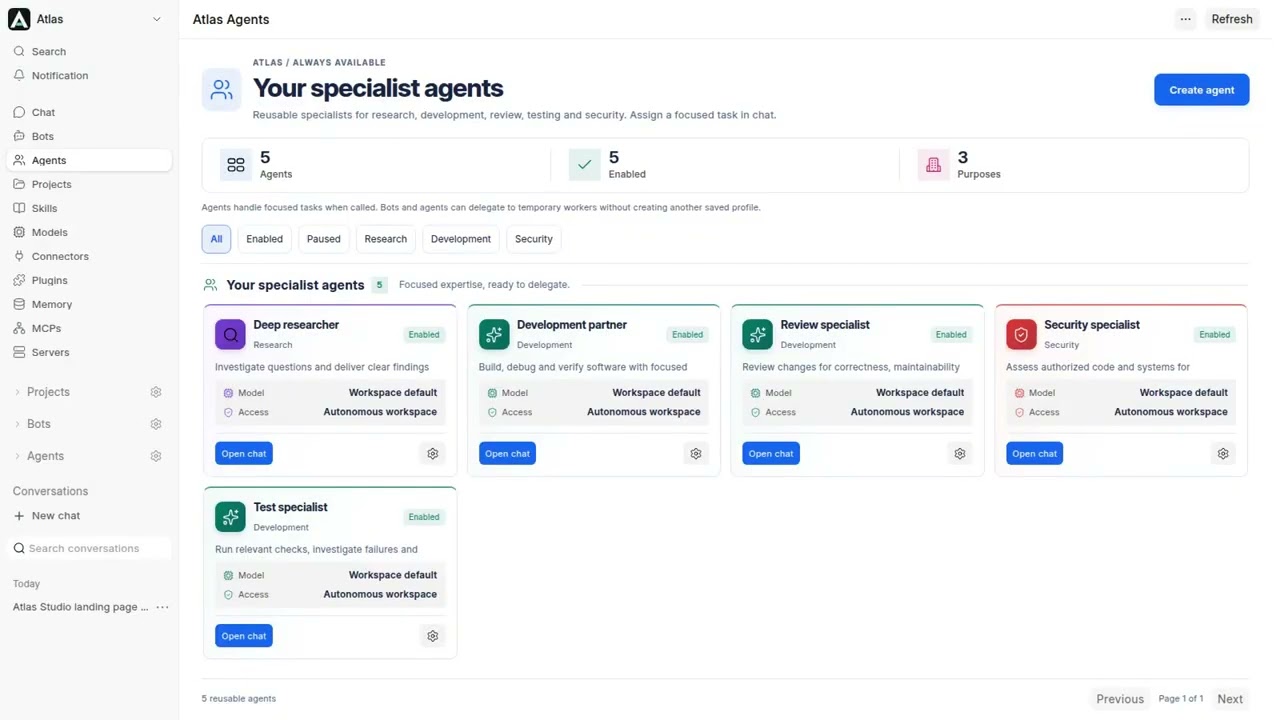
There are a few features I haven’t covered yet, including reusable specialist agents, Frappe-specific skills, and MCP integration that gives coding tools like Codex and Cursor access to project knowledge and memory of previous decisions and fixes.

Atlas brings tools, agents and project context into one development workspace. Registering a development server lets you discover its projects and connect selected codebases to Atlas. This can support Frappe apps, websites, APIs, Python or Node projects, and other development work.

The registered-server integration also connects with coding tools such as Codex and Cursor through MCP, giving them access to project knowledge, selected skills and memory of previous decisions and fixes. The idea is to make it easier to continue work across chat and your IDE.

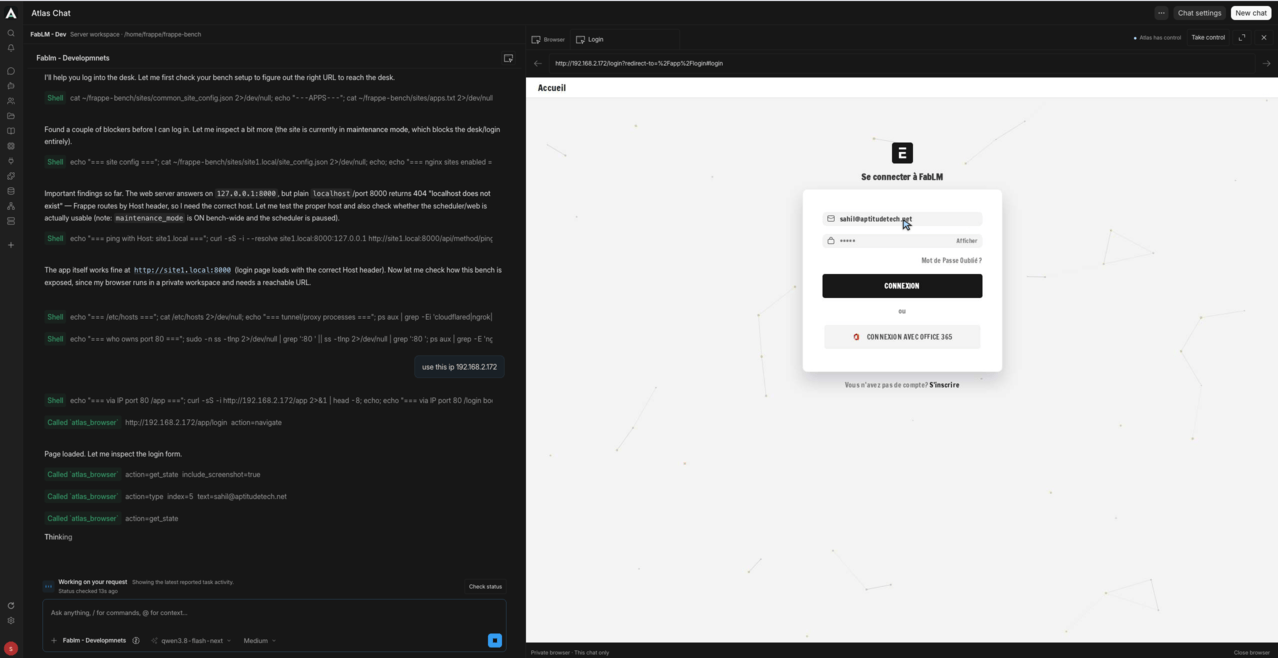
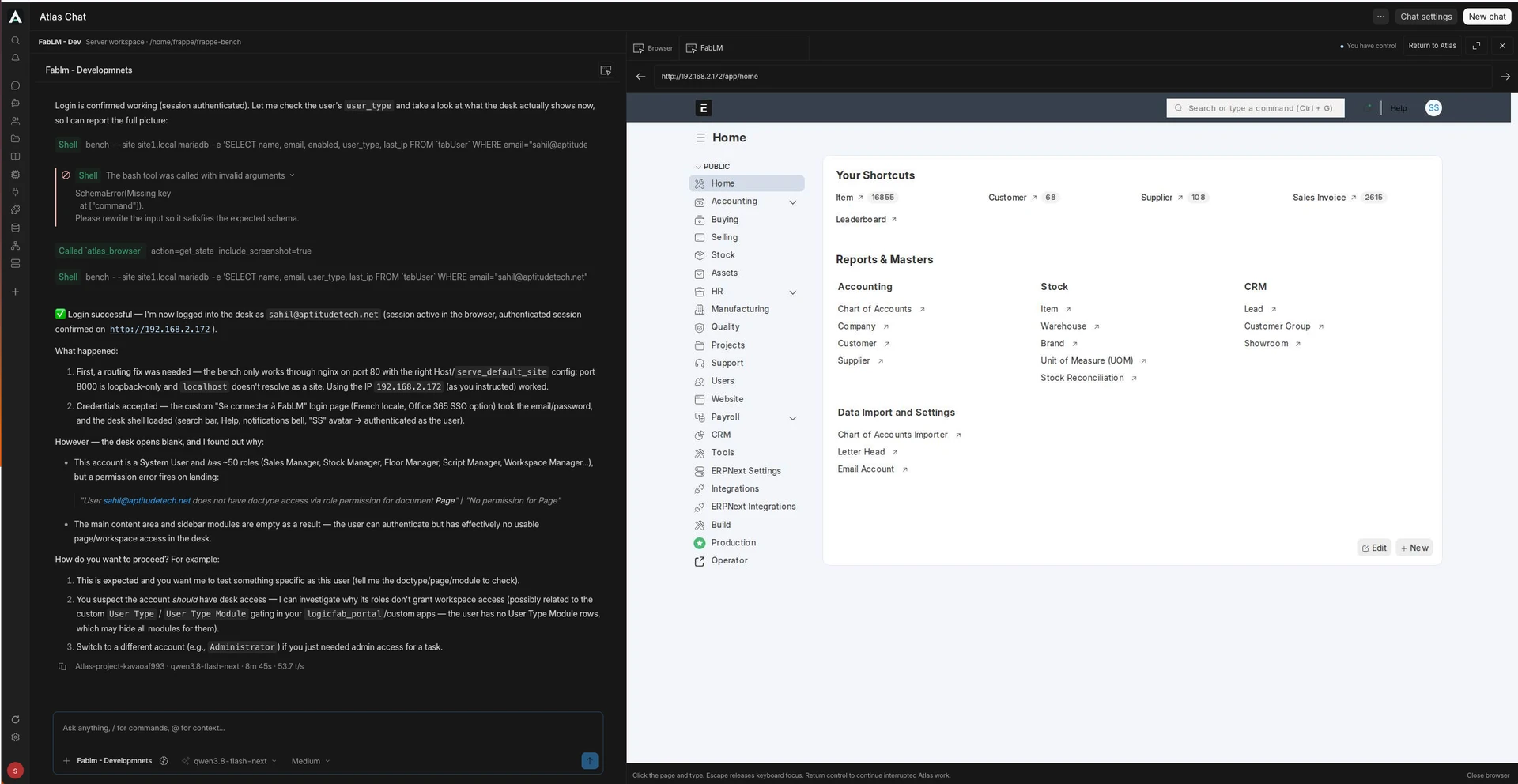
Browser-assisted testing can work against the application running on your server. You can provide its URL and a dedicated test account, or sign in yourself through browser takeover. Atlas can then follow the actual user journey and test specific features.

For example, you could ask: “Log in, open the new registration form, check required-field validation, submit valid test data, verify the saved result, and check the layout on desktop and mobile.”

Atlas can capture screenshots, describe what passed or failed, and suggest improvements based on what it observed. With authorised project access, it can also help investigate the relevant code. After a fix, you can ask it to repeat the same steps and check whether the issue is resolved.

Use a test environment and test records; these checks complement your existing automated tests and code review.

I’m still improving reliability and verification; production changes continue to need normal review and testing.