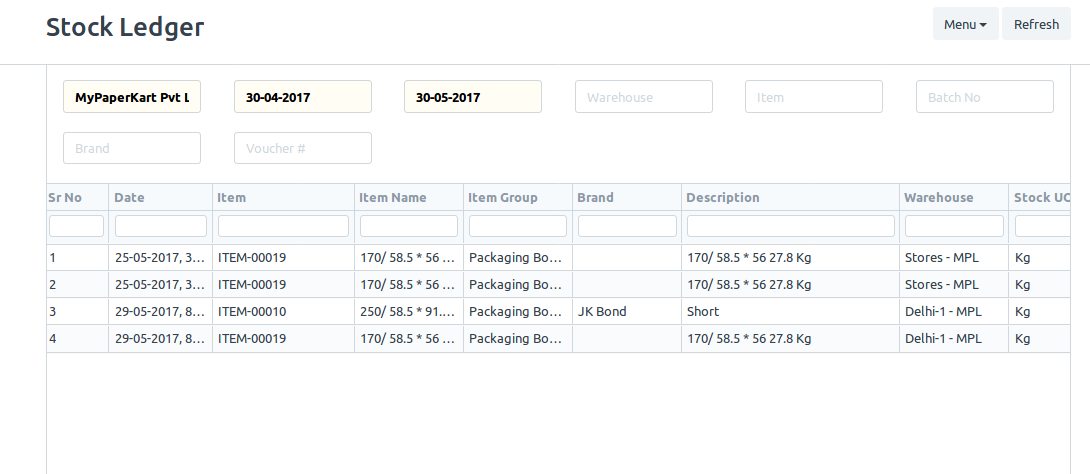
I want to display data from a doctype to a web page in the website in a tabular format. The similar kind which is displayed in the Stock ledger where we can sort each column individually.
1 Like
Can we list data from another doctype in a “Web Form”?
Is it possible to show the data in the “Web Form” using REST API? I have have created the form as standard so I have .py and .js files for it. Can we use them to write codes for displaying in the web form? If so, how? That is a part of the page will show data and the other part having the form.
Yes, it is possible.
You just have to fetch the data in js using frappe.call, then build the html table using javascript.
Do I have to build the table in javascript? Or I have to create it in template?
In js, I have written this sample code but the table is not created:

  frappe.ready(function() {
    // bind events here
    alert("Hello!");
    var x = document.createElement("TABLE");
    x.setAttribute("id", "myTable");
    document.body.appendChild(x);
    alert(x);
    var y = document.createElement("TR");
    y.setAttribute("id", "myTr");
    document.getElementById("myTable").appendChild(y);
    alert(y);
    var z = document.createElement("TD");
    var t = document.createTextNode("cell");
    z.appendChild(t);
    alert(z);
    document.getElementById("myTr").appendChild(z);
    var z = document.createElement("TD");
    var t = document.createTextNode("cell");
    z.appendChild(t);
    document.getElementById("myTr").appendChild(z);

})
Or use jquery
frappe.ready(function() {
    $(`
        <table id="myTable">
            <tr>your data here</tr>
            <tr>your data here</tr>
        </table>
    `).appendTo('body');
})
Thanks for your reply.
It is still not working.
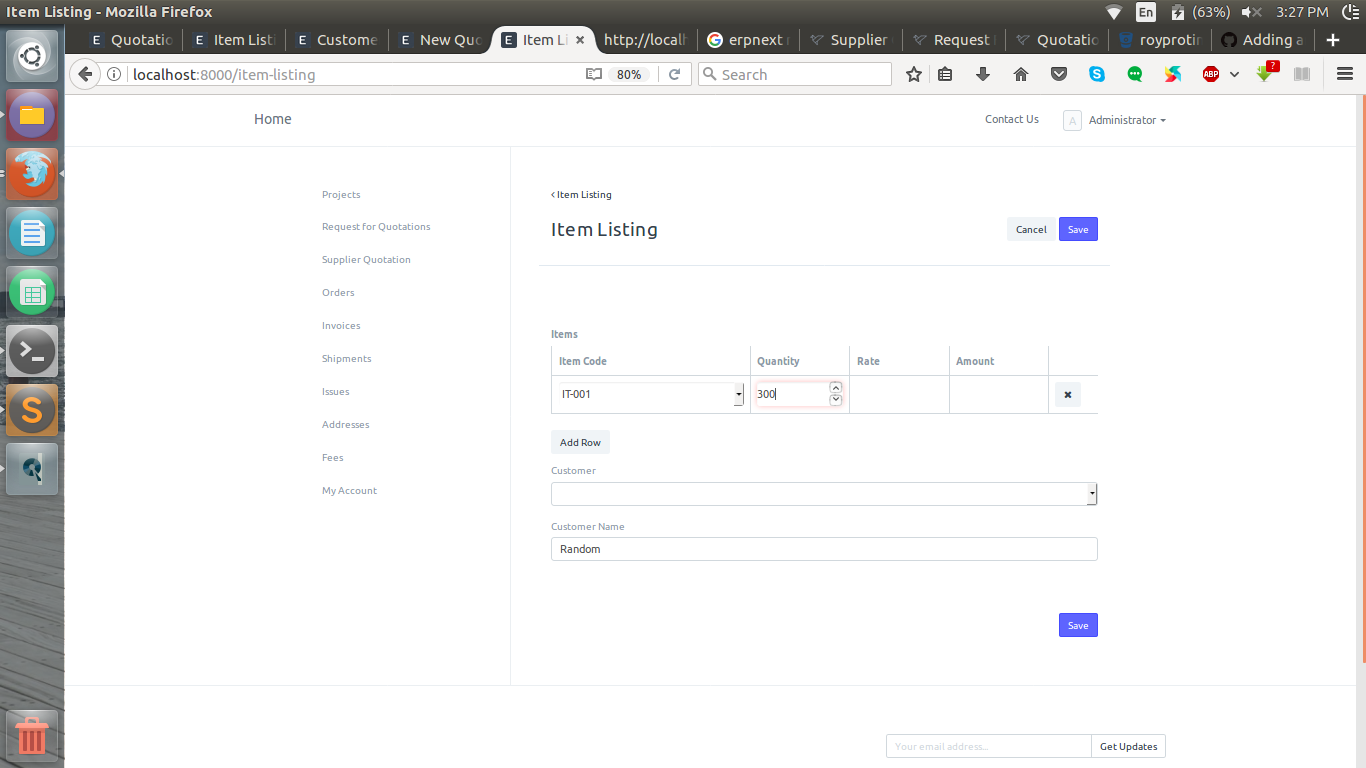
It is a webform of Quotation doctype. The jquery script is shown on page source but the table is not displayed yet.
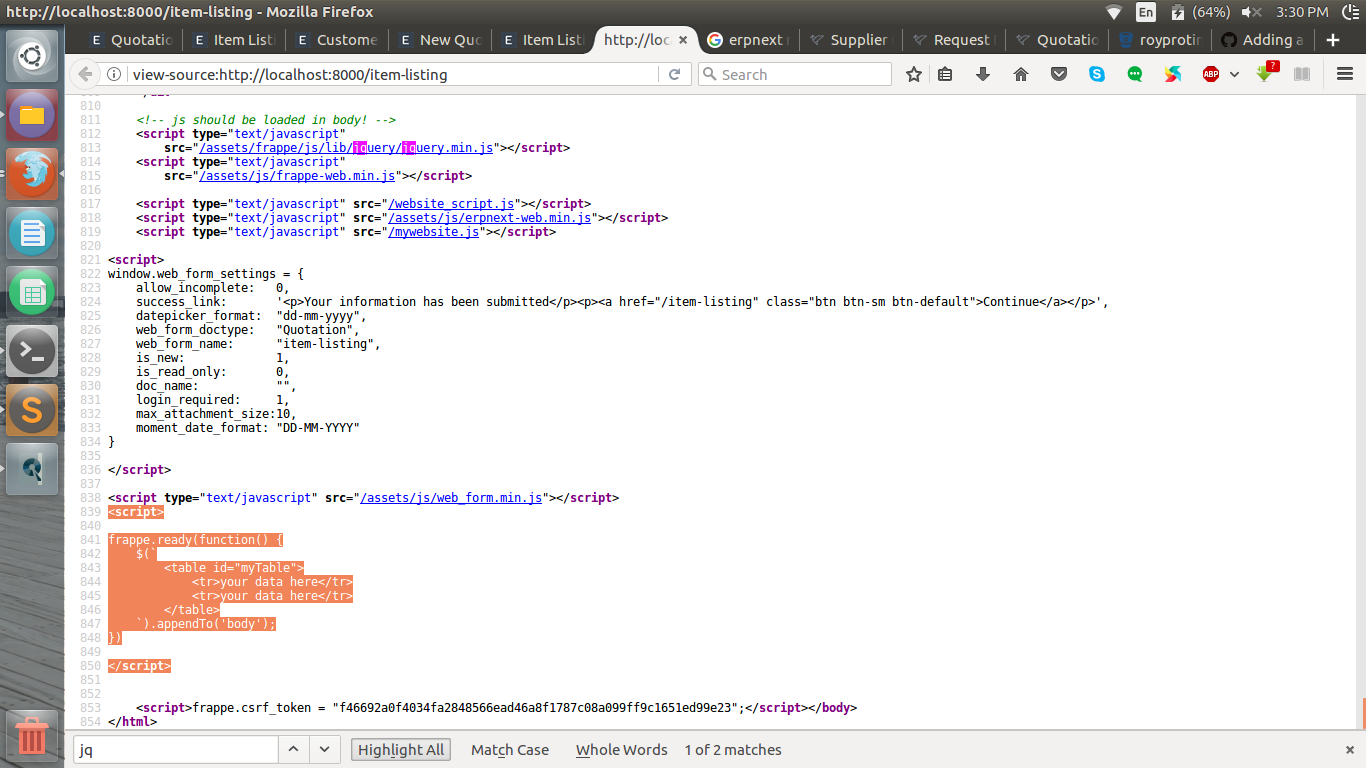
Do you see any errors in the console?
No, It all seems fine.
What is best to use to show stock balance in web page?
A. Writing SQL scripts to get data from database directly.
B. The same procedure that is used to display stock balance report.
If former is preferable, then how it is done?
Can anyone help. I need advice on this issue.
I think the stock balance report also uses queries to get the data. You can go with either way.
Hello
I struggled with this problem for a while now in v12…
I managed to get frappe.table in a custom page this way:
const assets = [
    "/assets/frappe/css/frappe-datatable.css",
    "/assets/frappe/js/lib/clusterize.min.js",
    "/assets/frappe/js/lib/Sortable.min.js",
    "/assets/frappe/js/lib/frappe-datatable.js"
];

frappe.require(assets, () => {
    console.log("Assets Loaded");
    tableInit();
});
var tableInit = function () {
    console.log("tableInit called");
    this.datatable1 = new DataTable('#mydt1', {
        columns: [
            'Framework',
            'Built By',
            'GitHub Stars',
            'Project Link', //format: value => `<a class="text-primary" href="${value}">${value}</a>`
            'ActionButton'
        ],
        data: [
            ['React', 'Facebook', 105773, 'https://github.com/facebook/react', '<i class="octicon octicon-comment-discussion"></i>'],
            ['Angular', 'Google', 38153, 'https://github.com/angular/angular', '<i class="octicon octicon-comment-discussion"></i>'],
            ['Vue', 'Evan You', 106640, 'https://github.com/vuejs/vue', '<i class="octicon octicon-comment-discussion"></i>'],
            ['Stencil', 'Ionic Team', 3238, 'https://github.com/ionic-team/stencil', '<i class="octicon octicon-comment-discussion"></i>']
        ],
        clusterize: false,
        freezeMessage: "..Please Wait.."
    });
};
You can include filters I think just like in a report…
As for the data you can do a frappe js call to populate your data from there on.
However most form functionality is present with single doctypes as alluded here (how to add grid table to page).
I hope this helps