Hi everyone,
We are facing an issue with a custom SQL Report in ERPNext regarding how filter values are displayed in the printed PDF header.
Current Scenario:
-
In our Customer Master, each customer has a Customer ID (e.g., CUSTID001) and a Customer Name (e.g., Customer 1).
-
We have created a custom SQL Report with filters: From Date, To Date, and Customer.
-
The Customer filter currently only allows selection by the Customer ID.
The Issue:
When we export or print the report as a PDF, the header section pulls and displays the raw filter value which shows only the Customer ID (e.g., CUSTID001).
We want the printed PDF header to display both the Customer ID and the Customer Name (or just the Customer Name) instead of just the ID.
Please suggest how can we fetch the corresponding Customer Name in the print format/header using the selected Customer ID from the filters?
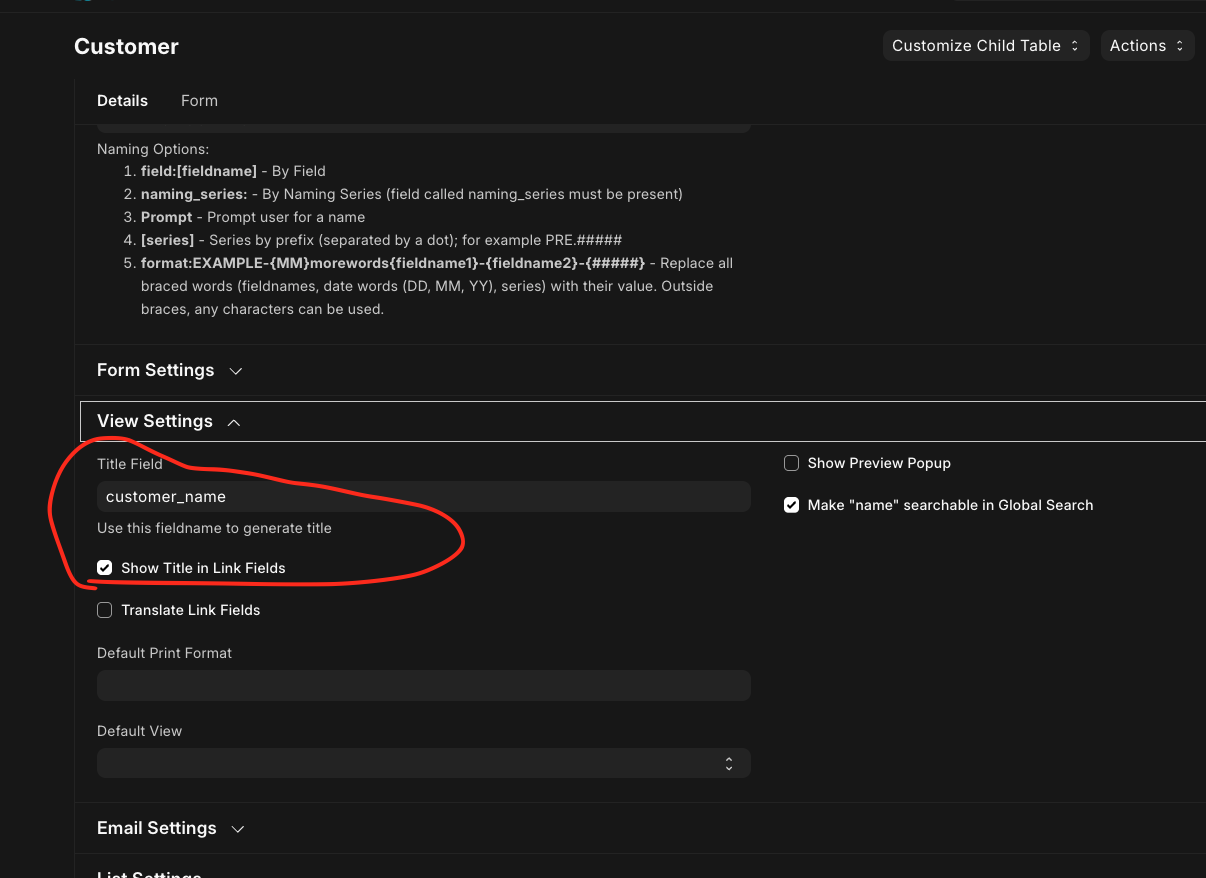
When you go to Customer > Customize > Details
What do you have for Viewing the name?
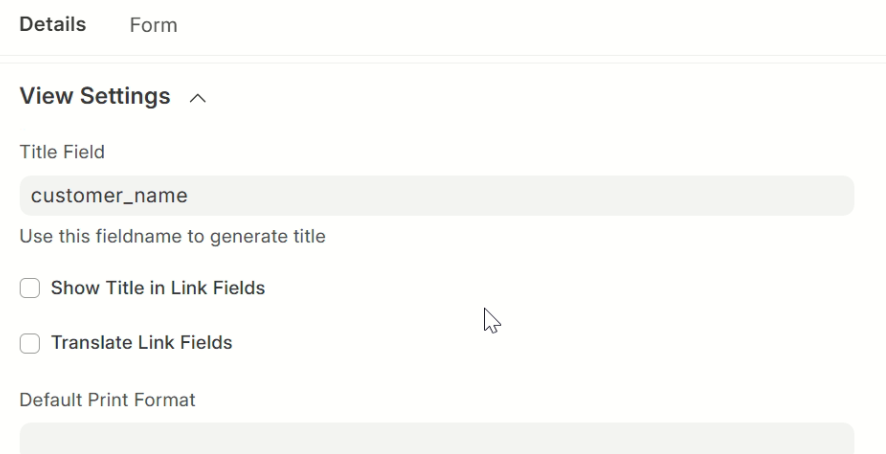
Try enabling “show tile in link fields”. This should help display your chosen field (customer_name) when using a link to customer.
No, still not working.
Is there any option to update customer ID with Customer Name in one go.
Do you notice a change in list view of customer or in other link fields (linking to customer)?
May you need to clear cache (browser and bench).
bench —site <your.site.domain> clear-cache
bench —site <your.site.domain> clear-website-cache
Filter section showing customer ID and Name. Problem is coming in Print pdf
Hi @Amit_Kumar1
When you are in list view can you switch to report view and then on the options “Pick Columns” does the customer name and ID both appear as options?
If it’s a custom SQL report, you should be able to pull and fields you choose.
Can you post your SQL logic here?
Pulling the name into the report data isn’t an issue. The problem is that adding it to the data rows isn’t required, we actually need it displayed in the report header.
Hi @asieftejani facing the issue in custom SQL report.