I set up Items with different values for (name aka ID, item_code, item_name).
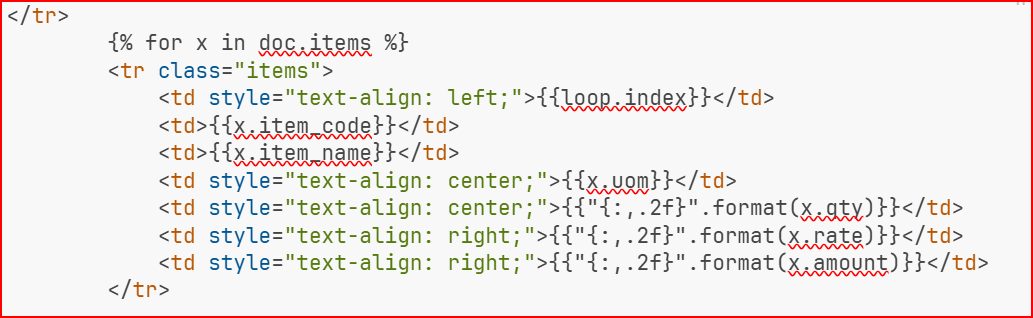
In print format I use html table to display items child table.
I don’t know how to display the item_code in the item_code field.
I have tried customizing Item doctype (leave title field blank, set title field to item_code, set title field to item_name).
I get various results, none of which display the item_code value in the item_code field within the child table of Quotation or print format when using {{ row.item_code }}.
Example Data: (item_code = 57834567, item ID/name = 567, item_name = “This Item Here”)
I can only get item_code to display “567” or “This Item Here”. In the list view, the item_code value will display as the title field, but never in child table or print format.
What am I doing wrong, or do I have to override some default behavior?
ERPNext: v15.79.0
Frappe Framework: v15.81.0
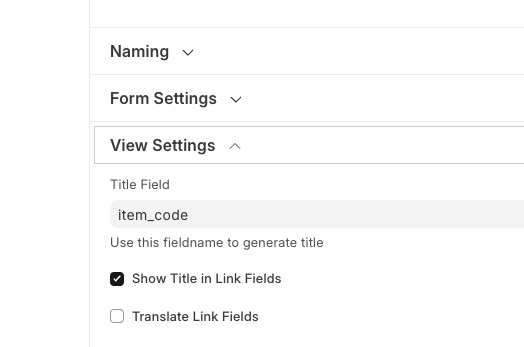
EDIT: It seems to me the only way to get item_code to display in a print format is to use the built-in print format builder (can’t use Jinja/HTML) plus use the settings below.
Thanks for looking into this @ahsantareen
This is what I have (very similar to yours).
{%- for row in doc.items -%}
<tr style="border: 1px solid black; border-collapse: collapse;">

    <td style="border: 1px solid black; text-align: left;">
        {{ row.item_code }}</td>
    <td style="border: 1px solid black; text-align: left;">
        {{ row.description }}</td>
    <td style="border: 1px solid black; text-align: right;">{{ row.qty }} {{ row.uom }}</td>
    <td style="border: 1px solid black; text-align: right;">{{
                "{:,.2f}".format(row.rate) }}</td>
     <td style="border: 1px solid black; text-align: right;"> {% if row.discount_percentage > 0 %} {{ "{:.0%}".format(row.discount_percentage / 100) }} {% else %} {{ '' }} {% endif %}</td>
    <td style="border: 1px solid black; text-align: right;">{{
                "{:,.2f}".format(row.amount) }}</td>
    </tr>

    {%- endfor -%}
Do you have any items where the name/ID is different from the item_code?
I’m confident in HTML/Jinja Frappe/ERPNext is overriding the field where the
data is pulled from. It’s pulling from name/ID not item_code in the above HTML/Jinja for loop.
There is some code running that is overriding the field being fetched.
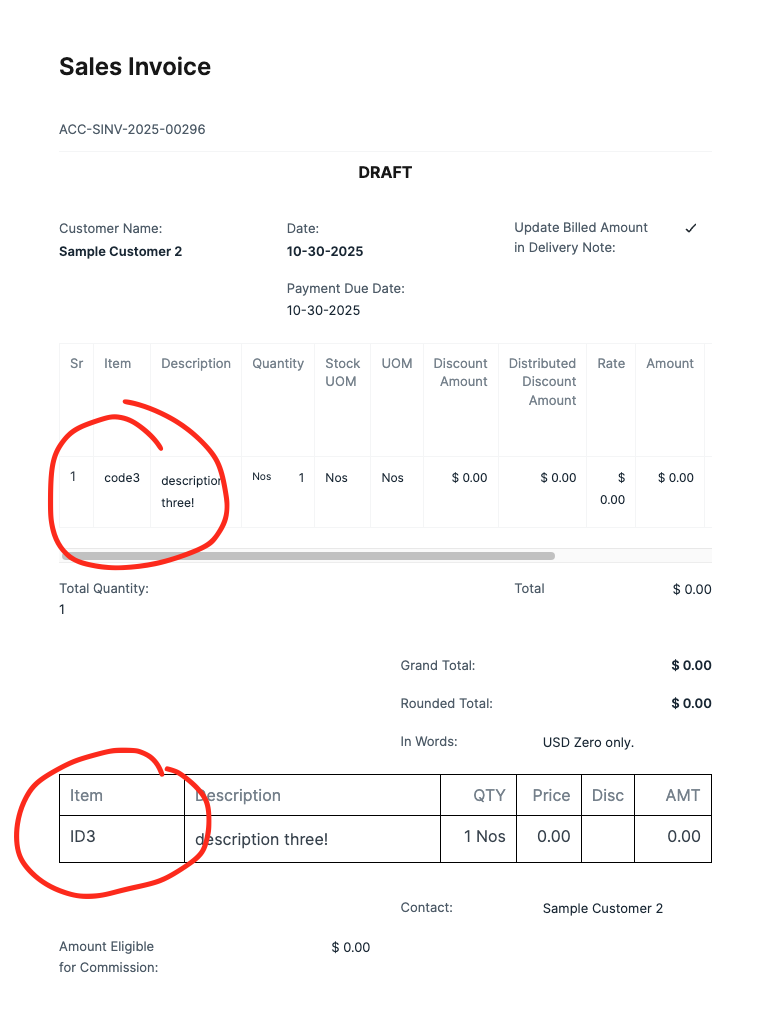
Here’s an example. This sales invoice has the built-in Frappe print format for the items on the top and my HTML/Jinja at the bottom. For the item_code field they differ.
A satisifying workaround would be I we can override Frappe’s default of always adding the IDX field. This is the main reason I opt for Jinja (but also for more control over the formatting).