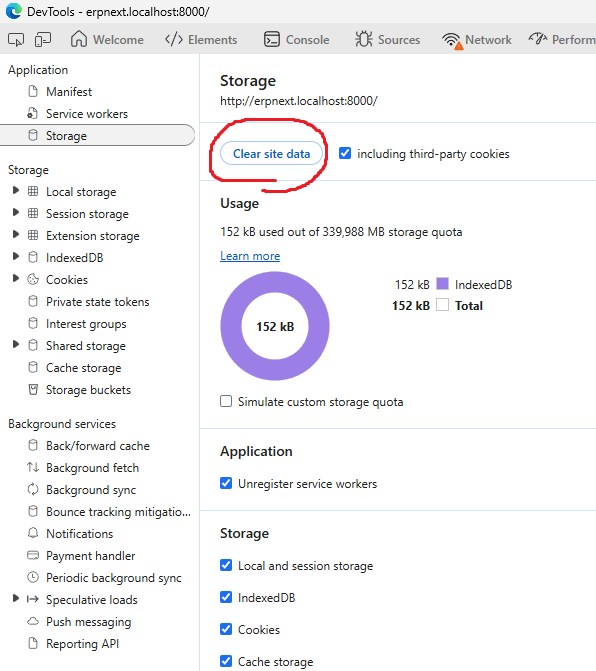
Try these sollutions from ChatGPT: -
Here are the exact things to check in the database + how to fix each one.
This is the fastest way to recover when /login returns 403 in Frappe.
 1. Check if Guest user is disabled
If Guest is disabled or missing required roles → Frappe blocks ALL public pages, including /login.
Run:
bench --site <yoursite> console
Then:
guest = frappe.get_doc("User", "Guest")
guest.enabled
guest.roles
 Fix if disabled:
guest.enabled = 1
guest.save()
Fix if roles are empty:
Guest must have:
Add:
guest.append("roles", {"role": "Guest"})
guest.save()
Restart:
bench restart
Test /login.
2. Check if someone modified Website Permissions
Sometimes developers accidentally deny Guest access globally.
Check:
frappe.get_all("Website Permission", fields="*")
If you see something like:
role != Guest
or
restrict_to_domain
Then login page is blocked.
Delete them:
for p in frappe.get_all("Website Permission"):
    frappe.delete_doc("Website Permission", p.name)
Restart server → test /login.
3. Check if your custom app broke auth
Run:
grep -R "on_session_creation" -n apps/
grep -R "frappe.PermissionError" -n apps/
grep -R "frappe.throw" -n apps/
grep -R "before_request" -n apps/
grep -R "whitelist" -n apps/
Look especially for:
if frappe.session.user == "Guest":
    frappe.throw("Not permitted")
or:
def on_session_creation(...):
    require_admin_only()
Even one such hook will break authentication.
Disable hook temporarily by renaming it:
mv apps/your_app/your_app/hooks.py apps/your_app/your_app/hooks.disabled
bench restart
Try /login.
4. Check if OAuth / Social Login misconfigured
Frappe v16 is strict with OAuth.
Check:
frappe.get_site_config().get("social_login_keys")
If something is half-configured → login is protected.
Fix:
Rename the keys temporarily:
mv sites/<yoursite>/site_config.json sites/<yoursite>/site_config.bak
Then restart:
bench restart
This resets all auth settings.
5. Check if Error Pages were overridden
If login page was overridden in your custom app, but access rules deny Guest → 403.
Search overrides:
grep -R "login.html" apps/
grep -R "override_whitelisted_methods" apps/
grep -R "override_doctype_class" apps/
If your app overrides:
/login
Remove the override temporarily.
 6. Quick brute-force fix (works 90% of the time)
bench --site <yoursite> set-config allow_guest_logout true
bench --site <yoursite> clear-cache
bench restart
This forces Frappe to reinitialize guest session.
 7. Nuclear fix (without deleting the site)
Reset Roles:
frappe.db.sql("delete from `tabHas Role` where parent='Guest'")
frappe.db.sql("insert into `tabHas Role` (parent, role, parenttype, parentfield, parenttable) values ('Guest','Guest','User','roles','User')")
frappe.db.commit()
Reset Permissions:
bench --site <yoursite> restore-site
(Not a restore—this rebuilds role/permission maps.)
If you tell me your Frappe version (v16.0.0-dev is early beta), I can tell you exactly which file and which permission check causes this.