Hi,
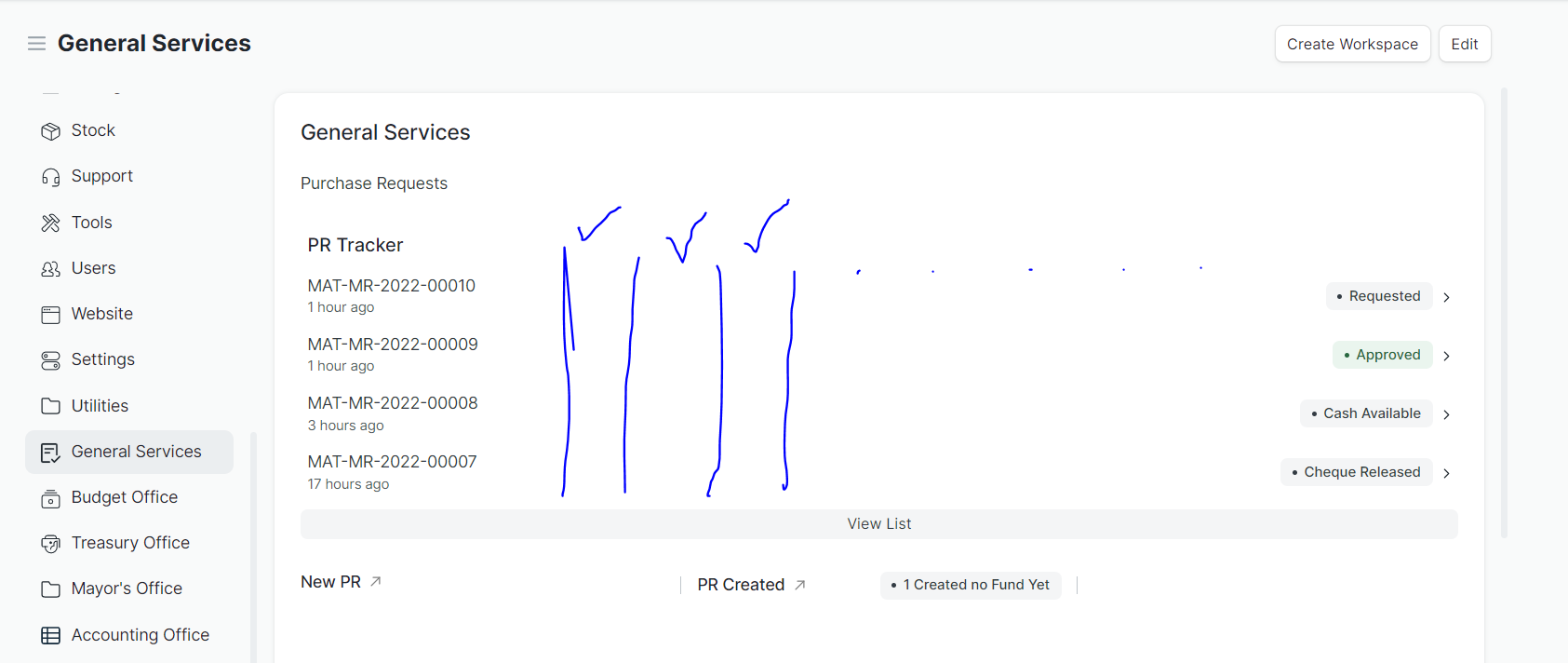
Is there a way to add columns to Workspace Quicklist in V14?
I have fields (check) and would like to also display it in the quick list
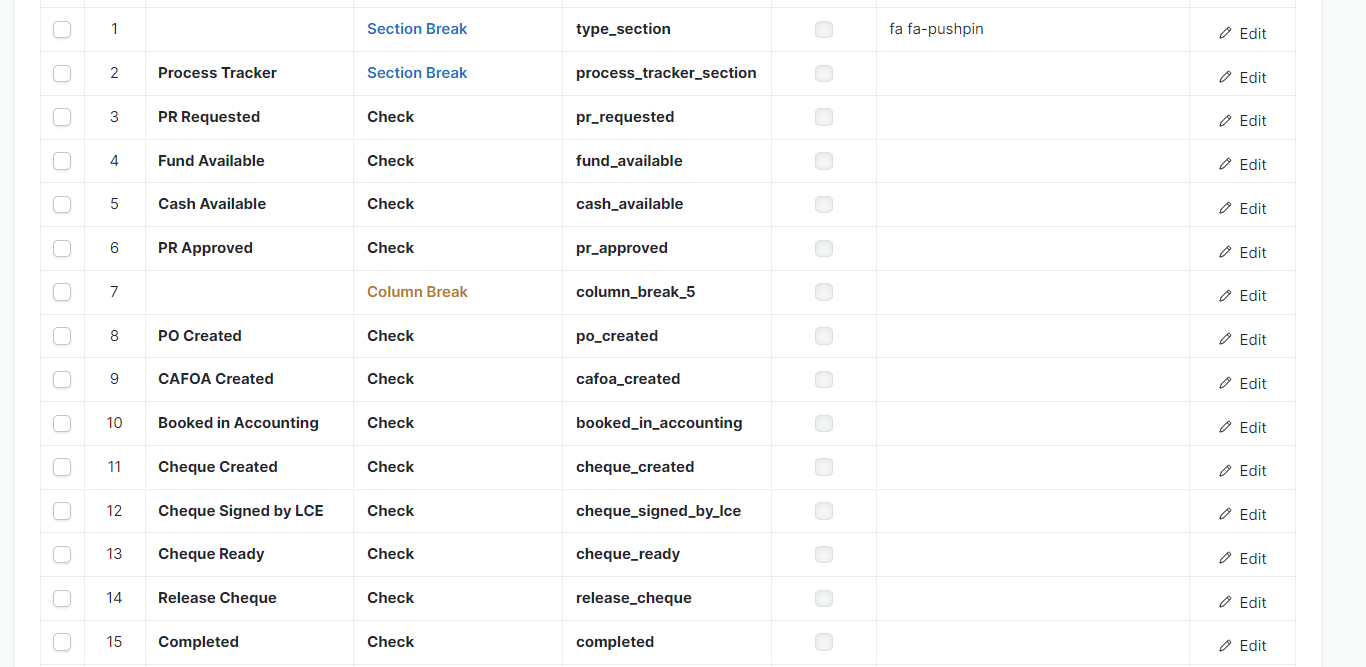
Here are the fields I would like to display as well
Am also interested in this, any updates?
Hi:
Take a look here. Thanks to this amazing feature, you can build your own custom block and using it on workspaces.
Hope this helps.
This is indeed an amazing feature, it opens doors for a lot of creativity!
Any hint on how to use it to replicate a Quick List with additional columns, as the title says?
Thanks for the inspiration, they certainly helped!
One more thing… how to include the customization into my custom app?
This is my expected approach, am I missing something?
custom_app/public/js/custom_quick_list_widget.js, extending the original files you mentioned:// Import the original QuickListWidget
import QuickListWidget from "/frappe/public/js/frappe/widgets/quick_list_widget.js";
export default class CustomQuickListWidget extends QuickListWidget {
setup_quick_list_item(doc) {
// Custom implementation:
let $quick_list_item = $(`
<div class="quick-list-item">
<div class="ellipsis left">
<div class="ellipsis title"
title="${strip_html(doc[this.title_field_name])}">
${strip_html(doc[this.title_field_name])}
</div>
<div class="new-column-content">
${doc.new_column_field}
</div>
<div class="timestamp text-muted">
${frappe.datetime.prettyDate(doc.modified)}
</div>
</div>
</div>
`);
$(`<div class="right-arrow">${frappe.utils.icon("right", "xs")}</div>`).appendTo($quick_list_item);
$quick_list_item.click((e) => {
if (e.ctrlKey || e.metaKey) {
frappe.open_in_new_tab = true;
}
frappe.set_route(`${frappe.utils.get_form_link(this.document_type, doc.name)}`);
});
return $quick_list_item;
}
}
Hi:
I think the right way is using Custom HTML Block, and adding it to workspace. You can use HTML, CSS and JS code, without custom app.
I completely missed this approach! Thanks for the reminder!