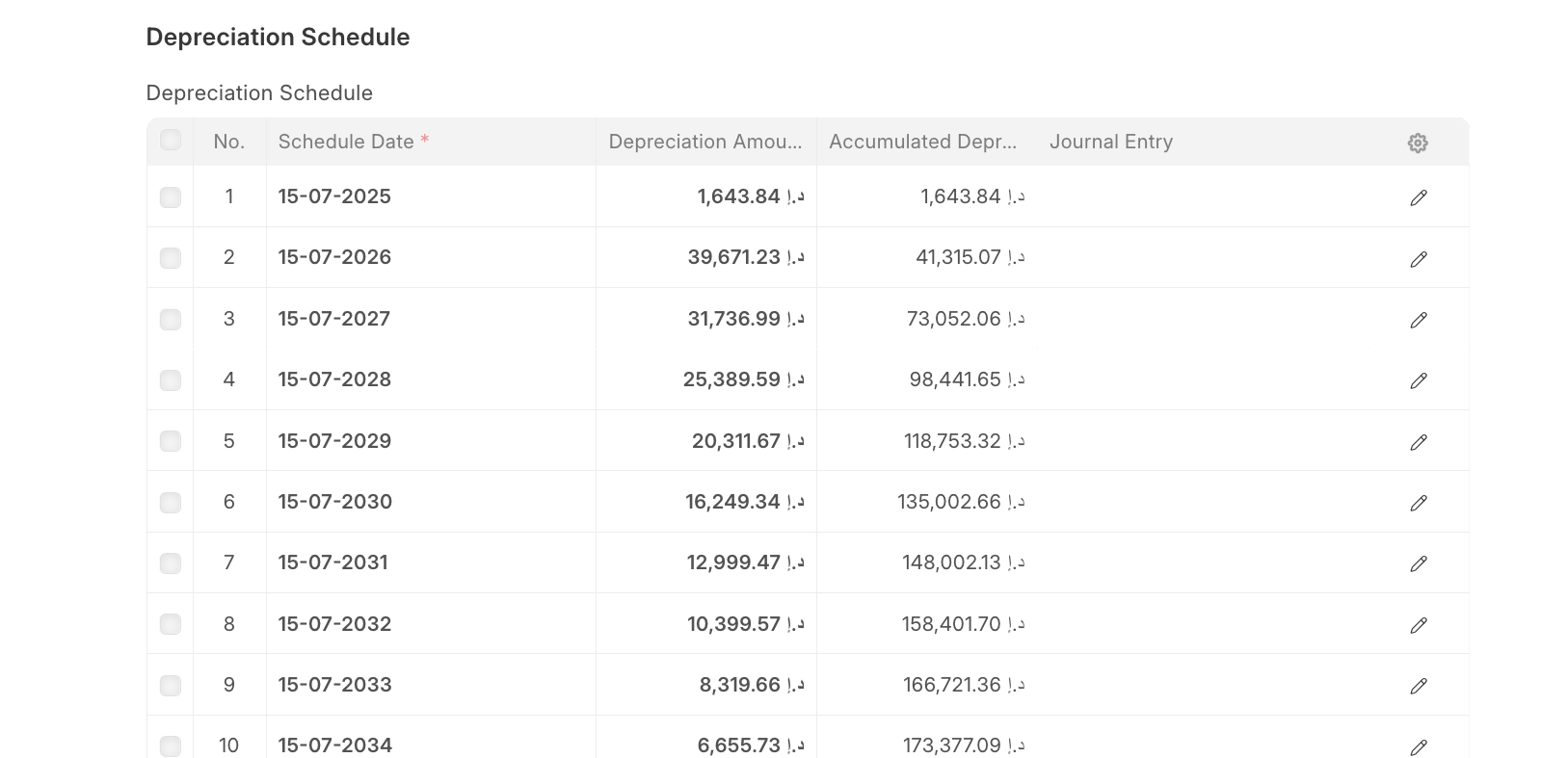
I have a use case where I’m not able to Understand if the behaviour is a BUG or just different approach. For better understanding the details are here:
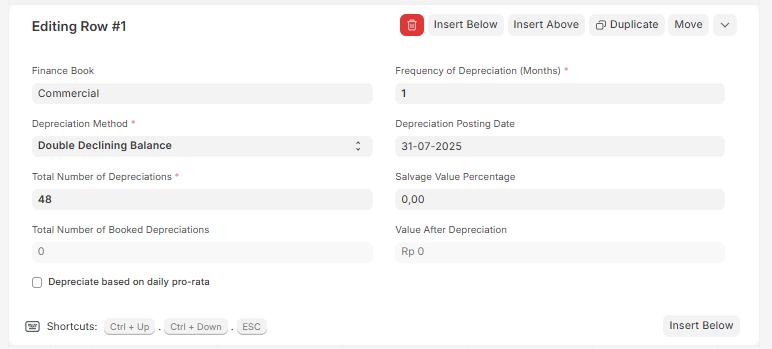
Method : Double Declining (DDB)
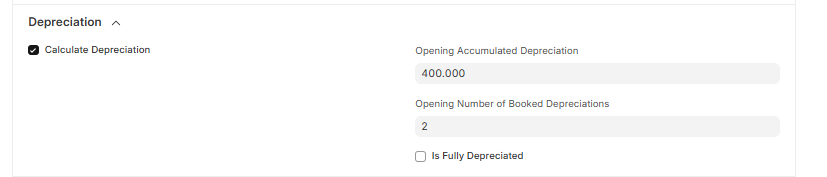
I have an Existing Asset with Gross 48,00,000/-
Available to User : 01-May-2025
Purchase Date : 01-May-2025
The Asset Category has 48 Depreciation Nos configured.
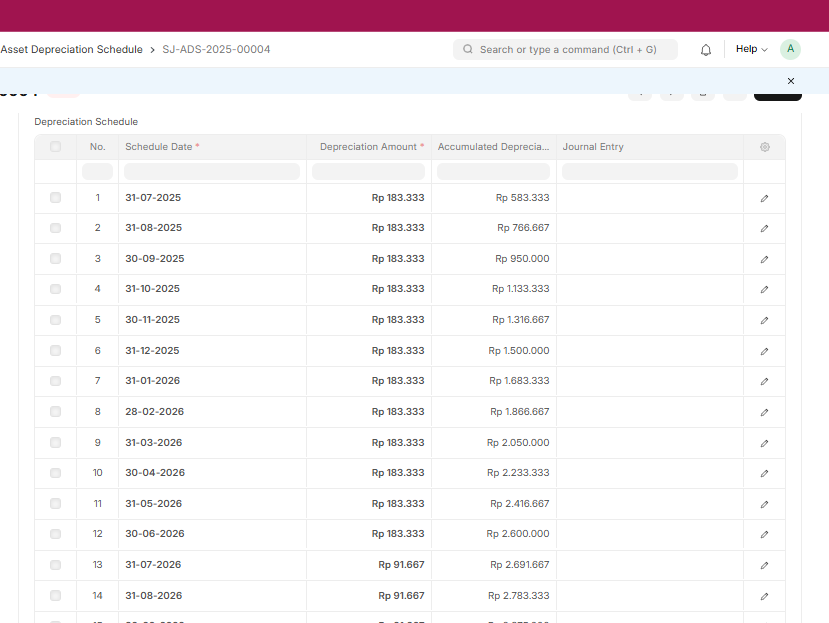
Expected output is First 10 months with 2,00,000 Depreciation but system is actually giving below output and also calculating the Depreciation 12 time on current value instead of 10 time as 2 time Depreciation is already done.
When using DDB is this correct calculation ? Or the system is having a BUG.
Tested with ERPNext: v15.69.2 (version-15) and Frappe Framework: v15.73.0 (version-15)
Also
with old version ERPNext: v15.29.3 and Frappe Framework: v15.34.1
better use manual method until its fixed. erpnext is using mixed method of depreciation where initially its updating higher depreciation values and later switching to straight line method (if you have monthly depreciation)
Since ERPNext applies the double declining rate on the opening book value for the year, then spreads it monthly.
Switch to a longer depreciation period, For very short lives, DDB behaves almost like straight line. Extending life to 2 years or more makes the declining effect clearer.
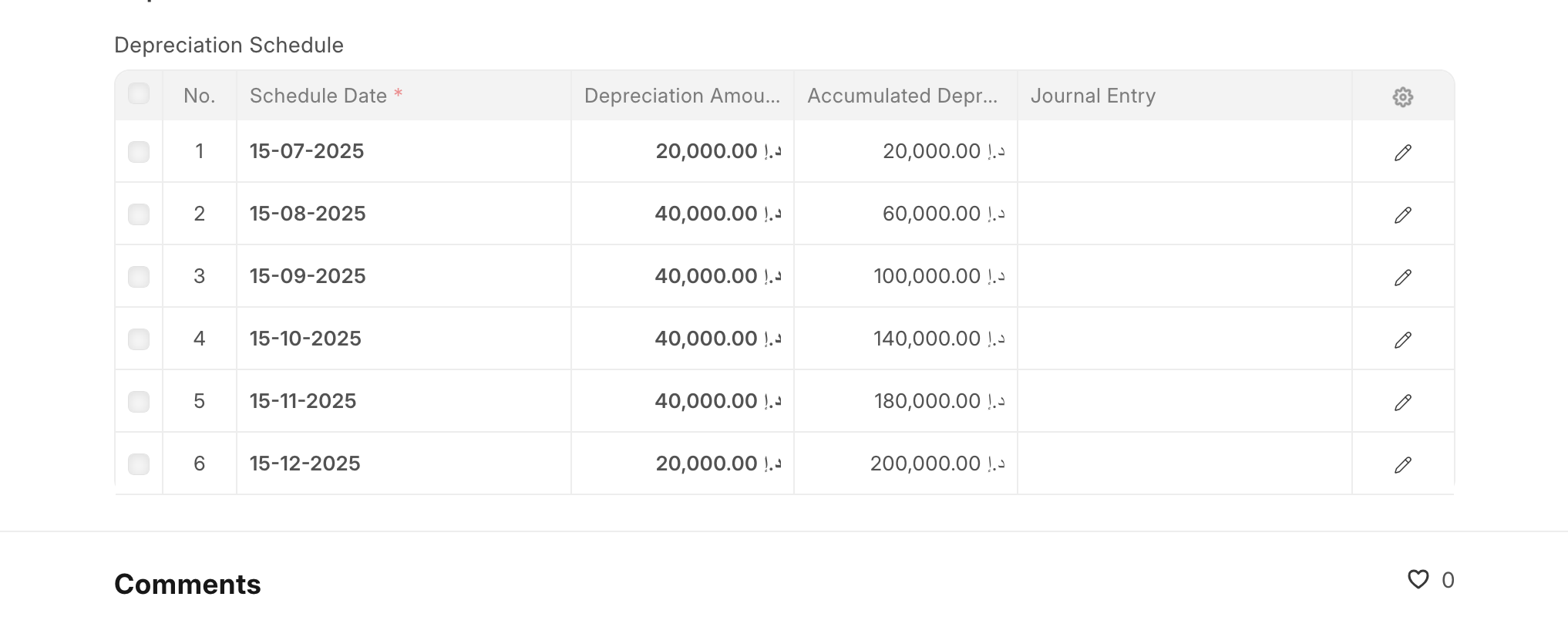
refer to same asset of 200K depreciated across multiple years
Hi @Maveez , thanks for your help and response on the issue.
I tried to study more with the behaviour of ERPNext and Asset Depreciation calculations and below is my learning and finding, but still would request the @frappe team to confirm this understanding.
So the issue I understood was not with ERPNext switching from Double Declining to Straight Line Method.
It is what you keep as Salvage Value in your Asset Category.
If you keep the Salvage Value as 0%, then the system has to depreciate till 0 which happens only after you switch to Straight Line at the end.
Without switching to Straight Line method, Double Decline can never Depreciate any Asset to 0 by Nature.
So I can conclude that this is not a System error or a Customization I need, it is what I need to enter to get the expected result.