Auto Repeat task returns OK, but no entries are created (Bug?)

Suddenly, and without any apparent change, all Auto Repeat jobs of all kinds have stopped working. The version of ERPNext has not changed between the successful creation and the unsuccessful creation, and the system has not been updated either. I first noticed it today after September’s month-end invoices did not auto-create.

If I run “Execute” on the frappe.automation.doctype.auto_repeat.auto_repeat.make_auto_repeat_entry job, the “Scheduled Job Log” shows a successful execution, and the log file also has some entries that are relevant to the files that would otherwise get created:

2025-10-04 15:45:15,511 home-erp-frappe-bench:default: frappe.utils.background_jobs.execute_job(event=None, is_async=True, job_name='frappe.core.doctype.scheduled_job_type.scheduled_job_type.run_scheduled_jo..., kwargs={'job_type': 'frappe.automation.doctype.auto_repeat.auto_repeat.make_auto_r..., method='frappe.core.doctype.scheduled_job_type.scheduled_job_type.run_scheduled_jo..., site='erp', user='me') (erp::scheduled_job::frappe.automation.doctype.auto_repeat.auto_repeat.make_auto_repeat_entry)
2025-10-04 15:45:15,898 home-erp-frappe-bench:default: Job OK (erp::scheduled_job::frappe.automation.doctype.auto_repeat.auto_repeat.make_auto_repeat_entry)
2025-10-04 15:45:15,899 Result is kept for 600 seconds
2025-10-04 15:45:15,903 home-erp-frappe-bench:default: frappe.utils.background_jobs.execute_job(event=None, is_async=True, job_name='frappe.automation.doctype.auto_repeat.auto_repeat.create_repeated_entries', kwargs={'data': [{'name': 'OnCall Transfer'}, {'name': 'Vultr'}, {'name': 'AUT-AR-..., method='frappe.automation.doctype.auto_repeat.auto_repeat.create_repeated_entries', site='erp', user='me') (352a1570-583a-4639-b535-63dba295f32d)
2025-10-04 15:45:16,220 home-erp-frappe-bench:default: Job OK (352a1570-583a-4639-b535-63dba295f32d)
2025-10-04 15:45:16,220 Result is kept for 600 seconds

I reverted back to several old backups just to make sure that the system hadn’t been changed, even as far back as April, but oddly no new Auto Repeat entries are created even when I run Execute from a backup job in April. So either I don’t understand what that “Execute” button does, or there’s something else going on.

Can somebody please tell me how to run an execution task to create missed Auto Repeat tasks?

And can somebody offer some insight into what the heck is going on and why the system would suddenly stop behaving correctly without any change to it?

ERPNext: v14.74.7 (version-14)
Frappe Framework: v14.83.0 (version-14)
Frappe HR: v14.34.1 (version-14)
I just upgraded to:

ERPNext: v15.81.1 (version-15)
Frappe Framework: v15.84.0 (version-15)
Frappe HR: v15.50.2 (version-15)

Same issue. Ran execute, here are the logs:

2025-10-04 16:11:51,366 home-erp-frappe-bench:long: frappe.utils.background_jobs.execute_job(event=None, is_async=True, job_name='frappe.core.doctype.scheduled_job_type.scheduled_job_type.run_scheduled_jo..., kwargs={'job_type': 'frappe.automation.doctype.auto_repeat.auto_repeat.make_auto_r..., method='frappe.core.doctype.scheduled_job_type.scheduled_job_type.run_scheduled_jo..., site='erp', user='me') (erp::scheduled_job::frappe.automation.doctype.auto_repeat.auto_repeat.make_auto_repeat_entry)
2025-10-04 16:11:51,605 home-erp-frappe-bench:long: Job OK (erp::scheduled_job::frappe.automation.doctype.auto_repeat.auto_repeat.make_auto_repeat_entry)
2025-10-04 16:11:51,605 Result is kept for 600 seconds
2025-10-04 16:11:51,611 home-erp-frappe-bench:long: frappe.utils.background_jobs.execute_job(event=None, is_async=True, job_name='frappe.automation.doctype.auto_repeat.auto_repeat.create_repeated_entries', kwargs={'data': [{'name': 'SupplierX'}, {'name': 'AUT-AR-00725'}, {'name': 'CustomerX..., method='frappe.automation.doctype.auto_repeat.auto_repeat.create_repeated_entries', site='erp', user='me') (erp::ea59304c-5191-4c1d-8ab4-f80ece12a409)
2025-10-04 16:11:51,744 home-erp-frappe-bench:long: Job OK (erp::ea59304c-5191-4c1d-8ab4-f80ece12a409)
2025-10-04 16:11:51,744 Result is kept for 600 seconds

Still no auto repeated documents created.

Hello,

Can you check is there any Error Logs?

Or in the site go to Schedule Job Type and check this method execution?

No error log except “Failed to remove Exotel Integration.” which occurred as part of the upgrade.

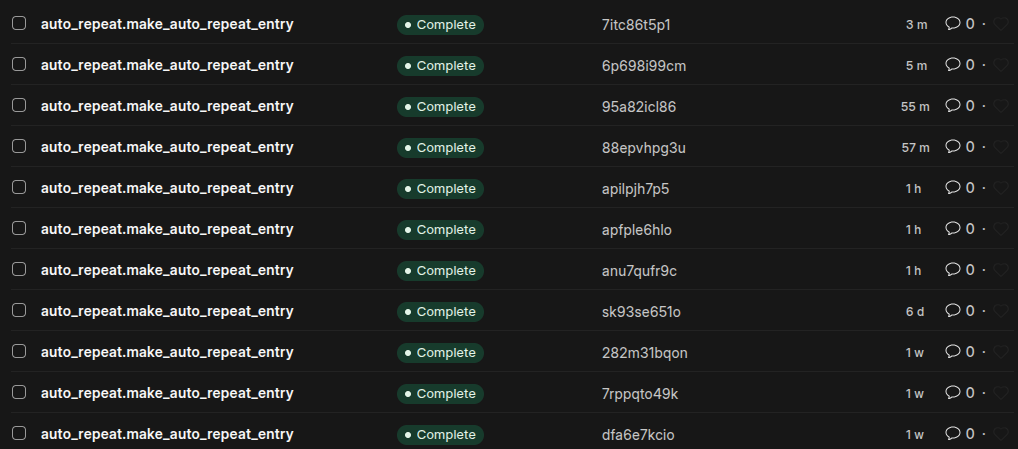
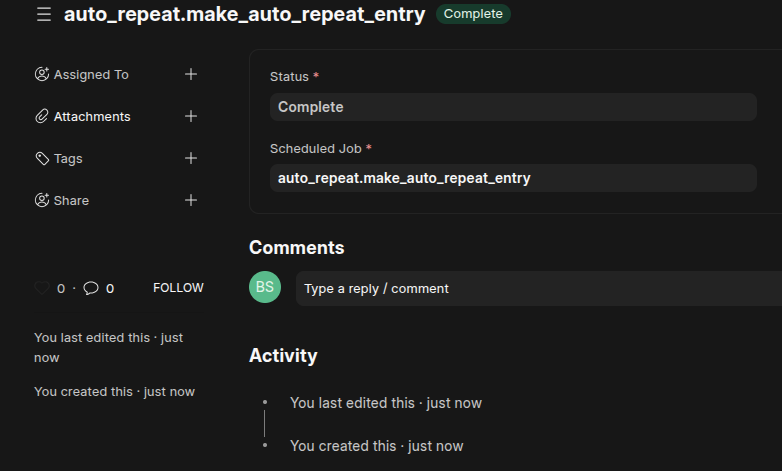
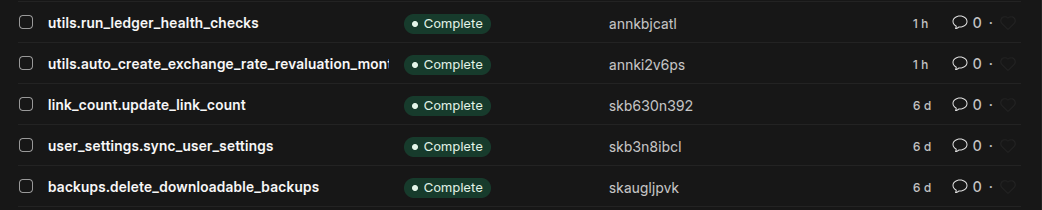
Schedule job type says complete when I run it for auto repeat entries:

When I look at the last scheduled log entries, these show as stopping for some reason 6 days ago, and then resuming again after I restored today’s backup and upgrading to v15:

Same with an auto repeat filter - just stopped for no reason six days ago (the VM was not crashed or similar):

All of the latest ones are manual ones I’ve run, but how do I get it to create the entries from end of Sept that it missed? I can try to fudge the clock and see if it works now but it seems hacky and I’m not sure of the consequences.

I managed to bash it back to life by stopping chronyd, forcing the time back to 29/09 23:55, and rebooting. I thought that it’d create the missing auto repeat jobs itself at the strike of midnight… nope. I had to hit Execute manually and that got it.

Hopefully I don’t have to do that every month.

Can you check on your server that your workers are running?

What’s the process to do that?

Hi,

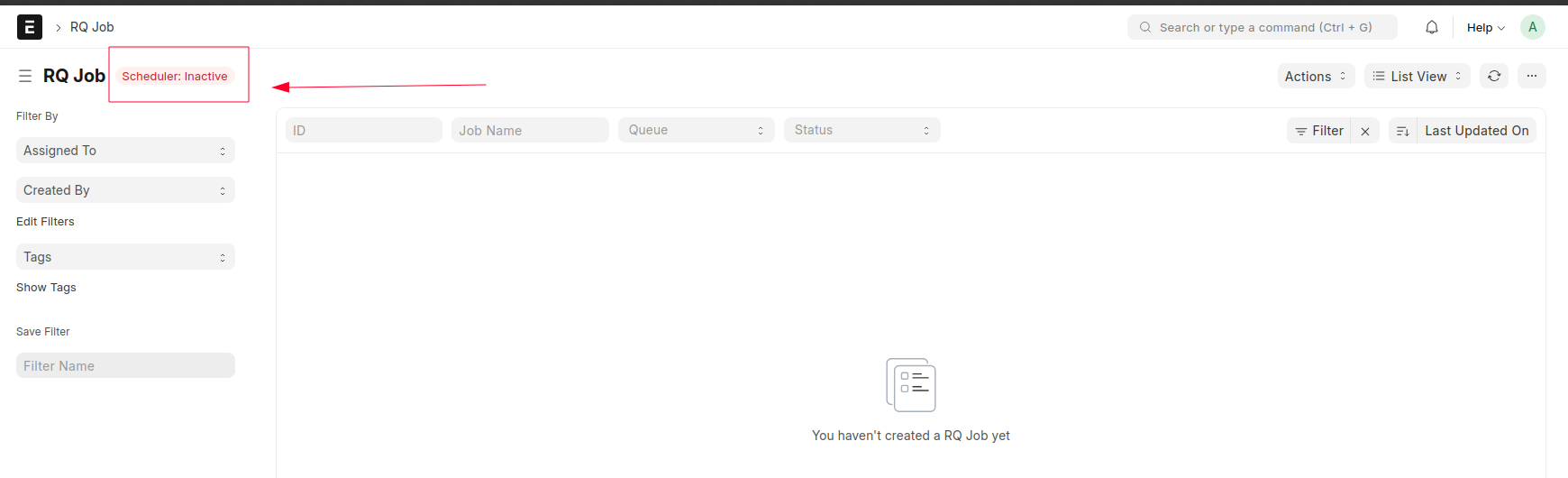
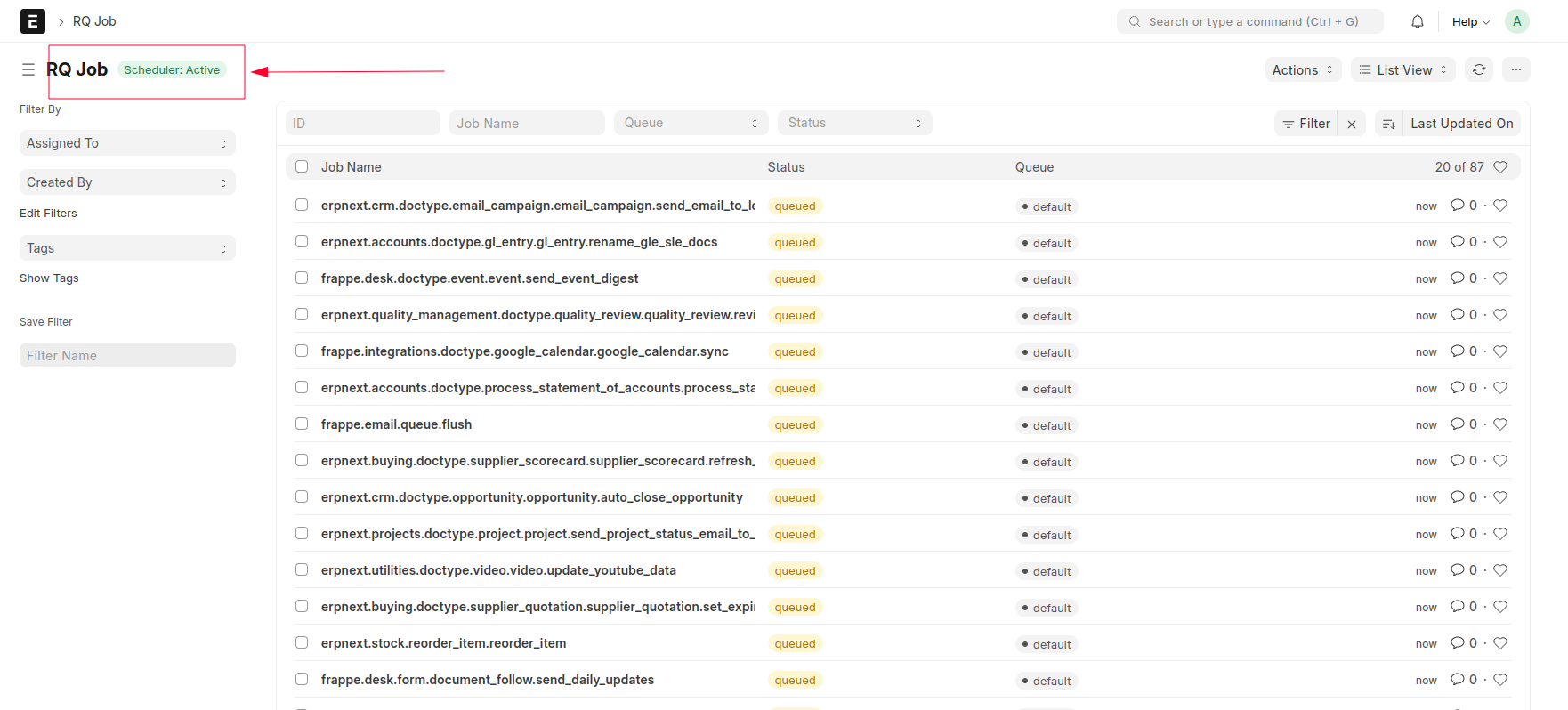
you can check directly from UI.

  1. Currently is Inactive

  1. After running below command
bench enable-scheduler
  1. it is Active

You can find more details here