Hey everyone,
Saw the discussion in A new bench with admin UI (2026) and it got me thinking, managing multiple local benches through the terminal is fine once you know the commands, but it gets repetitive fast, especially when you’re juggling several client environments at the same time.
So I built Bench Manager — a lightweight web UI that sits outside your benches and lets you manage all of them from a single browser tab.
The Problem It Solves
If you’re doing active ERPNext/Frappe development locally, you’ve probably got multiple benches running (or needing to run) at the same time - one for client A, one for staging, maybe a fresh one you’re testing something on. Keeping track of which is running, which port it’s on, and jumping into the terminal every time you want to start/stop/back up gets tedious.
Bench Manager gives you a simple dashboard to handle all of that without touching the terminal.
Screenshots
Dashboard - All Benches at a Glance
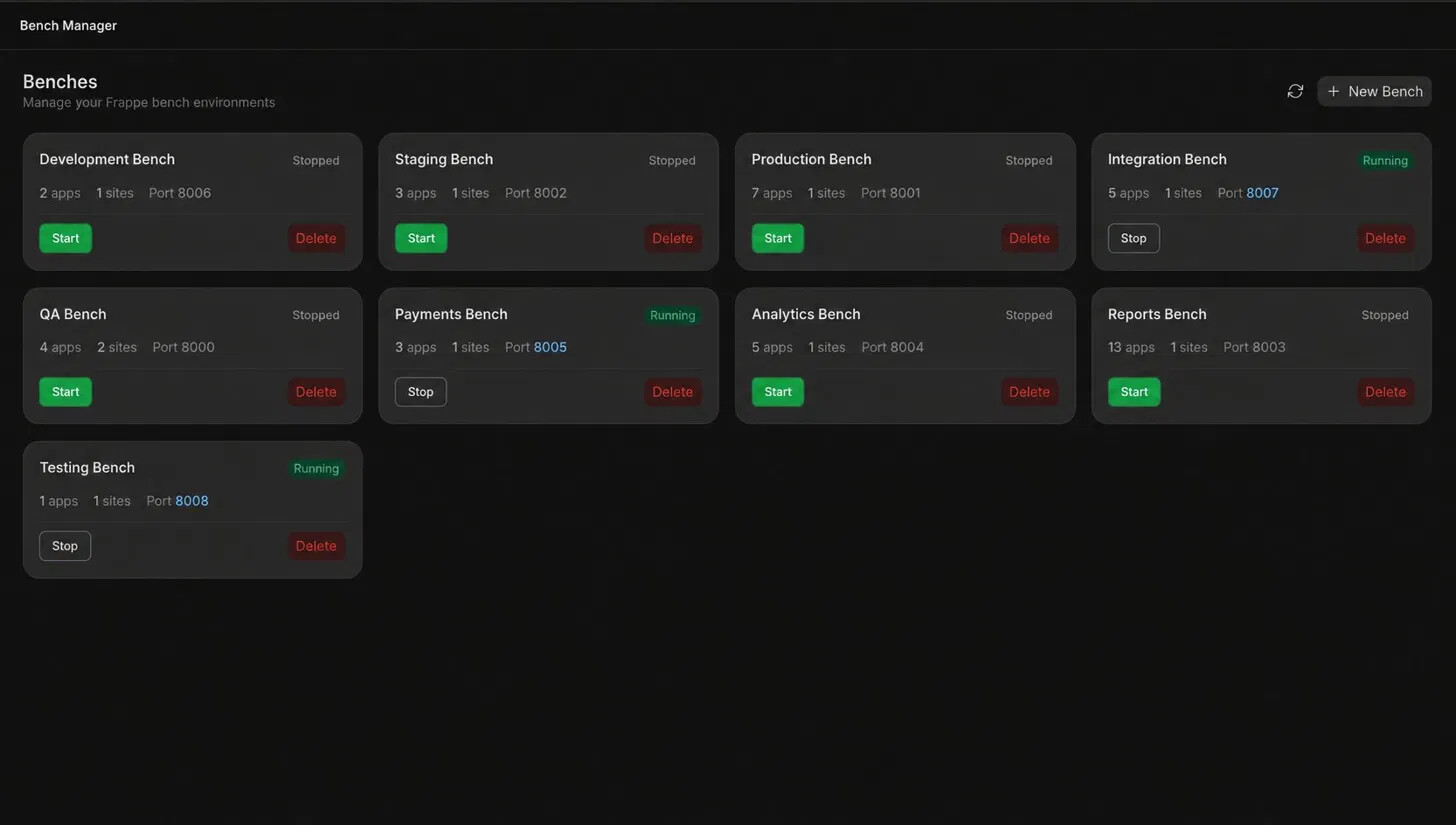
Every bench is shown as a card with its status (Running / Stopped), port, app count, and site count. One-click Start and Stop buttons. The running benches have their port number highlighted so you can tell at a glance what’s live.
Bench Detail - Sites, Apps, Logs, Terminal

Clicking into a bench gives you four tabs:
-
Sites - list of all sites with their DB identifier
-
Apps - apps installed in the bench
-
Logs - live log tail (web, worker, scheduler, error)
-
Terminal - run bench commands directly from the browser
Site actions are inline: Use, Migrate, Install App, Backup, Restore, Drop.
One-Click Backup with Download
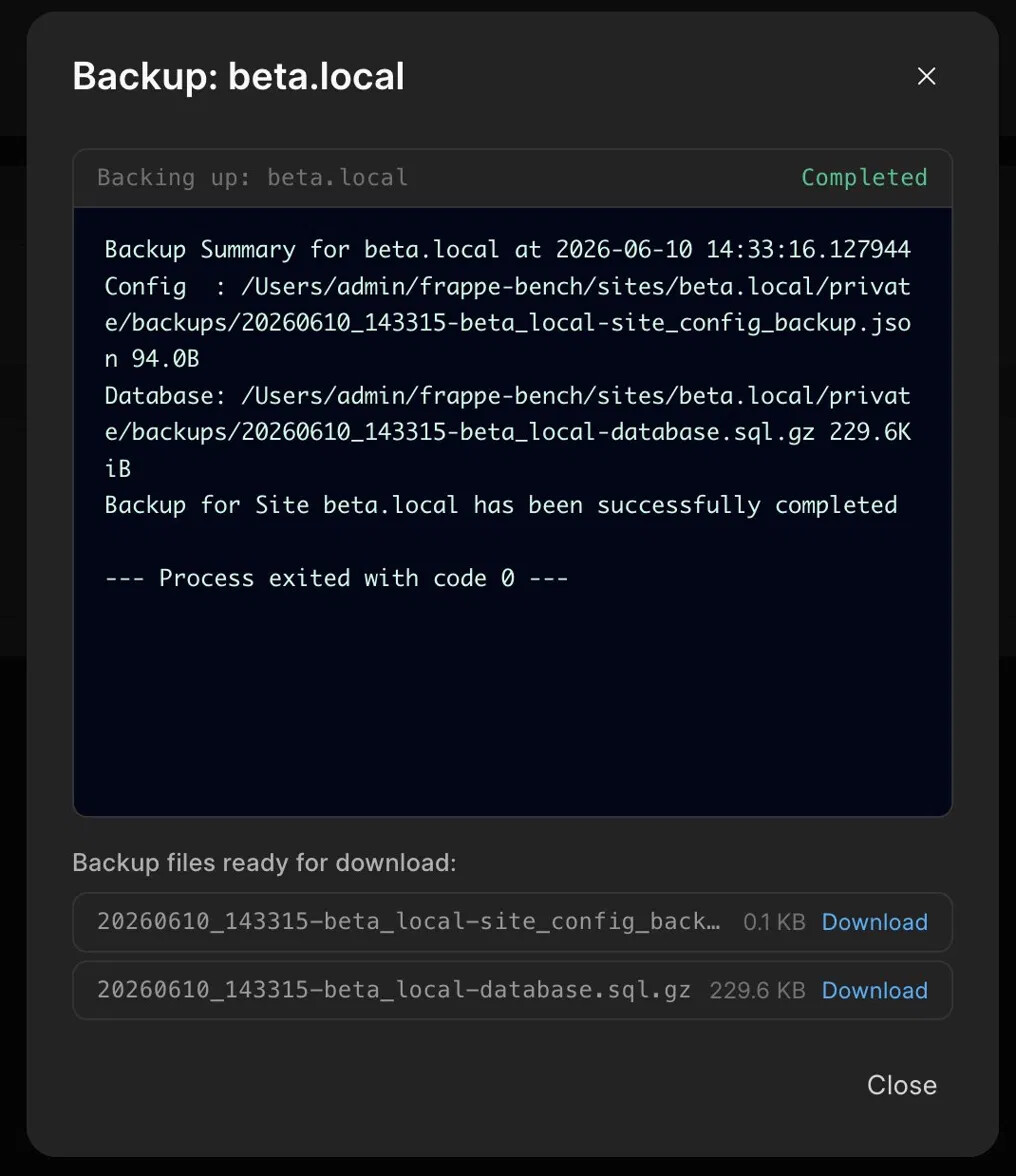
Hit Backup on any site and it runs bench backup with live output streamed to the UI. When it’s done, the backup files (database .sql.gz and site config .json) are listed with direct Download links - no need to dig through the filesystem.
Site Restore
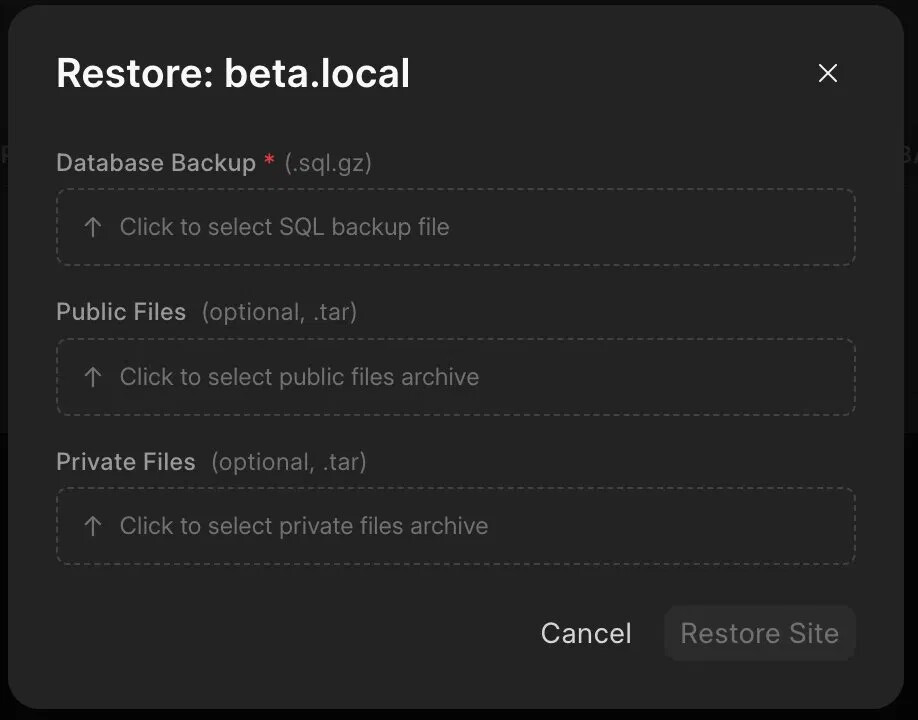
Restore accepts a .sql.gz database backup plus optional public/private files archives. Useful for pulling a production backup into your local bench for testing.
Create New Bench
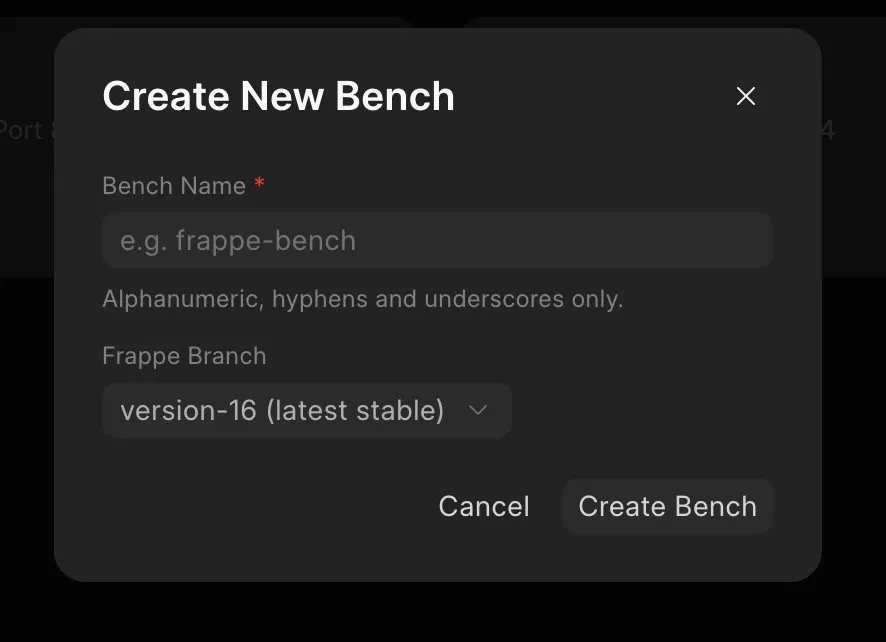
Create a new bench directly from the UI - name it, pick your Frappe branch (defaults to version-16 latest stable), and it runs bench init with live output streamed back so you can watch the setup happen.
Feature Summary
-
Dashboard with live status for all local benches
-
Start / Stop with one click
-
Live log streaming - web, worker, scheduler, error logs
-
Site management - migrate, install apps, backup, restore, drop
-
Backup download - files served directly from the browser
-
Create / Delete benches with live
bench initoutput -
Auto-detects the
benchexecutable (virtualenv, PATH, Homebrew, macOS pip installs) -
No Node.js required to run - frontend is pre-built
Who Is This For?
This is primarily aimed at local development - consultants, freelancers, or teams who maintain multiple bench environments on a single machine. It’s not trying to replace Frappe Cloud or be a production server manager; it’s a dev-time convenience tool.
I will soon be making it public, just wanted to soft launch it over here to get the community’s feedback on it.
 This is a very practical tool for developers and consultants who manage multiple ERPNext/Frappe environments daily.