While I see there is an option to customize BOM naming in the BOM form, it does not seem to work as expected. Currently, BOMs are named using the format “Item Code – Revision.” However, in our pharmaceutical company, we manufacture several products with varying batch sizes, which means each BOM has different sub-assemblies (mostly multi-level) and multiple batch sizes.
Managing BOMs with this level of complexity is time-consuming, and the default naming system is not very helpful in differentiating them. A more effective solution would be to name BOMs using a combination of item_name and qty (batch size).
I’ve already tried customizing the naming with expressions, field names, and scripts, but none of these approaches have worked.
Is there a recommended way to achieve this flexible BOM naming? Any suggestions would be greatly appreciated.
Thank you for your response. I’m aware of the approach to use By script with a custom autoname controller function. However, my main concern is about maintainability. Overriding core methods like autoname often leads to complications during ERPNext upgrades and could require manual intervention or changes after each update.
Since this is a large-scale enterprise application, long-term maintainability is critical. I’m hoping to find an approach that’s more upgrade safe.
Thank you for such a detailed and practical answer!
Your explanation clarifies the fundamental design decisions behind ERPNext BOM naming. I completely agree that introducing custom fields and generating a human-readable identifier via a server script is the most robust and upgrade-safe solution. It’s very helpful to hear how this approach works in real-world pharmaceutical implementations.
Thanks again for sharing your expertise and the experience from Sigzen Technologies. It’s reassuring to see this best-practice model in active industry use.
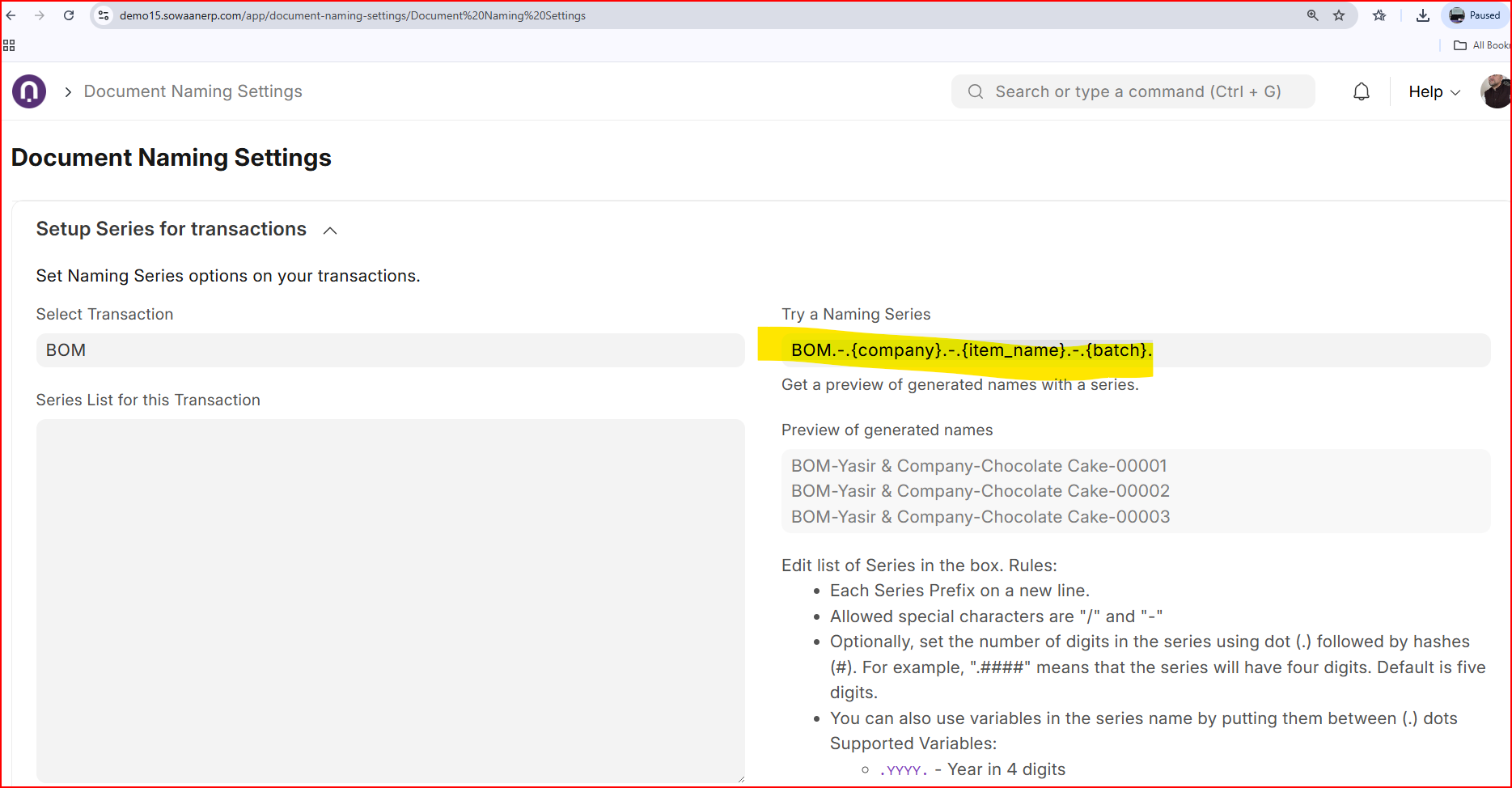
Adding a custom field namely naming series will enable you to start working with Document Naming Setting where you can re define BOM nomenclature dynamically. There is not need for server side scripts at all.
Document Naming Rule can also help if conditions are more robust.
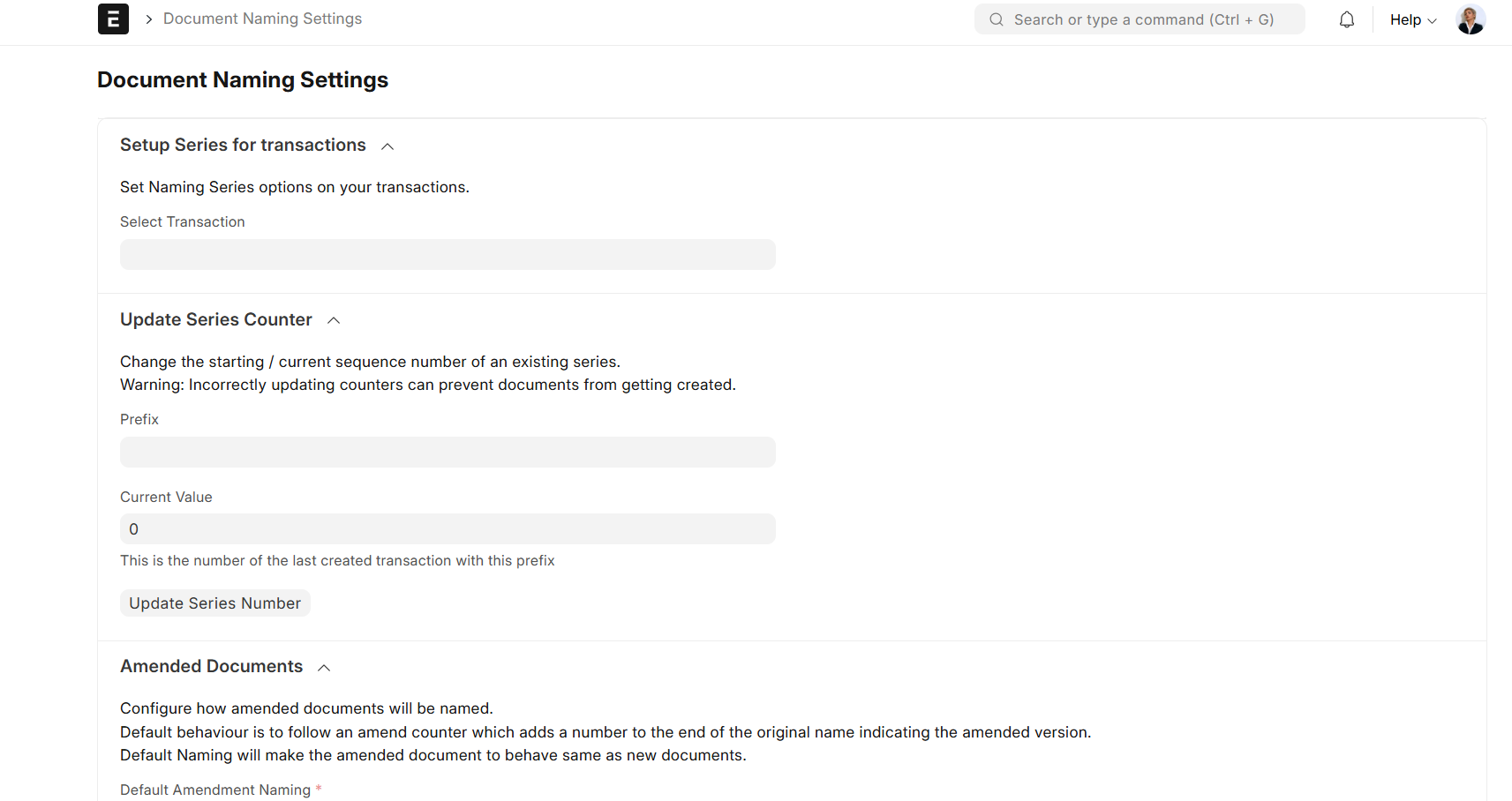
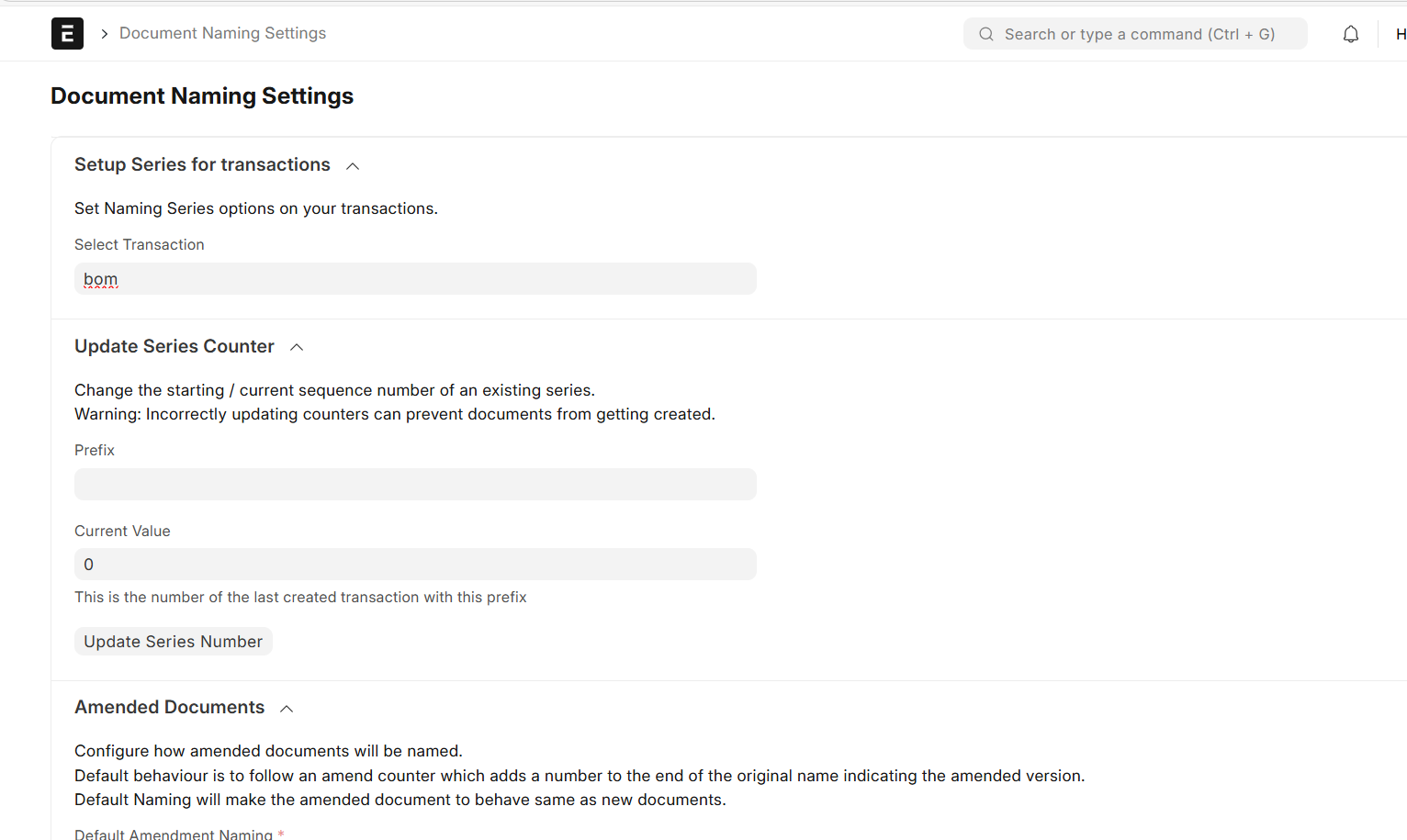
The screenshot you shared is very helpful, especially the dynamic naming expression. However, I’m unable to find this specific Document Naming Settings page in my instance.
Is this feature exclusive to Version 15? I am trying to achieve this in v15.91.0, but my ‘Naming Series’ tool looks much different. Would appreciate it if you could clarify the version requirement for this enhanced naming UI.