I’m facing a confusing issue while creating BOMs in ERPNext.
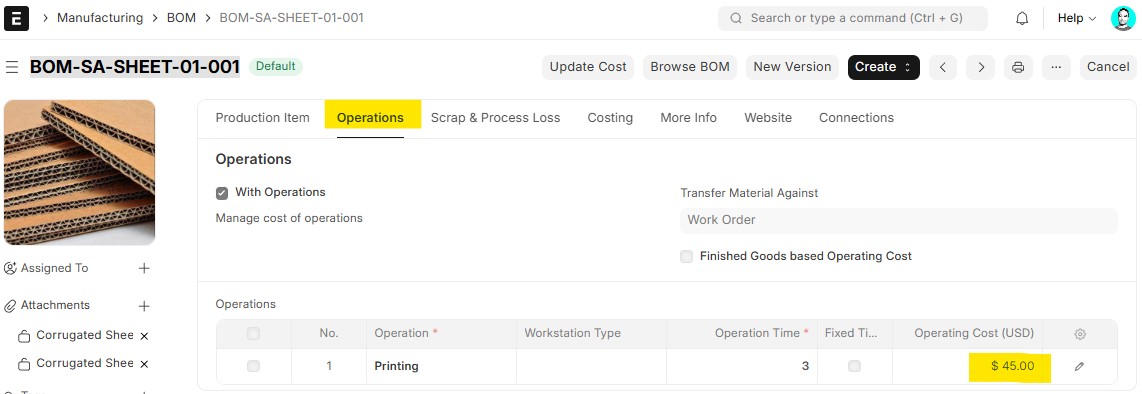
I have a sub-assembly item “Corrugated Board Sheet” which has its own BOM, but all its raw materials have zero rate (no stock, no purchase, no valuation, no standard rate).
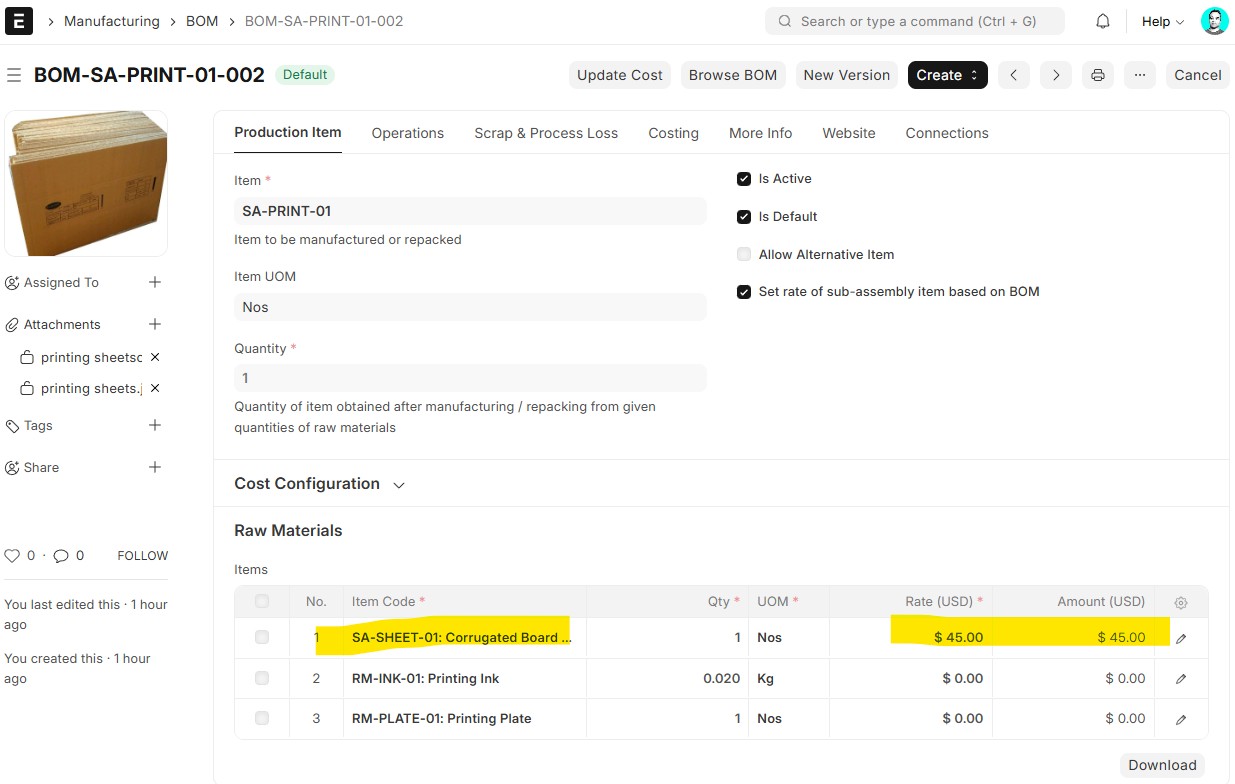
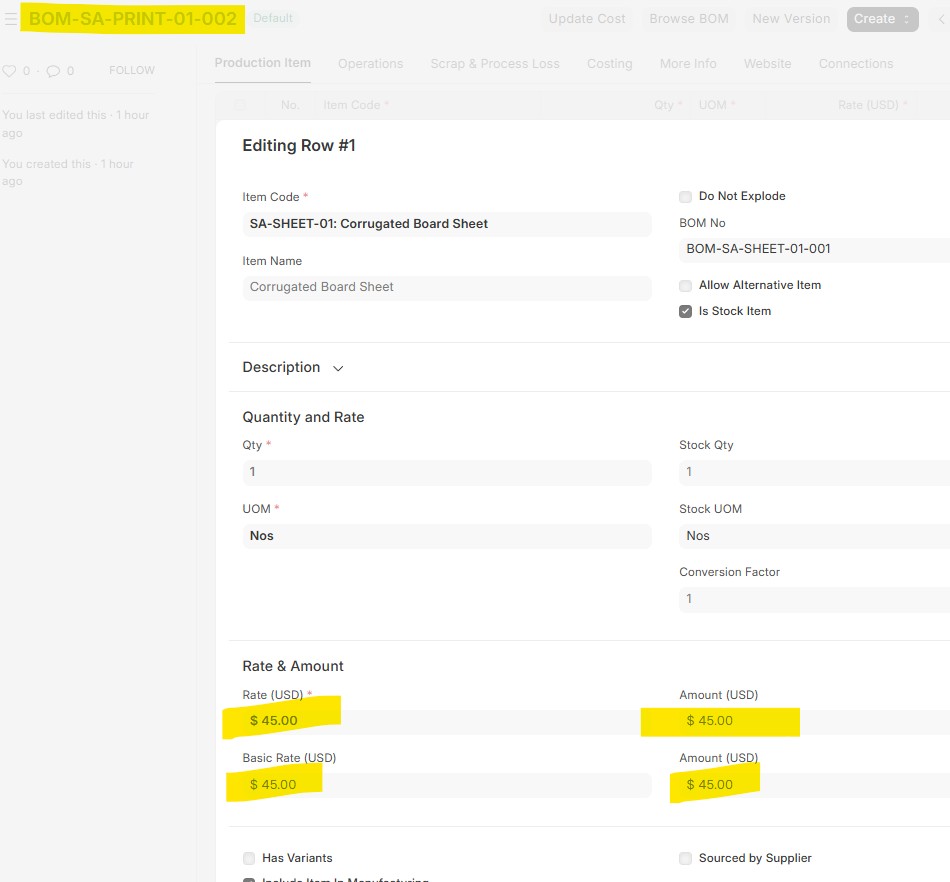
In one BOM, this item is showing a rate of 45, but in a newly created BOM, the same item is showing 0.48. Other similar sub-assembly items are showing 0.
I have checked:
-
No standard rate
-
No price list
-
No stock or transactions
-
Child BOM also has zero rates
Still, the system is auto-populating different rates for the same item in different BOMs.
Can someone help me understand:
-
From where is ERPNext picking this rate?
-
Why is the same item showing different values in different BOMs?
Image 1: in BOM definition Itm SA-SHEET-01 Rate and Amount calcualting and IMAGE 2 the Rate &Amout is also showing but there is no vlauation , no item price, PO, Invoice is yet created, so wondering how this amount is calcualting