I created an employee and submitted a Leave Application for 5 days under “Leave Without Pay”, but when I processed the payroll, the deduction was not reflected in the Salary Slip
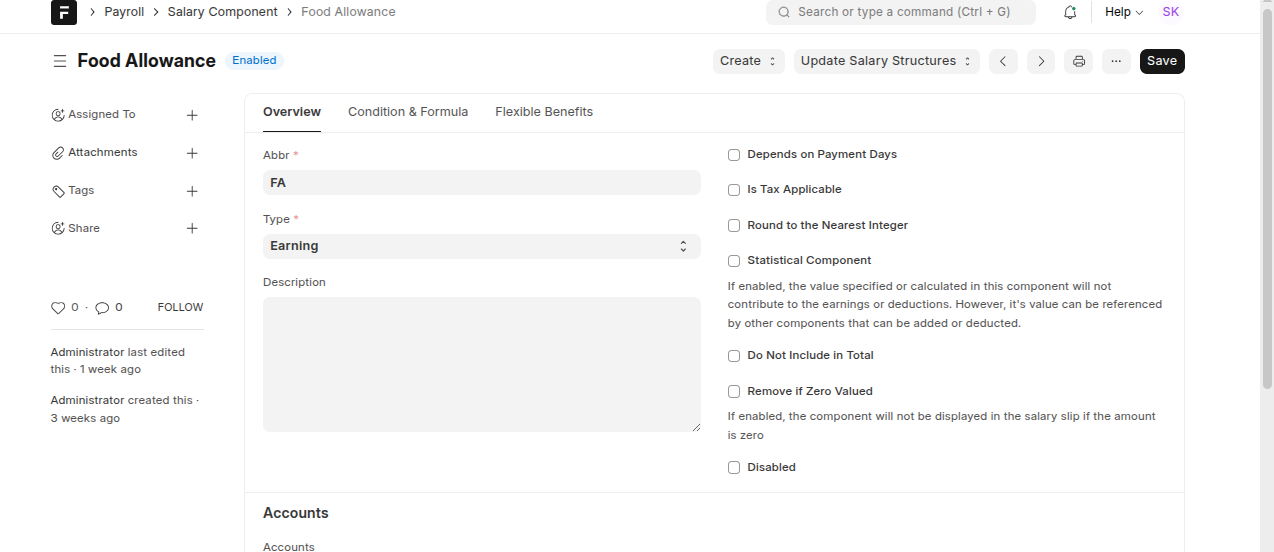
May i Check the Check box Depends on Payment Days in Salary Component???
Yes, also make sure you are using Leave based payroll processing not based on Attendance. You can check and confirm the same on Payroll Settings.
1 Like
Yes, it is based on leave. I’m also adding an additional salary for that employee. Is it possible to deduct the amount from the additional salary? Because the additional salary is overriding the salary structure, and it appears in the salary slip.
When you created the additional salary, if you didn’t have “depends on payment days” enabled in the salary component, then please delete the additional salary and create a new one.
In the Additional Salary, there should be a check box for the same which won’t be updated when the master is updated, so you need to create a new one.
Also there is any need to update the check box Depends on Payment Days in Salary Structure.
Yes Its Working .You are the Best 
First, I created the salary component and checked the “Depends on Payment Days” option. Then, I created the salary structure, followed by the salary structure assignment. After that, I created the additional salary and processed the payroll — everything worked fine.
1 Like