Hi everyone,
i am running into an issue and and trying to deal with it.
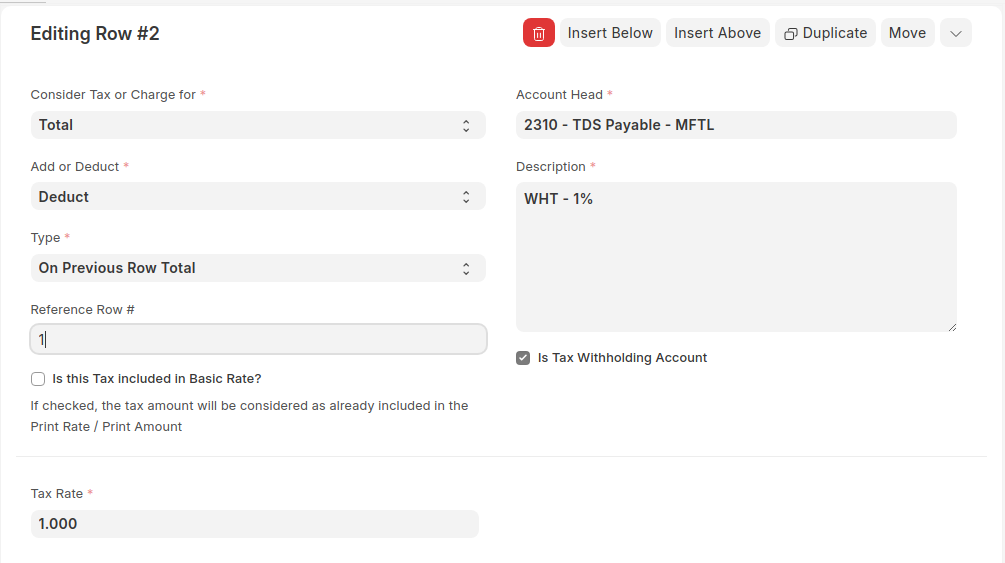
when i tick off the “Apply Withholding Taxes” the template does show up in the purchase taxes and charges table, also including the “Purchase Taxes And Charges Template”. As shown in the picture below
but when i save the Purchase invoice, it gives me this error.
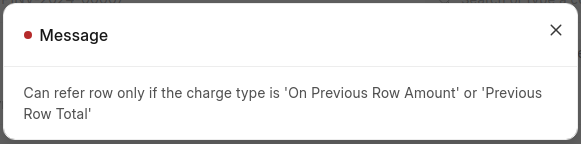
i want to set the type to “On Previous Row Total” but cant seem to do so because of the error showing up, even though i have referred the row number in the row.
another thing that i would like to mention is that when i tick off the “Apply Tax Withholding”, it’s showing up the type of “On Net Actual” which i change it to “On Previous Row Total”
if there’s a workaround this error then please let me know.
Regards,
Muhammad Shouib Saeed
the only workaround i have found is to use this script.
Server Script for Purchase Invoice - Before Save
This script will iterate through the “Purchase Taxes and Charges” table
and update the “charge_type” to “Actual” for any row that has
“On Previous Row Total” as its original value.
for tax in doc.taxes:
# Check if charge_type is set to “On Previous Row Total”
if tax.charge_type == “On Previous Row Total”:
# Change the charge type to “Actual”
tax.charge_type = “Actual”
it works for me in such a way that the purchase taxes and charges template is already set with type as “On Previous Row Total”, the server script runs to change that type to “Actual”, and the amount to be deducted or add remains the same.
I’m facing the same issue but because of create POS Closing Entry.
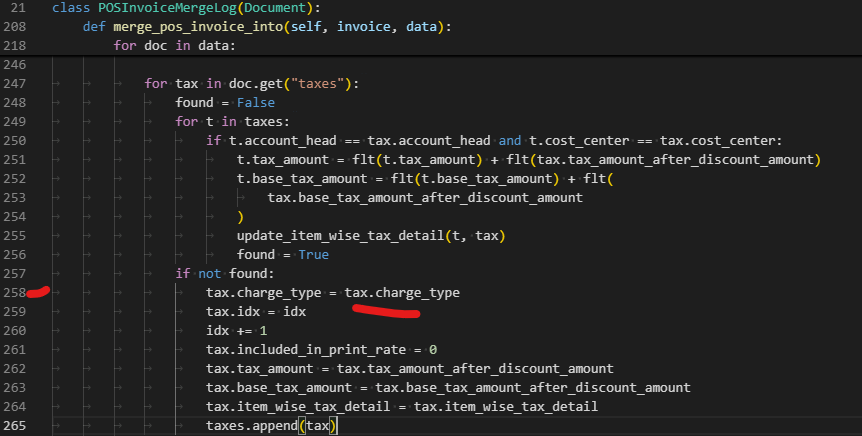
My solution is to modify erpnext code in:
erpnext/accounts/doctype/pos_invoice_merge_log.py
I change line 258, from :
tax.charge_type = "Actual"
to
in case in the future anybody facing the same issue and need solution.
Here is my other thread related to my issue
https://discuss.frappe.io/t/error-while-doing-pos-closing-entry/110620