I’m trying to understand the “Collect Progress” feature available in the Project doctype in Frappe/ERPNext.
Could somebody explain:
-
What exactly does this feature do?
-
What is the intended workflow for using it?
-
Which doctypes or records does it create or update?
-
How are progress updates collected from project members?
-
Does it send notifications or emails automatically?
-
Are there any prerequisites or settings that need to be configured for it to work?
I read the documentation but didn’t find it that helpful, so if anyone has used this feature in a real implementation, I’d really appreciate an explanation or example.
The Collect Progress feature is mainly a scheduler-based reminder. When enabled, ERPNext collects project updates at the configured frequency (daily, weekly, etc.) and can notify project stakeholders. It doesn’t create a dedicated “Project Progress” record or provide a full progress-tracking workflow. If you need detailed progress logs, approvals, or history, you’ll typically need a small customization on top of the standard Project module.
So, where I need to define stakeholders? As I don’t see any field to define users in collect progress feature.
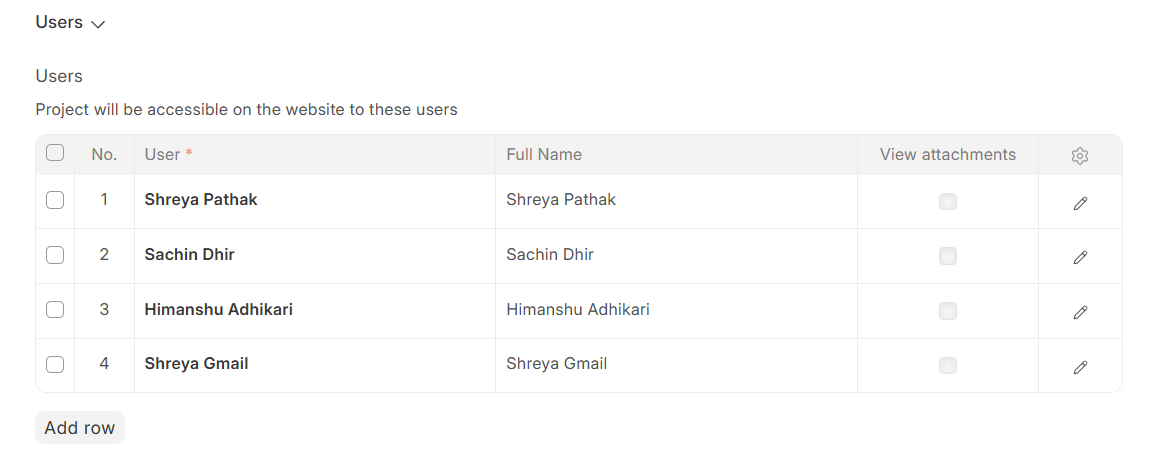
Exact, there is no stakeholder field inside the Collect Progress section. The recipients are defined in the Users child table at the bottom of the Project form (the Project User child doctype, rows of “User” + “Email”). That table is the source of recipients for all progress emails.
So,
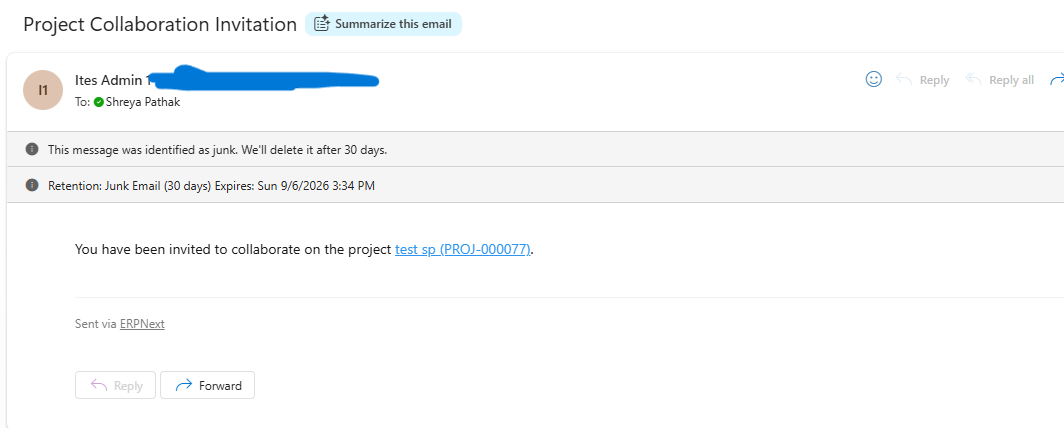
Add your stakeholders in the Project’s Users table (a Project User row per person). When you add someone, they also get a “Project Collaboration Invitation” welcome email automatically.
Thanks.
Thank you for your reply. Here I want to know what exactly you mean by stakeholders. Is stakeholders are the customers or the team who is working on the project. What I understand from my testing is like: It is a reminder for the internal team to keep the project updated and record their project progress in the description or the given fields. Basically, ‘collect progress’ is a reminder for internal use. It do not calculate the project progress on its own and share with the customers. Is my understanding correct?
The lifecycle is:
Project configuration
↓
Scheduler checks project
↓
ERPNext creates a Project Update record
↓
ERPNext emails Project Users asking for an update
↓
Users reply to that email
↓
Frappe stores the replies as Communications
↓
ERPNext reads those replies
↓
Replies are added to the Project Update
↓
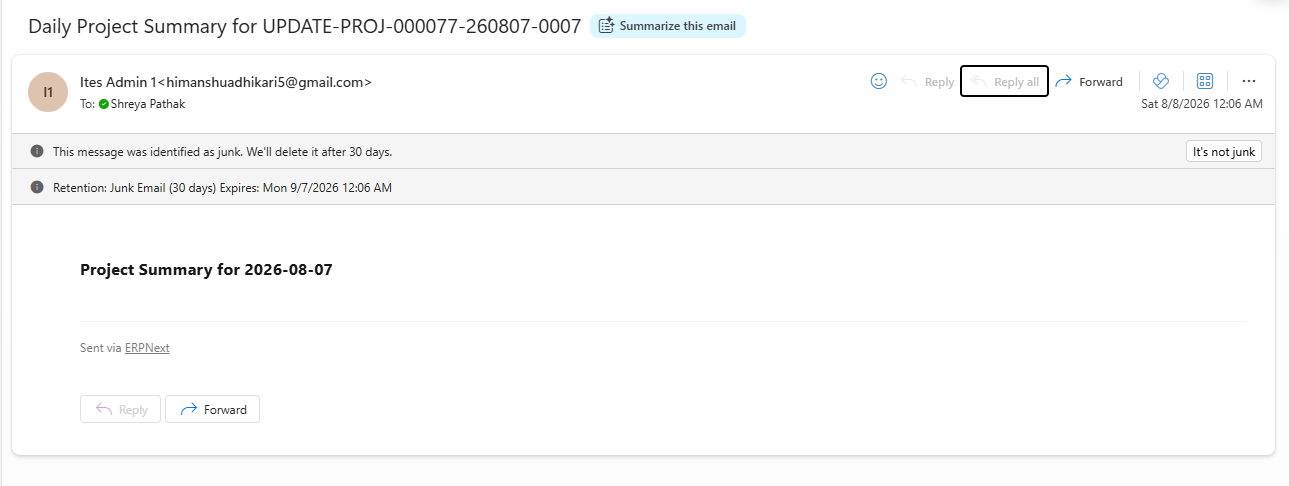
Daily scheduler generates Project Summary
↓
Summary is emailed to Project Users
Is this flow correct for ‘Collect progress’? Is this the default way how it works?
Yes, your understanding is essentially correct, with one important clarification: “Project Users” are internal users assigned to the project, not customers/stakeholders by default.
The lifecycle you described is also broadly the default Collect Progress workflow in ERPNext:
Project configuration → Scheduler → Project Update → Email to Project Users → Users reply → Communication → Reply captured in Project Update → Project Summary → Email to Project Users
So, it is primarily an internal progress-collection mechanism. It does not independently calculate the actual project completion percentage or automatically send progress to customers. The collected updates are used to build the project’s progress/update information and summary.
One small correction: the exact scheduler/email behavior can depend on the ERPNext/Frappe version and project settings, so I would avoid saying that every step happens exactly this way in every installation.
Sorry, but collect progress working is still not clear to me. I will tell you what I tested and what I observed in detail:
Tested:
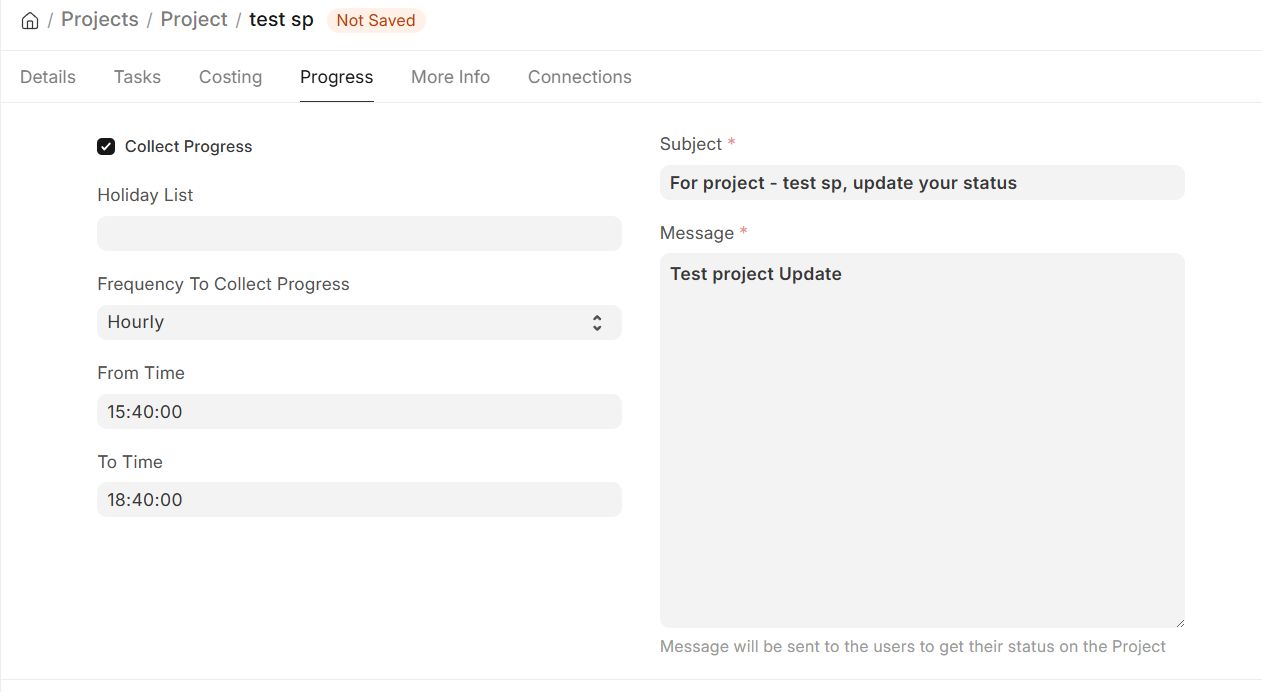
Like this I configured ‘Collect Progress’ feature in Project Name- ‘test sp’ and Project ID- PROJ-000077.
Observation:
I received this email first (one time):
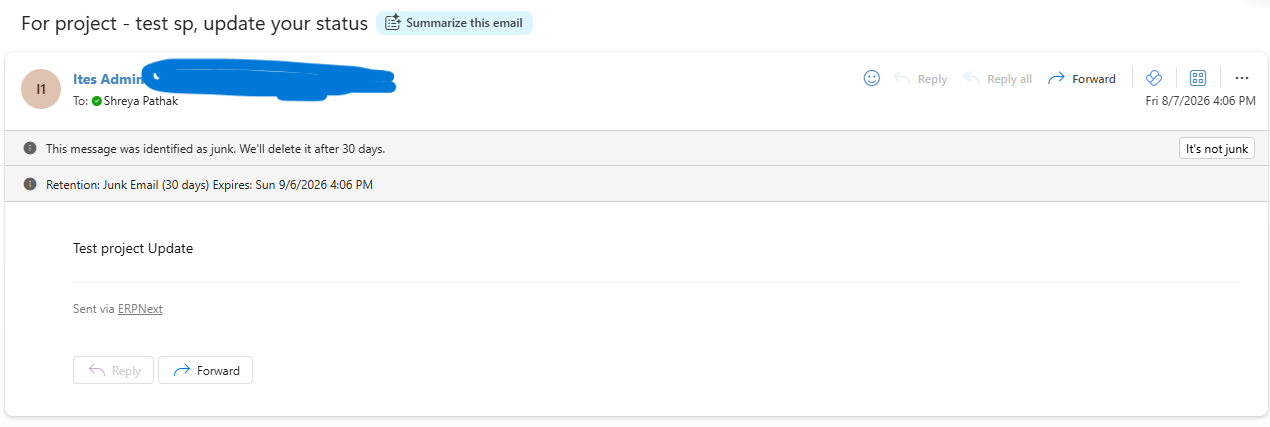
Then this mail every hour till 10PM (after 10PM I disabled the Collect Progress check box but did not remove any users from list):
At 12 AM I received 7 mails together in the gap of 1-2 minutes (note: I have disabled the collect progress feature at 10 PM but users list still exists:
Note:
- Users in the user list I added internal users and one customer mail (customer mail do not have any roles assigned and no access to the system).
- All the users (including customer) in the list are experiencing this same mail flow. Please clarify why so.
- No progress Updates were made to the project during the testing.
- Project Summary mail is blank though my project is 60% complete (before applying ‘collect progress’).
- What is the conclusion of this behaviour? Because I am experiencing something different from what mentioned in documentation, professional talks and Ai research.
Please, Help me with this.
I am using Frappe cloud version- 16.0, and no customizations are made to this feature on any feature related to project.