Hi,
I’m on v16 hosted on Frappe cloud.
I created a number card called “Total Profit“ from the “Gross Profit” default report with the required date filters. The Gross Profit column showed a total of ₹ 1,57,083.20
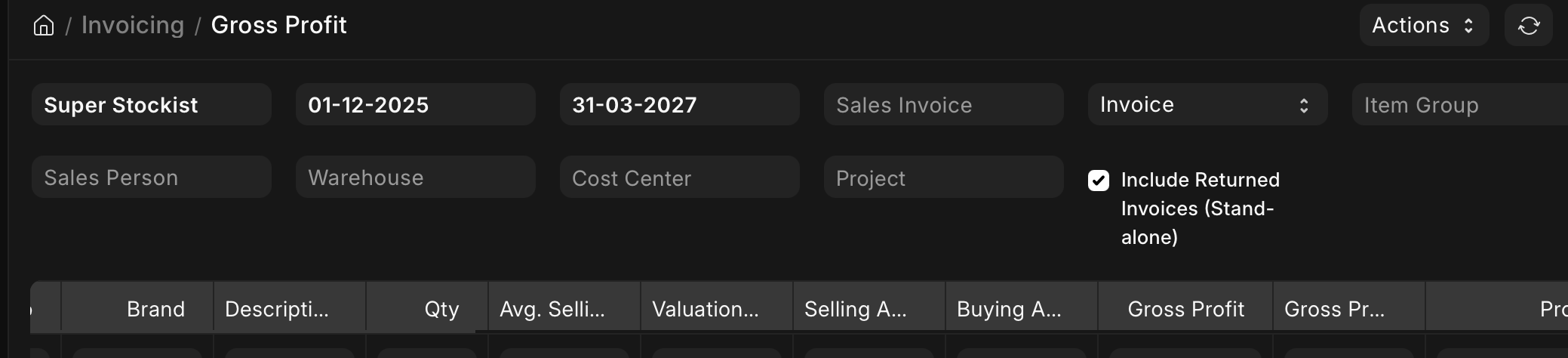
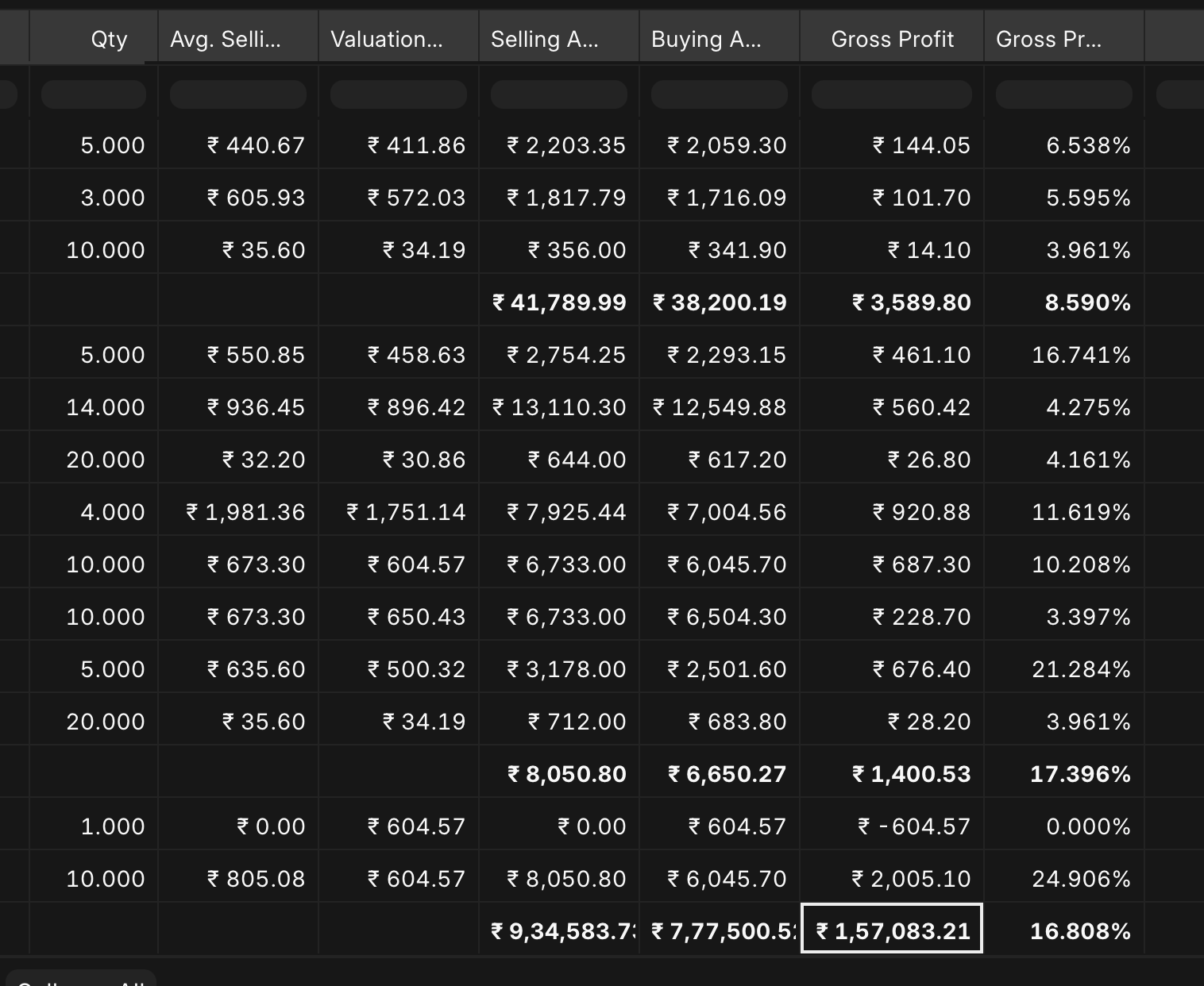
But the number card created from this shows a total of ₹ 1,58,360.89. So, I clicked edit on the number card and went inside to see the date filters did not reflect the dates from the report at the time of creating the card. Even then, the total value is not right for the dates that is showing.
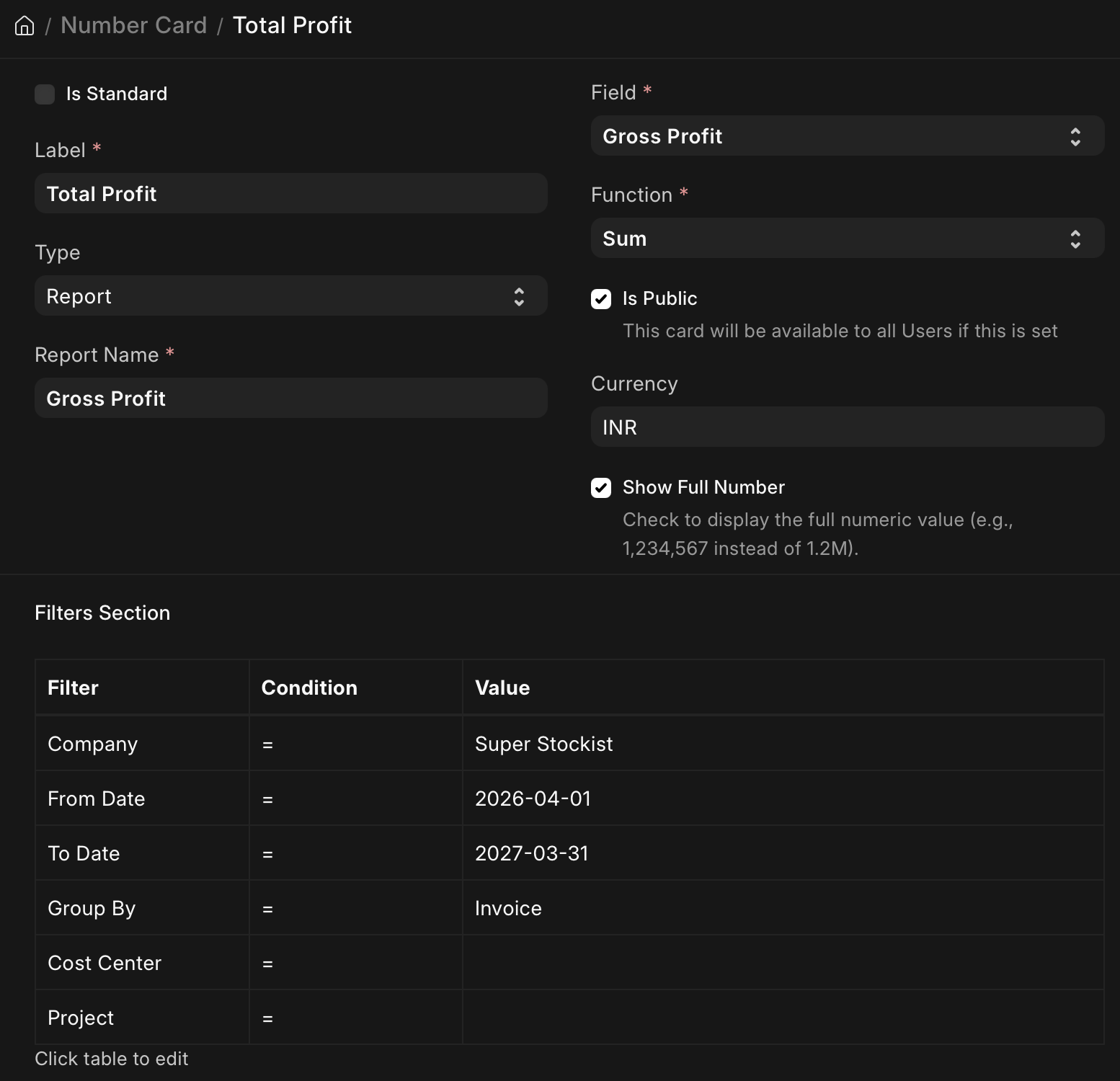
I thought the date filters should be set manually, so I clicked on the value field thinking that I can edit the dates, but there are no date filters in the editing form.
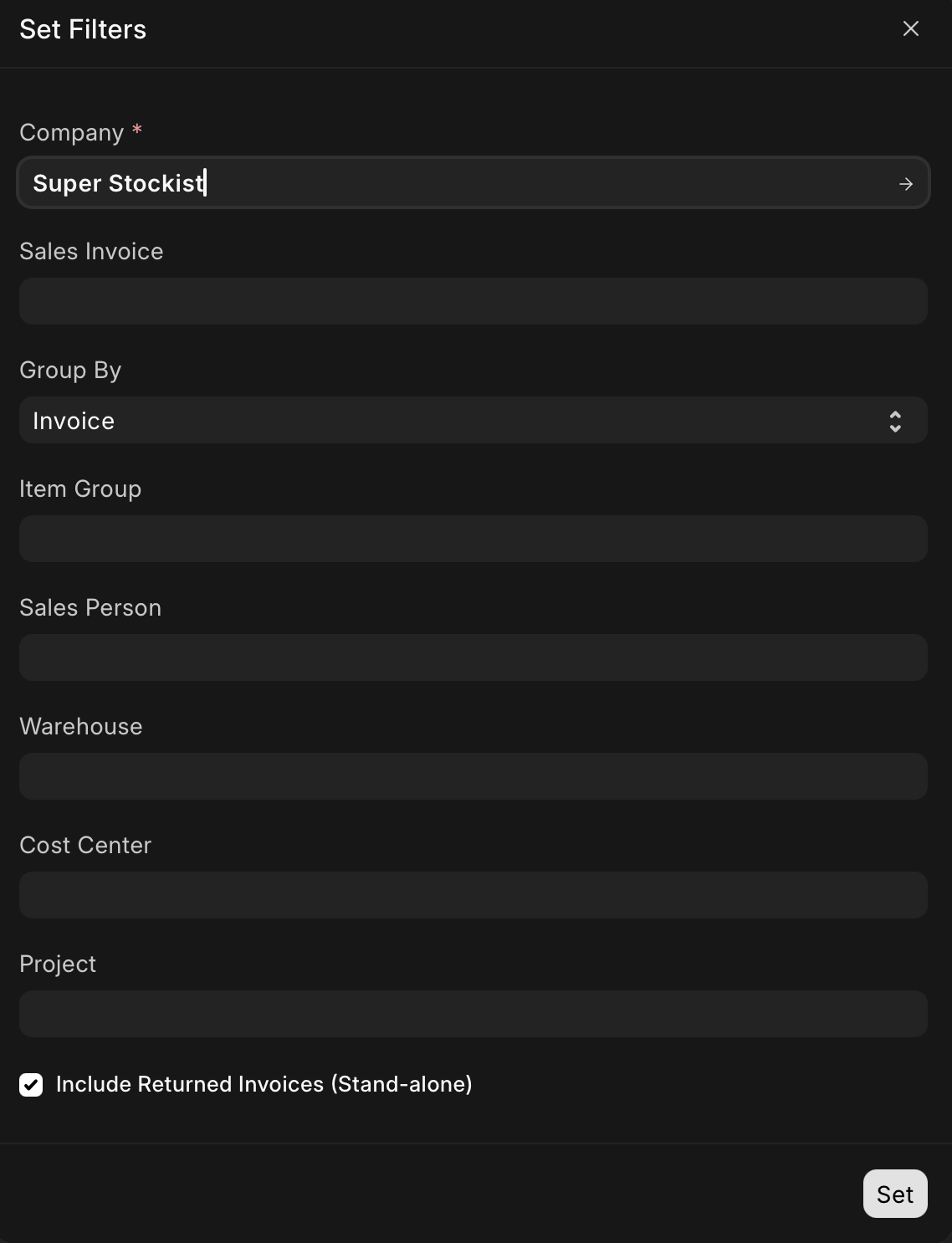
I’m assuming, setting the date filters would resolve the discrepancy in the total values between the report and the number card, but there is no way to set the dates. Help me solve this problem.