I am badly stuck with an issue that I wanted to set the child table columns using the “In List View“ option on the fields. The update columns shows while the form is opened in the designer view but when we open the form to enter data the columns does not show changes I am attaching the images.
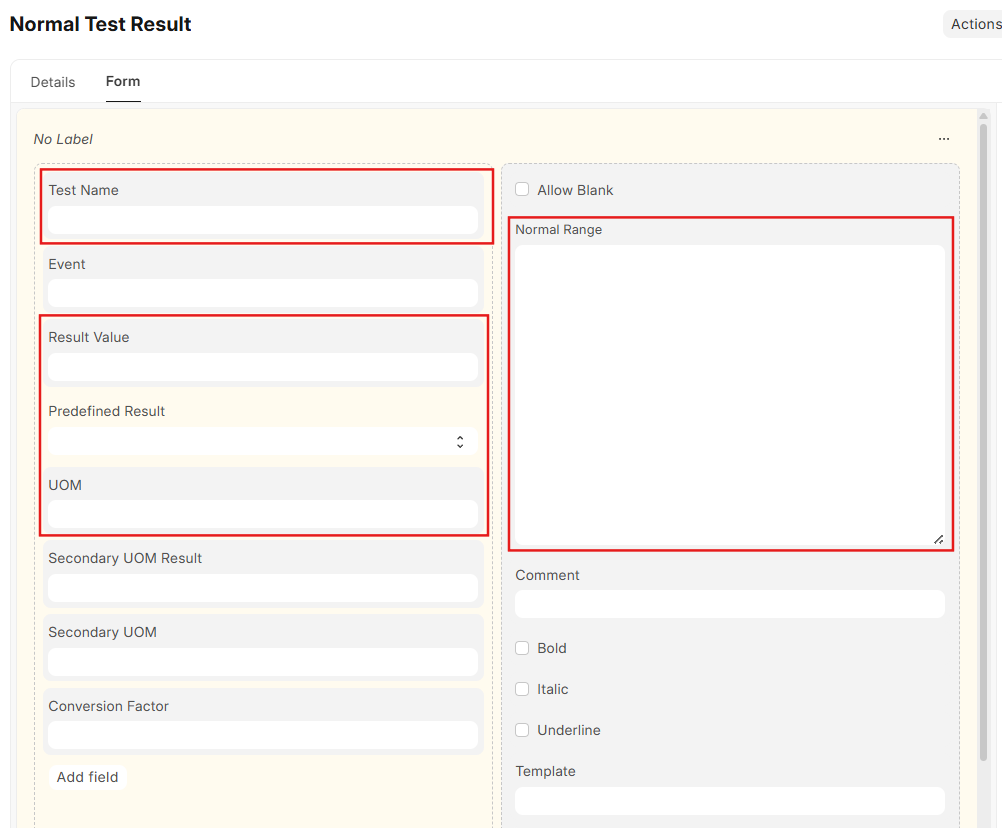
- The image shows the highlighted fields that I want, and I set “In List View“ checked true for these fields.
-
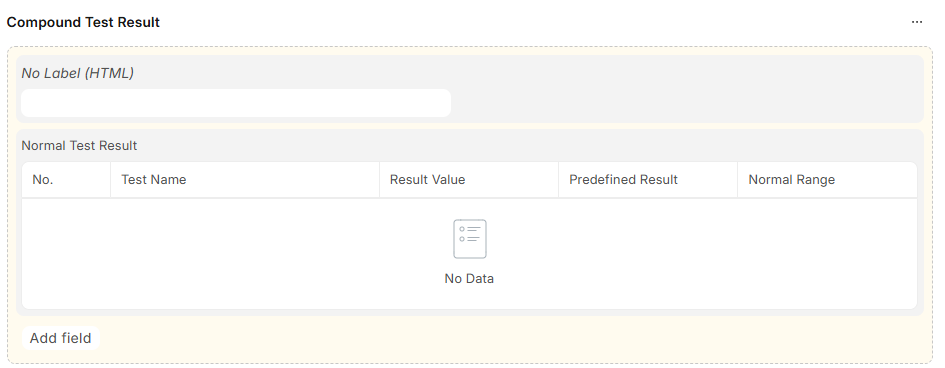
This image shows the parent doctype form designer, where the updated fields are correctly reflected on the child table as per the “In List View“ option checked.
-
This is my form on which the default columns are showing and no changes are reflected

I don’t want every user to select it’s columns using gear icon on the form. I have done it for many child tables and that is working fine on the other tables. only this child table is not reflecting the column change.
What I have done so far:
- I have reset the columns using reset to default using gear icon on the form and then made changes on the customize form of the child table
- I have reset all customizations on the child doctype form customization then made changes.
- I have also set 2 in the “Column“ property of each wanted field, total fields are 5 so the total is equal to 10
The child doctype is “Normal Test Result“ and the parent doctype is “Lab Test“.
It is not working for me, can anyone please help to resolve this issue?