I want to setup 2 companies and have 2 separate account managers manage each company. How do I set up permissions so that 1 user can only access 1 company?
Hello kashif,
1.Go to ->set user permission
2.Select User->Select Doctype->Company
3.Select Company.
Sagar Shiragawakar
New Indictrans Technologies Pvt. Ltd.
thank you for the quick response.
For some reason, all my users don’t show up in User->
I have created 3 users until now and only 2 users are showing up. The third user doesn’t show up when I try to change user permissions.
I logged out and logged back in and that solved the disappearing users problem. But I have now set the user permissions for 1 company for 1 user but the other companies are still showing up in his permissions. the restriction hasn’t worked.
hi,
please share your screenshots & Example.
Sagar Shiragawakar
New Indictrans Technologies Pvt. Ltd.
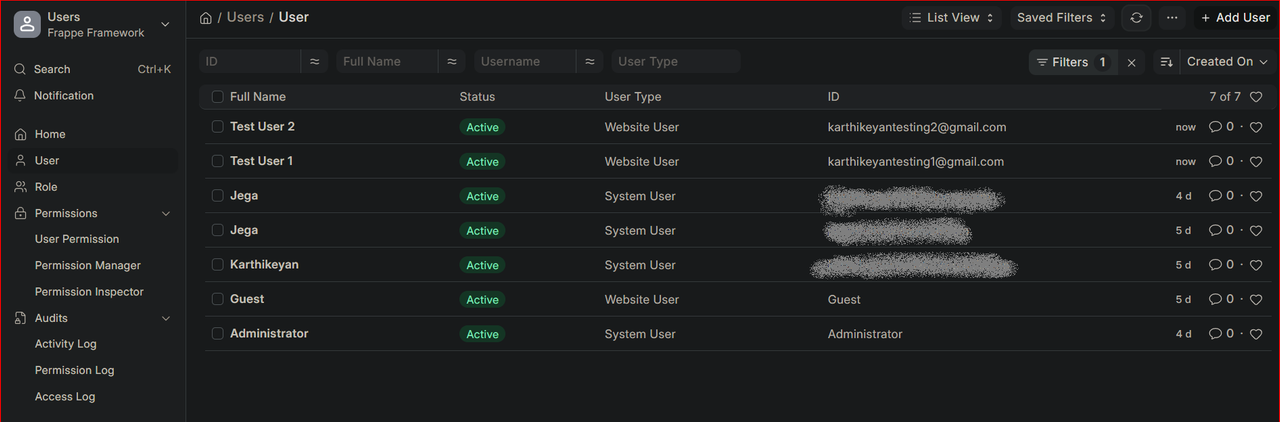
I Created 2 test users
Image Link: https://i.postimg.cc/B67tQ1k3/1.png (image may be not available after 1 month)
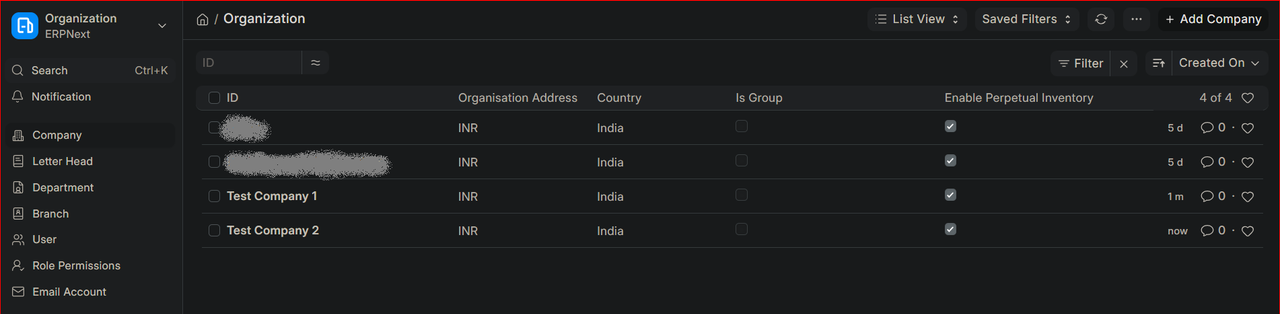
Also Created 2 Test Company too
Image Link: https://i.postimg.cc/h4whkT9W/2.png (image may be not available after 1 month)
my requirement is i want create new login for the Test User 1 & Test User 2
and the Test User 1 only allow to view/add/edit/update/delete/inactive/active ect…. for the Test Company 1 only not allow to perform any option/ view access to Test Company 2
Use user permissions ( User Permissions ) to restrict user1 to company1 and user2 to company2
Hope it helps
1 Like