I want to create 2 buttons to export excel file and import data from excel file. Can anyone tell me if frapper-ui supports this? If not, please give me an idea what to do, please help me.
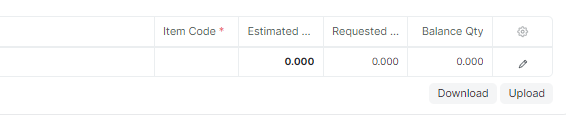
user can use download and upload button at bottom right corner of child table
1 Like
Can you show me the illustration? I’m new to learning about frappe. Thank you very much.
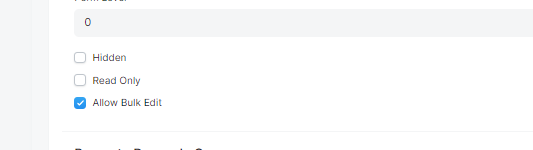
By Customizing or editing the Doctype - go to the Child Table field and enable ‘Allow Bulk Edit’ check box, this will display two buttons bottom to the child table.
4 Likes
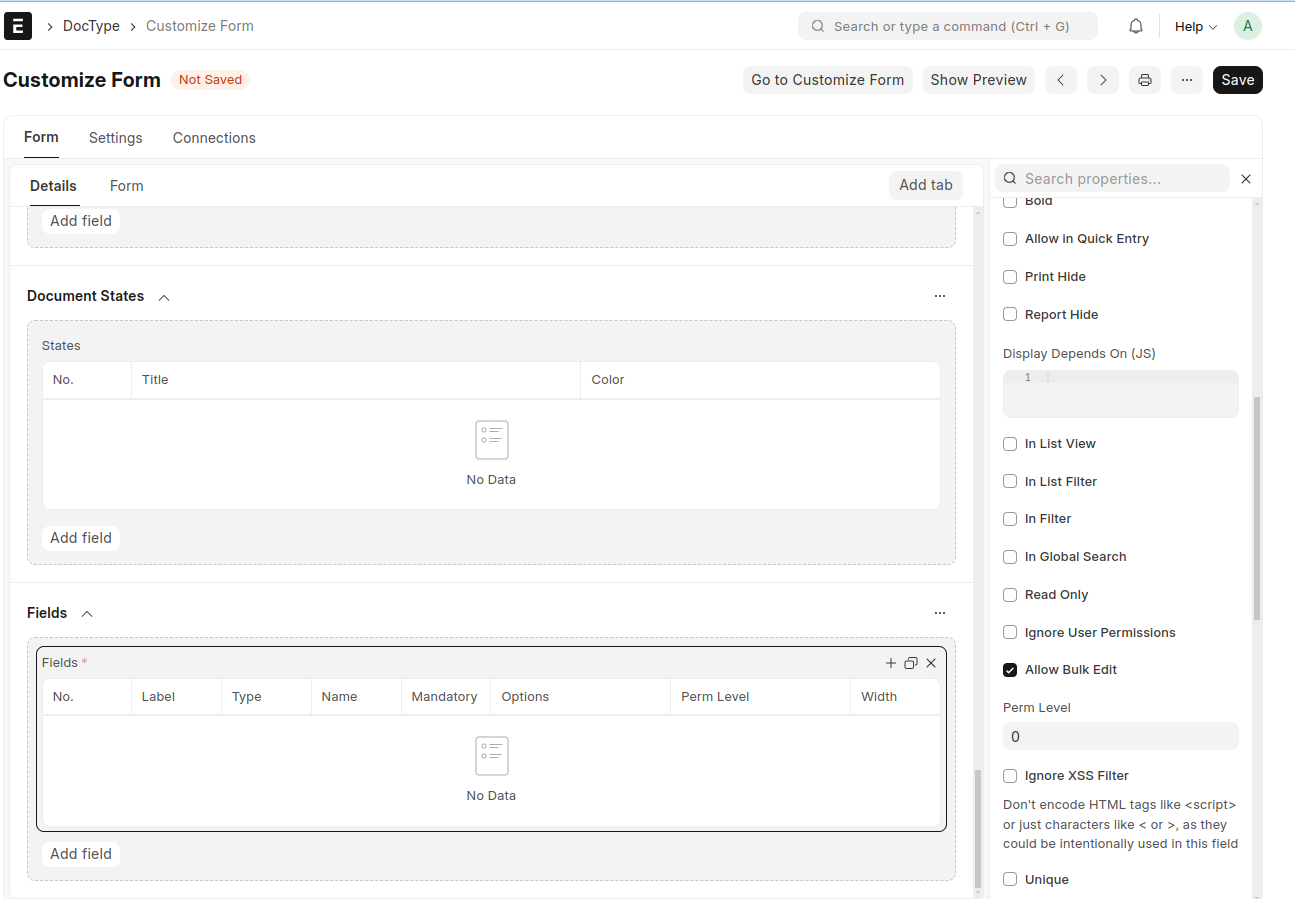
I can’t find those two buttons.
Save and go to the Form
If you are looking to add a custom “Export to Excel” button directly on a DocType list view, you’ll need to write a Client Script for that specific DocType. You can use frm.page.add_inner_button or cur_list_view.page.add_menu_item depending on your version, and then trigger a call to the standard ERPNext export API. However, the built-in export often just gives you a raw CSV, which is why most people find it frustrating—you usually have to spend a lot of time cleaning up the formatting and fixing date types in Excel afterwards.
For the import side, ERPNext already has the “Data Import” tool, but if you want a one-click button on the list view to trigger an import, that is significantly more complex. You would need to create a custom server-side function (Python) to handle the file upload and mapping via the REST API, then call that function from your JS client script.
If you’re just trying to get clean, professionally formatted Excel reports without spending hours on manual exports and formatting, I actually built a tool called CRM Data Extractor (CRM Data Extractor — Pull Contacts from ERPNext & Odoo) that does this in one click.
If you need something custom built for your specific setup, feel free to reach out — happy to help.