CSS breaking inside docker

When i installed docker yesterday i didnt get icons display which, i corrected it by running bench build --hard-link --production in my frontend
I also restarted the docker after sometime, then it worked completely fine
but today, when i opening it its CSS is breaking
and its giving me this error

GET http://localhost:8080/assets/frappe/dist/css/website.bundle.YPQRHL6G.css net::ERR_ABORTED 404 (Not Found)
:8080/assets/erpnext/dist/css/erpnext-web.bundle.UOGARZZ2.css:1 GET http://localhost:8080/assets/erpnext/dist/css/erpnext-web.bundle.UOGARZZ2.css net::ERR_ABORTED 404 (Not Found)
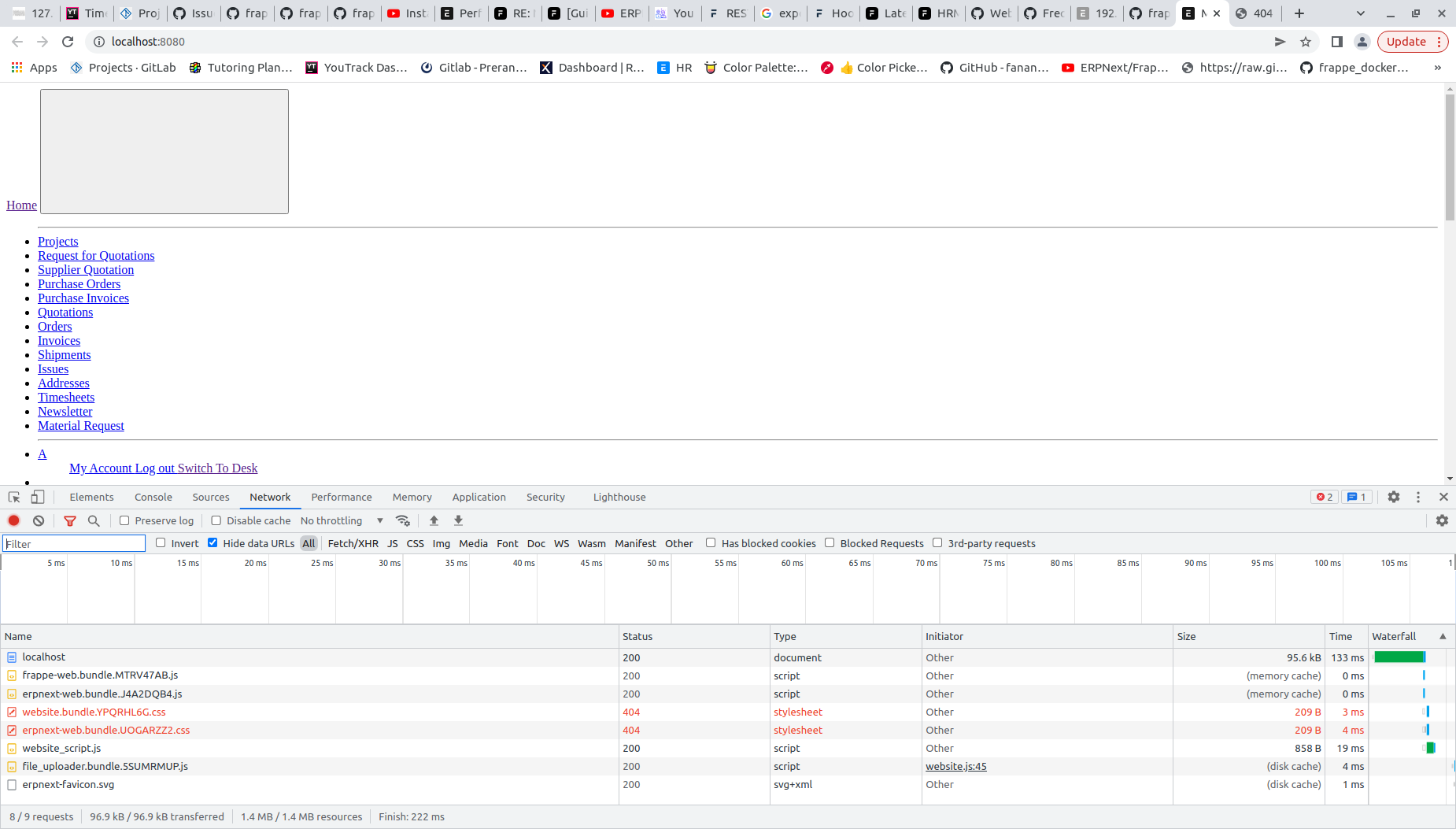
I tried out a couple of commands but none works
$ bench build
$ bench build --production
$ bench --site mysite.erp clear-website-cache

bench setup requirements
bench build
bench clear-cache
bench clear-website-cache

But none works, can anyone help me out please?

Did you figure this out?

Did you find a solution for this?

any update on this ??

As you already tried bench build && bench clear-cache

try another way, use a proper site host like site1.docker instead of localhost. Frappe routes by Host header, so matching your site name to the host avoids asset/cookie issues.

Steps:

  • Create/use a site named site1.docker (bench new-site site1.docker or recreate/restore).
  • Map host: add “127.0.0.1 site1.docker” to your /etc/hosts (Windows: drivers/etc/hosts).
  • Optional: set “host_name”: “http://site1.docker:8080” in sites/site1.docker/site_config.json.
  • Ensure docker-compose shares ./sites to /home/frappe/frappe-bench/sites (and assets if separate).
  • In the web container: bench build --production; bench clear-cache; bench clear-website-cache; bench restart.
  • Access via http://site1.docker:8080 and verify /assets/* hashed files load 200.