Currency in words doesn't recognize 0.57, 0.58

Hi

I am working with Erpnext 16 self hosted version

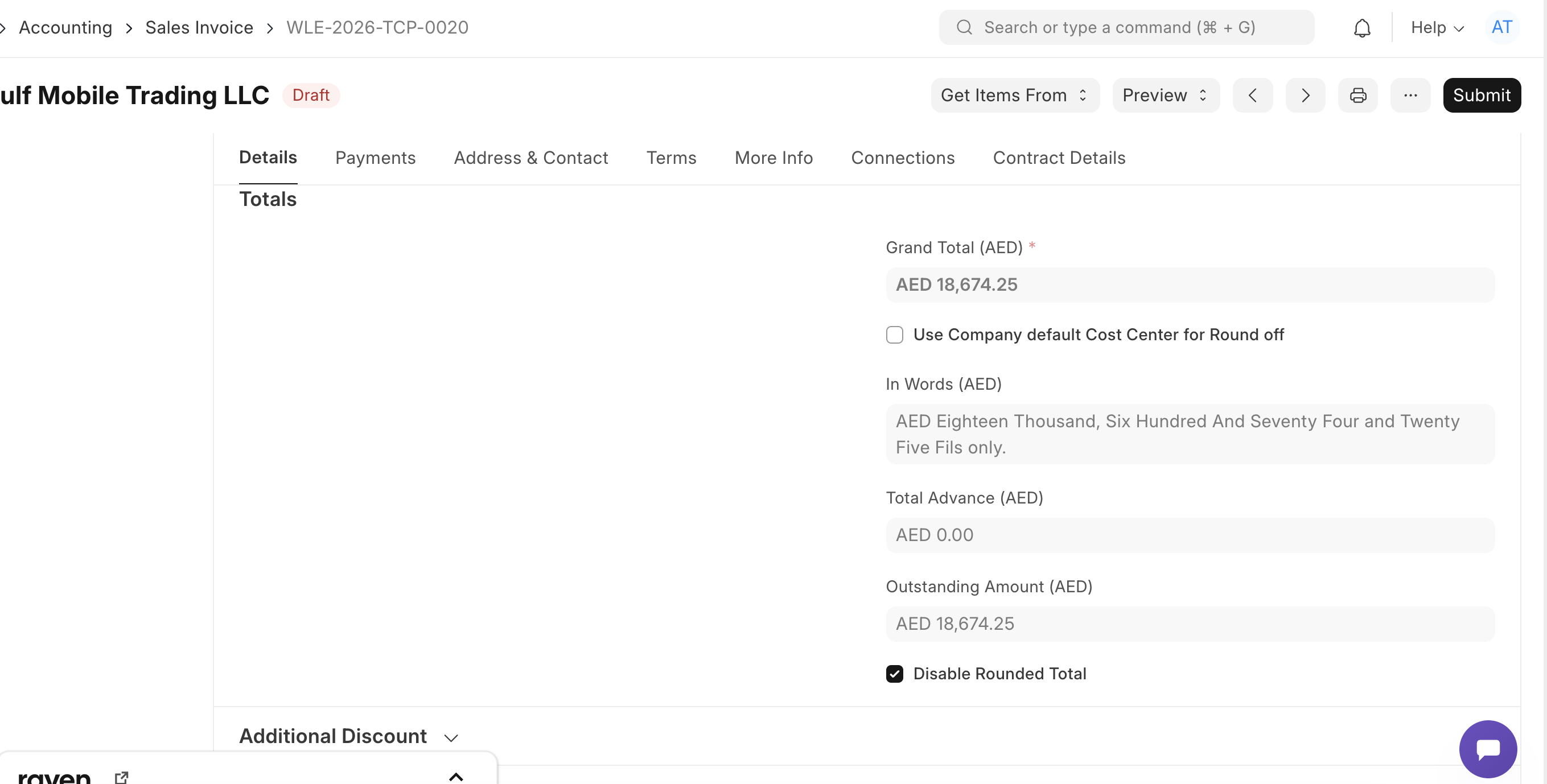
I have found that “in words” doesn’t recognize 0.58

It works properly with 0.18, 0.28, 0.38 and so on, but not with “0.58” that is translated to Fifty Seven, no matter the entire part of the number.

0.57 is translated to Fifty Six

It may be 1.58 or 999.58 ,

No matter if it is in English or Spanish

A hint to solve it

Hector

@hhoshi

Please check if Global Default is set for amount in words.

Further each invoice or order doctype has check box to disable rounding. if disabled then system will start reading fractions and translate them into amount in words correctly as follwing;

Thanks for your reply. I have set global default as you say

But try an amount , any amount, finishing with 0.58 or 0.57 cents

Let me know what you get

Today I have subscribed on to an Erpnext Cloud Hosted service like trial and test once again that currency to words not work properly with 0.57 and 0.58 cents.

I believe that it could be considered like a bug

I just tried it and got the same result: a total ending with 55 cents will be printed in words properly, but 57 cents will be translated into words as “fifty-six”. (I’m running ERPNext 16.28.0, Frappe Framework 16.27.1.)

Definitely a bug. You could open an issue on the ERPNext Github.

(Also noticed that the “in words” translation in English always ends with the word “only”; not sure why, not sure if that’s useful in any way.)

Thanks for your reply. But I tried to open an issue and it is forbidden to me. Maybe I have no rights to do.

Perhaps could you make it for us ?

Not sure why you’d be forbidden from opening an issue… I should have asked first, actually: do you have a Github account? (A lot of us here are developpers and are used to working with Github, it’s easy to forget not everyone has an account.) What about that hosting service you subscribed to? If you’re paying for hosting on Frappe Cloud, you could write to their tech support to report the bug.

Esteemed

Our cloud hosted instance of erpnext 16 reply me as follow

Currency in words fail with 0.57 and 0.58 (0,57 or 0,58)

Dear Customer,

Thank you for reporting the issue.

We investigated the behavior and were able to reproduce it. This appears to be an official bug in ERPNext v16/Frappe, rather than an issue with your configuration.

For example:

from frappe.utils.data import money_in_words

print(money_in_words(0.57))
# Cincuenta Y Seis Céntimo solamente.

print(money_in_words(0.58))
# Cincuenta Y Siete Céntimo solamente.

After reviewing the source code, we found that the issue is caused by floating-point precision during the conversion of the fractional part:

def fraction_in_words() -> str:
    return in_words(float(f"0.{fraction}") * fraction_units, in_million).title()

For example:

  • fraction = "57"

  • float("0.57") = 0.57

  • 0.57 * 100 = 56.99999999999999

  • int(56.99999999999999) = 56

As a result, 0.57 is converted to 56, and 0.58 is converted to 57, producing the incorrect “In Words” output.

We also tested the latest available ERPNext/Frappe v16 updates, but the issue still exists, indicating that it has not yet been resolved upstream.

As a workaround, we recommend using ERPNext v15, where this issue does not occur.

Please let us know how you would like to proceed, and we will be happy to assist further.

Best regards,
Queta
Support Department
Floating-point precision. 0.57 and 0.58 can’t be represented exactly in binary, so float(“0.57”) becomes 0.5699999… When multiplied by 100 and passed to int(), it truncates down to 56 instead of 57.
The fix:
In apps/frappe/frappe/utils/data.py, find the line looks like,
return in_words(float(f"0.{fraction}“) * fraction_units, in_million).title()
change to:
return in_words(round(float(f"0.{fraction}”) * fraction_units), in_million).title()
The round() converts 56.999… → 57.0 before int() truncates it.
Then restart bench.
Have a good Lucky

1 Like