Custom Field to Other site

Hello
I have Many Customize field in Sales Invoice ,Quotation ,Sales Orders , Sales Invoice Item and quotations items doctype
know I want to move those or copy the Customize fields to other site for example copy them form my local erpnext
to my erpnext site in frappe Cloude

what is the easy way to do that so I don’t have to add them again from begging

thanks.

Export the property setter and custom field doctype and import in new site

I search about how to export custom field on google but I found information about how to export doctype
data to excel
but I did not found info how to export just the customize field from doctype
can you please explain more for me how to export .

Please refer to the documentation on fixtures

There is also one other way:

  1. Customize Form → Select DocType → Add custom Field
  2. On the top click on ActionsExport Customizations.
  3. Choose your custom app in Module to export
  4. Check Sync on migrate option → Submit

This will create a json file with the field details and when you install your app on different site you will be able to see the changes.

1 Like

Thanks
I will try to doing those steps

@Hamza_Erpnext Did this resolve the issue for you? I’m currently running into problems when migrating exported customizations. The sync_on_migrate flag doesn’t seem to be working in my case.

My problems was in custom field
And it solved by ading the field in fixtures
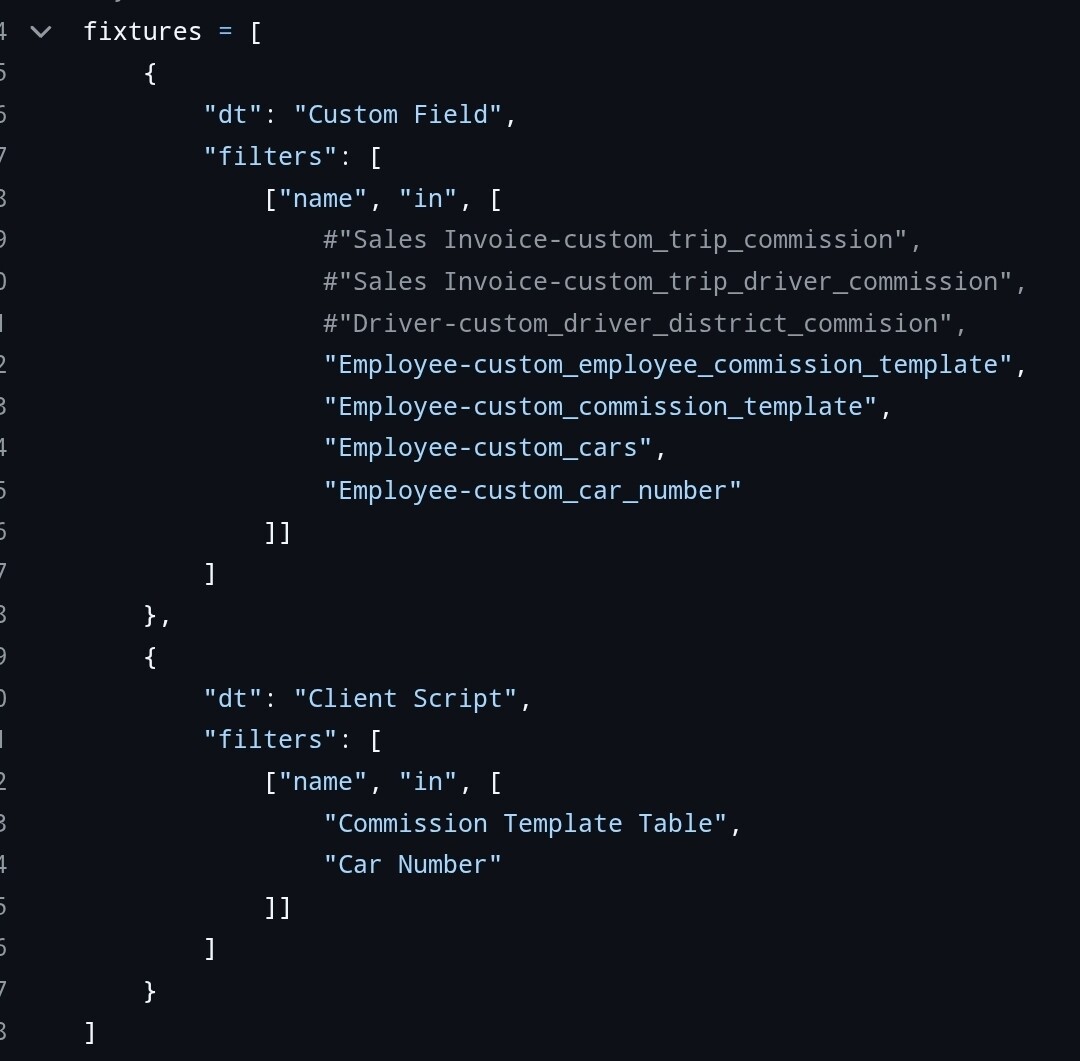
If you have same problems i can give you a picture for fixtures code

Do you mean exporting the generated Custom Field documents as fixture instead of using the Export Customizations action?

Yes after crated the custom field just add them in fixtures and they will installed when you install your app in other site

Do you export all Custom Fields, or do you filter which ones to export?

Yes add fliter for the fields you want to export

Like that

I’m not yet fully convinced this is the right approach, since Frappe provides the Export Customizations logic. That makes me think customizations are meant to be created this way, rather than through the more general fixtures logic.
Nevertheless, thanks for your help!