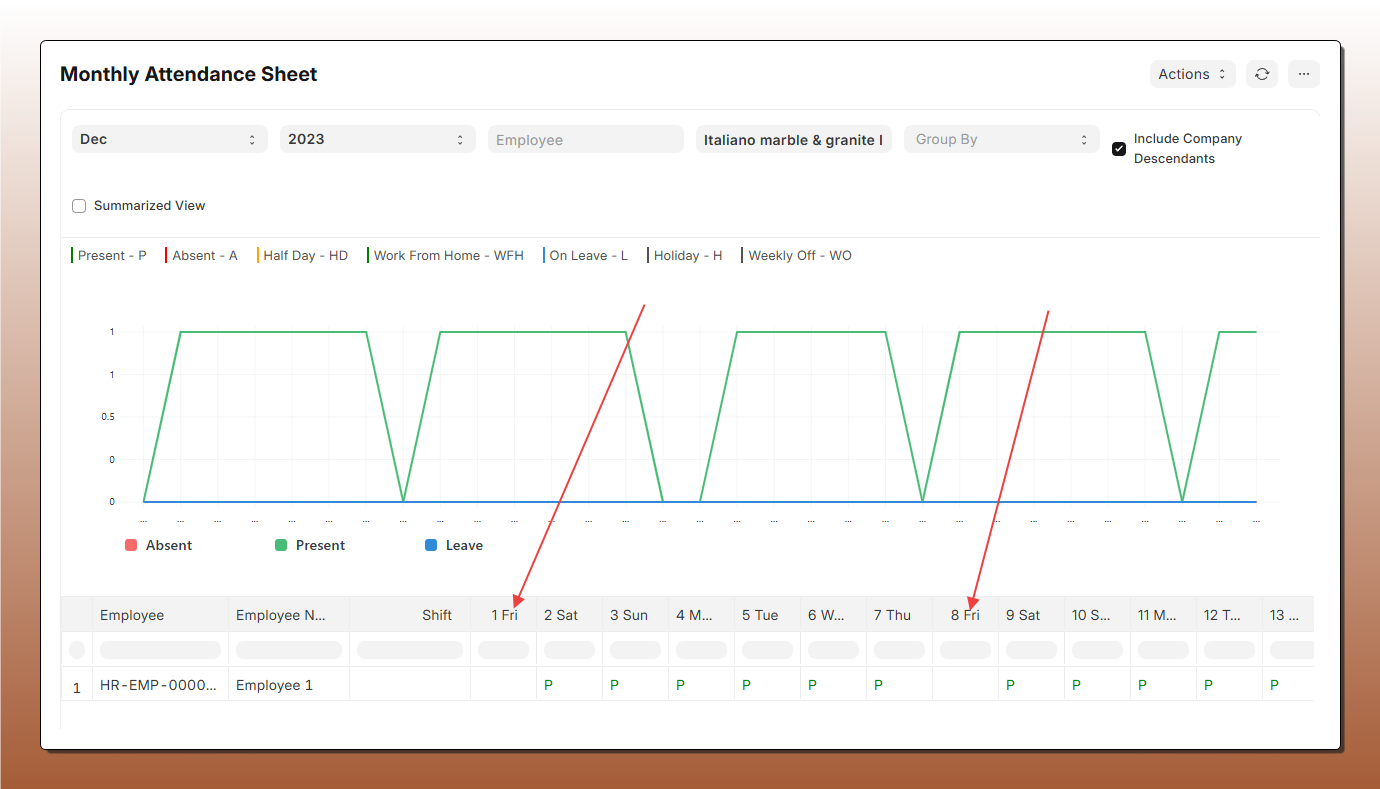
I have created two holiday lists in ERPNext: Head Office Holiday List 2023 for the year 2023 and Head Office Holiday List 2024 for the year 2024. These lists are used to manage attendance data. I am encountering an issue where the holiday data does not populate correctly in certain scenarios.
Specifically:
- For December 2023 Attendance, I assigned employees to the Head Office Holiday List 2023.
- For December 2024 Attendance, I assigned employees to the Head Office Holiday List 2024.
As the Attendance record does not save holiday data. And From Monhtly Attendance Sheet report, I am not getting previous years Holiday data. Here’s the screenshot
Dec-2023 Attendance with Employee Head Office Holiday List 2023
Dec-2023 Attendance with Employee Head Office Holiday List 2024
From the screenshot of Dec-2023 Attendance with Employee Head Office Holiday List 2024 you can see previous years Holiday data showing empty.
Am I missing a step in the configuration or handling of holiday lists in this scenario? Would there be a more effective approach to ensure holiday data in Attendance and Monthly Attendance Sheet Report?
2 Likes
This is an Issue with the Monthly Attendance Report not considering Shift Holiday List.
Holiday List Historical Report Issue
Recommended Solution (Best Practice)
To resolve this without modifying code, adopt the Single Continuous List Strategy.
Do not create separate lists for each year (e.g., “List 2023”, “List 2024”).
Instead, follow this workflow:
- Create a Master List: Create one generic list named “Standard Company Holidays”.
- Initial Setup: Add your 2023 holidays to this list.
- Assignment: Link this list to the Employee once.
- Yearly Update: When the new year (2024) arrives:
- Edit the existing “Standard Company Holidays” list.
- Append the new 2024 dates to it.
- Do not change anything in the Employee profile.
Why this works:
- The Employee remains linked to the same List ID forever.
- The list acts as a complete historical record containing holidays for 2023, 2024, 2025, etc.
- Reports for any past or future date will always find the correct holiday data.
In version 16, a new DocType called Holiday List Assignment was introduced.
This allows assigning Holiday Lists to employees with validity periods instead of relying on a single static Holiday List.
I haven’t verified this yet, but this change might address or improve the issue related to handling Holiday Lists across different years in Attendance and the Monthly Attendance Sheet report.
It may be worth checking the behavior on v16.
Reference