Environment:
-
Frappe: 16.18.2
-
ERPNext: 16.18.3
Issue:
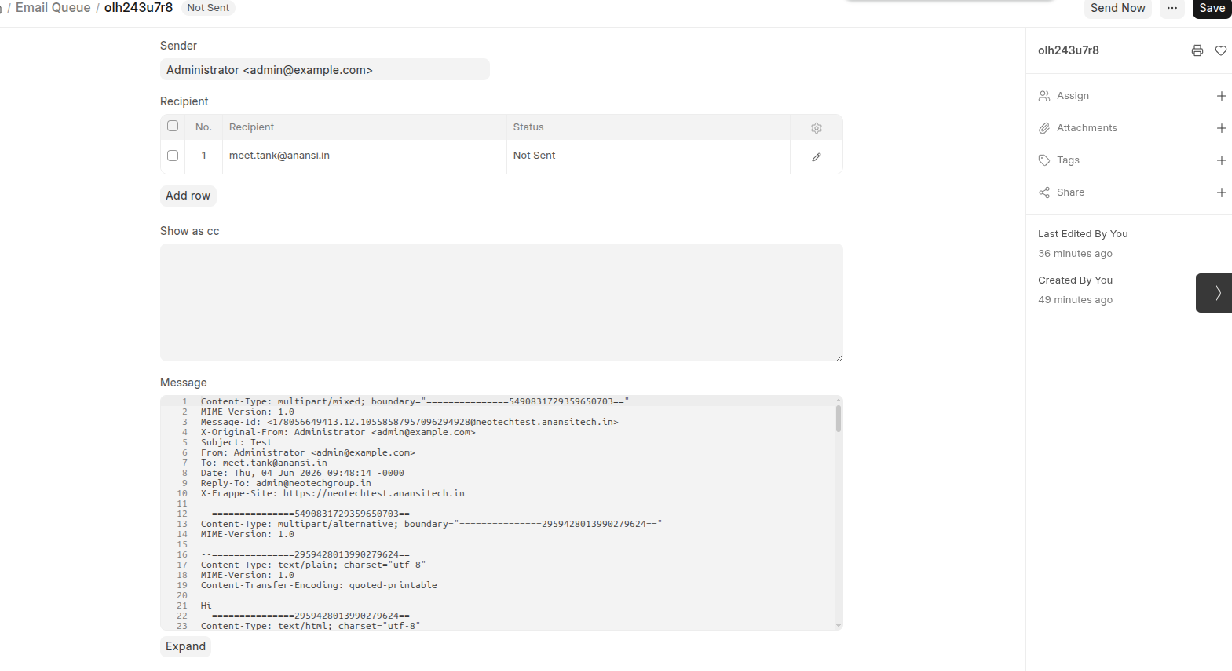
When creating a Communication record with email recipients, the Communication document is saved successfully and an Email Queue record is created.
However, the email is never sent to the recipient and the Email Queue status remains “Not Sent”.
Observed Behavior:
-
Communication document is created successfully.
-
Email Queue entry is generated.
-
Email Queue status remains “Not Sent”.
-
Email is never delivered to the recipient.
-
No obvious SMTP error is displayed in the UI.
-
Repeated scheduler execution does not send the email.
Expected Behavior:
-
Communication should create an Email Queue entry.
-
Scheduler should process the Email Queue.
-
Email Queue status should change to “Sent”.
-
Recipient should receive the email.
Additional Information:
-
Email Account is configured and enabled.
-
Outgoing SMTP settings are configured.
-
Communication records are created without errors.
-
Only email delivery is failing.
-
Looking for debugging steps to identify why Email Queue records remain in “Not Sent” status.
Questions:
-
What are the common reasons for Email Queue entries staying in “Not Sent” status?
-
Which logs should be checked to identify the root cause?
-
Is there any known issue in Frappe/ERPNext v16 related to Email Queue processing?