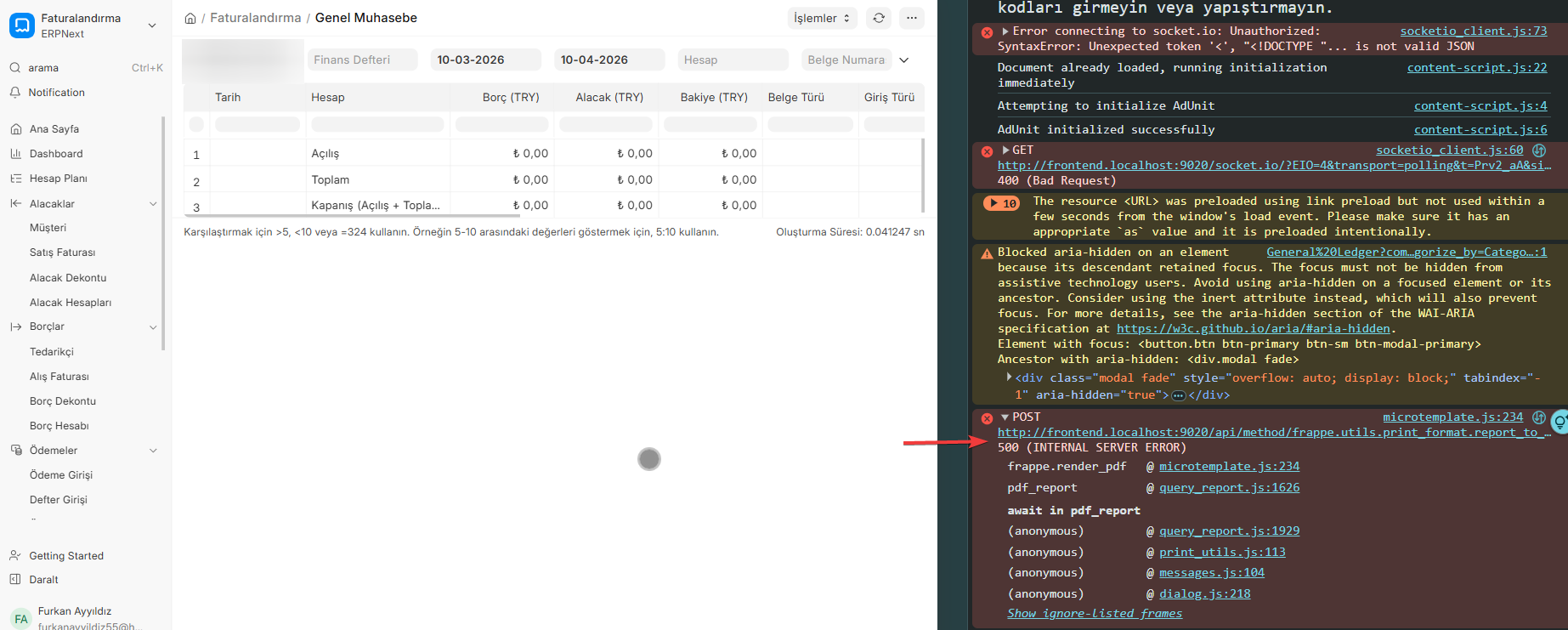
Hello, I’m having trouble printing the ERP Next sales invoice as a PDF. I’m encountering a Socket IO error.
I tried the solution mentioned in the link on Windows, but it didn’t work.
https://github.com/frappe/frappe_docker/wiki/Frequently-Asked-Questions#socketio-does-not-work-with-pwdyml
Installed Operating System: Windows
Installed Application System: Docker
Script Used: pwd.yml
Hi @furkanayyildiz
Can you try this in powershell
docker exec -it frappe_docker-backend-1 bench --site frontend set-config host_name “http://frontend:9020”
Thank you for your reply. However, this method didn’t work.
If you are really stuck try a new docker installation method
Thank you for your suggestion. Have you tried this method on a Windows operating system?
Yes I am running it in WSL2 with Docker