Hello,
Before upgrading to ERPNext v15, when I created a new Purchase Receipt or Manufacture Stock Entry, all items that had a Batch Number were displayed directly in the Stock Ledger Report, in the “Batch” column.
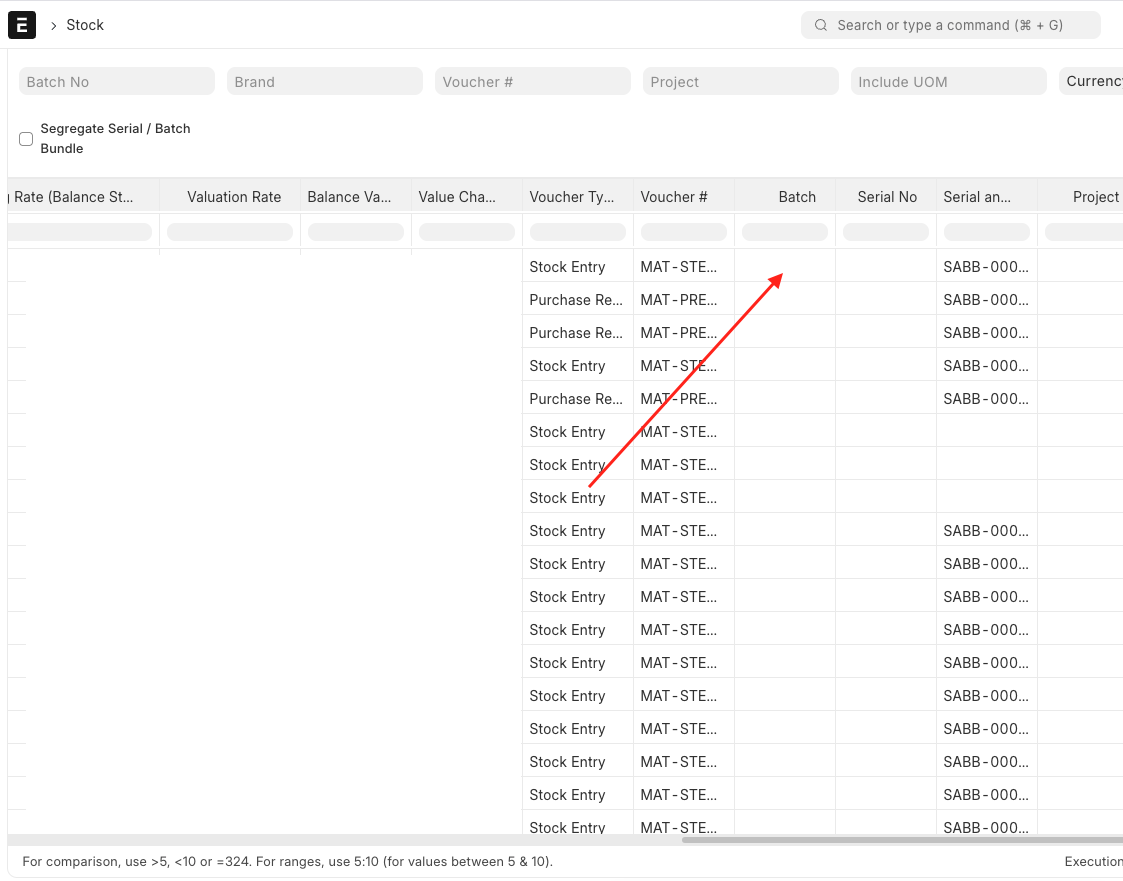
Since the upgrade to v15, this is no longer the case. The Batch column is now empty, and instead I see a value in the “Serial and Batch Bundle” column with a unique reference such as SABB-000000XX.
This is not helpful for my workflow. I need to see the actual batch number directly in the “Batch” column, as before. Having only a random SABB reference forces me to click on each entry to identify the linked batch, which is very time-consuming.
Seeing each batch number directly in the report is essential for me and saves a lot of time.
Is there a way to restore the previous behavior and display the batch number directly in the Stock Ledger Report?
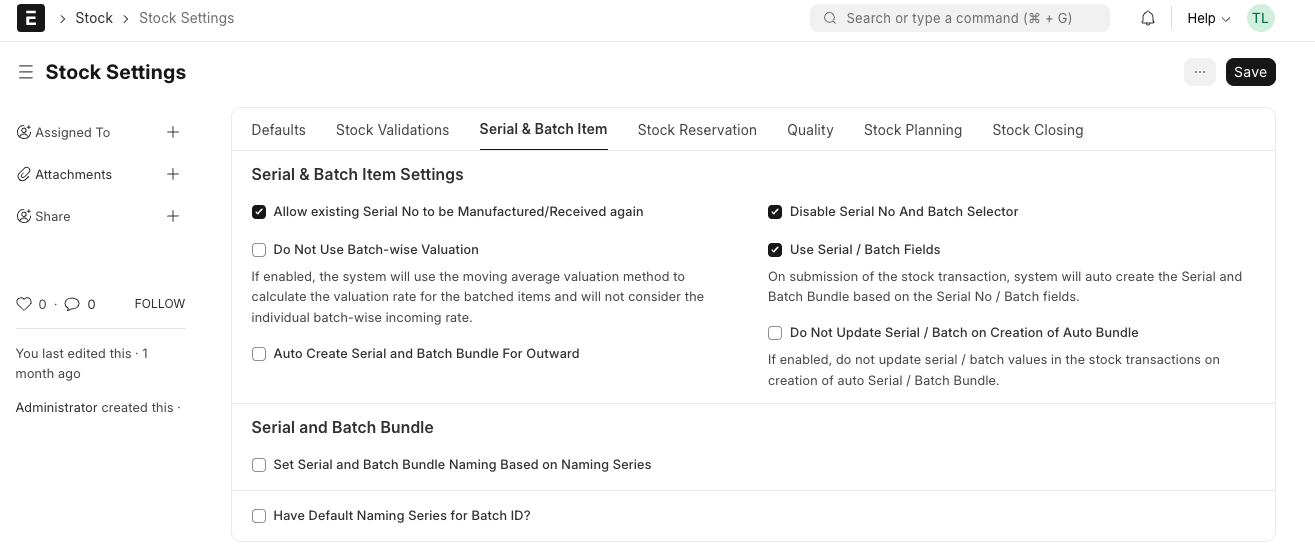
I have checked Stock Settings, but I could not find any option related to this.
My current Stock Setting :
My version is :
ERPNext: v15.64.1 (version-15)
Frappe Framework: v15.69.3 (version-15)
Thank you in advance for your help.

