That explains a lot 
Are you sure you’ve removed the host_name line properly?
That explains a lot
Are you sure you’ve removed the host_name line properly?
I have changed host port to 80
I have removed host name line completely
entered" bench restart"
But when i enter command “bench setup-nginx-port ramgopal 80” it shows no such command
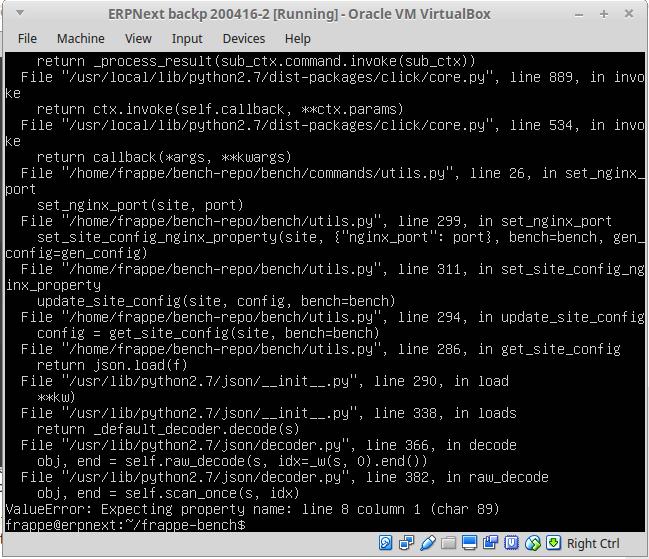
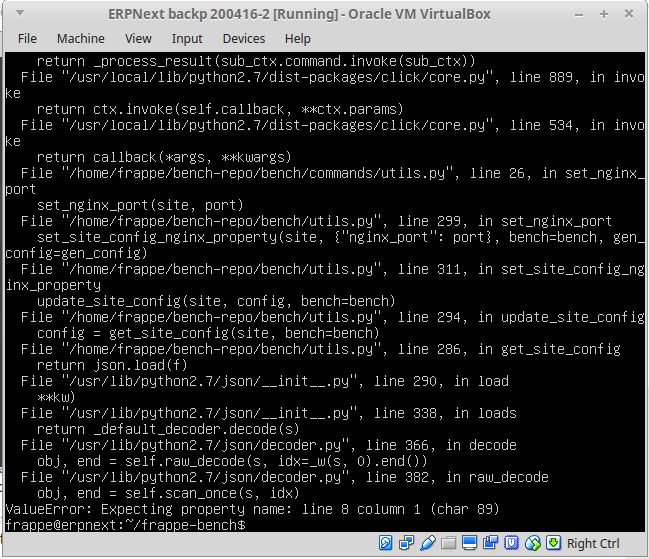
but when i enter command “bench set-nginx-port ramgopal 80” it gives below error
I have changed host port to 80
I have removed host name line completely
entered" bench restart"
But when i enter command “bench setup-nginx-port ramgopal 80” it shows no such command
but when i enter command “bench set-nginx-port ramgopal 80” it gives below error
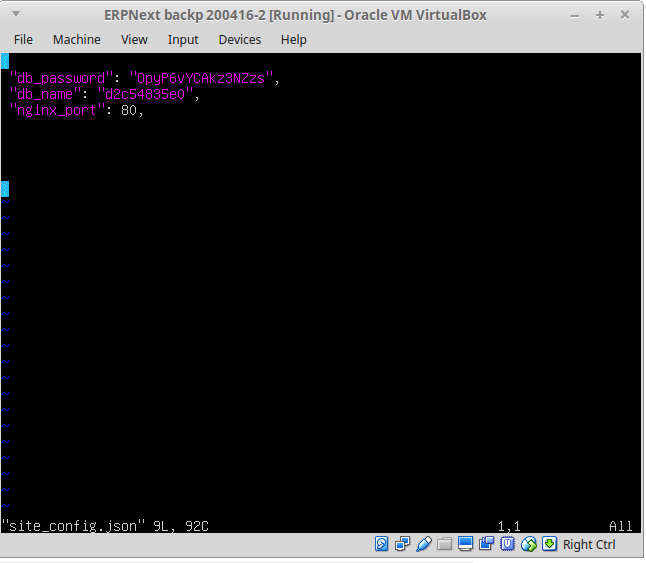
It looks like there’s something wrong in your site_config.json
Can you copy-paste the whole file contents here?
There’s an extra comma at the end of nginx_port: 80, please remove
Removed. What should i do next?
bench restart and try to access your site.
@vjFaLk it goes to next page but shows nothing…
504 Gateway Time-out
nginx/1.4.6 (Ubuntu)
@Ram_Gopal_Rao I think you might need to get someone else to look at the system, I’m unable to figure out the issue from here. Have a look here.
Or you can even boot up a new VM altogether and setup again.
@vjFaLk I tried booting with new vm… issue remain the same…
I will check forum, if anybody had similar issue
you still have this issue?
@ramielian Ya, I still face the same issue
ok, try please the following:
bench clear-cache
bench build
bench restart
if it didnt work then you have to remove wkhtmltopdf and install it again…
@ramielian i think wkhtmltopdf is not installed…
where do i get wkhtmltopdf tool? which version i have to install?
Can you test it first please to see if it’s working or not…
Run this from ssh
wkhtmltopdf http://google.com google.pdf