I am attempting to import user data into a Frappe-based system to assign multiple Role Profiles to existing users using the built-in Data Import tool.
I am utilizing the Minimal Data Duplication method, which is generally recommended for handling multi-value fields in CSV imports.
- Data Setup
-
Goal: To update an existing user (
[email protected]) to have two roles:UserandApprover. -
Import Mode: Update Existing Records.
-
CSV Snippet (using semicolon
;delimiter):Code snippet
Email;First Name;Created By;Enabled;Middle Name;Last Name;Username;Country;Language;Time Zone;User Category;Gender;Birth Date;I am looking for a job;Phone;City;User Type;Role Profile
[email protected];Joko;[email protected];1;;Santoso;joko;Indonesia;en;Asia/Jakarta;Employee;Male;25/08/1990;0;;Bandung;System User;User
[email protected];;;;;;;;;;;;;;;;;Approver
*(Note: All user detail columns are explicitly empty on the second row, except for the Email and Role Profile.)
*
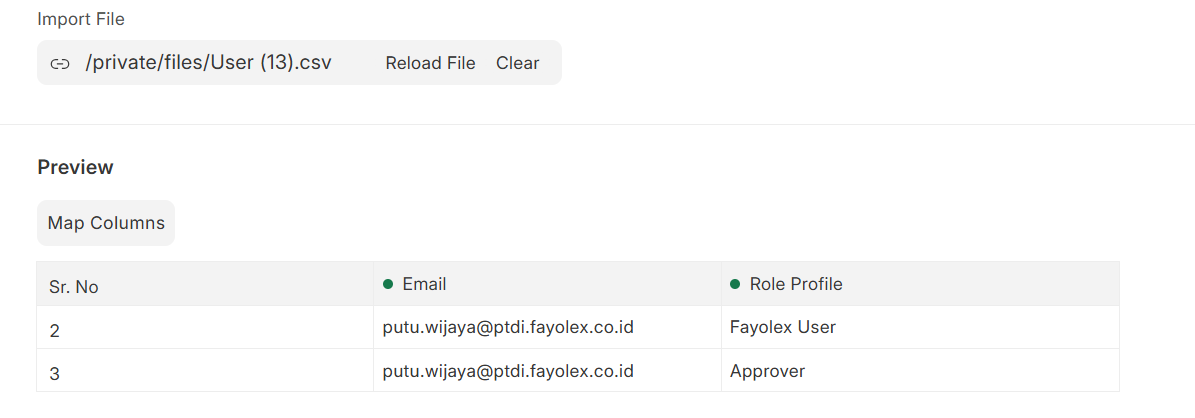
3. Core Questions
-
Is the Minimal Data Duplication method (where only
EmailandRole Profileare filled on subsequent rows) the correct and supported way to add additional roles to an existingUserdocument in a Frappe-based system? -
If this method is correct, why is the importer reading the value for the
Emailcolumn (which is the primary key and is filled) asNonewhen processing the second row? -
Are there any non-detail fields (other than
EmailandRole Profile), such asUsername, that are mandatory even in the duplication/update rows for the system to successfully locate the existing user document and prevent theUser None not founderror?
Any guidance on the most effective and robust way to import multiple roles for existing users via the CSV Importer would be highly appreciated.