Hi Team,
I would like to request a “Forward Ticket” feature in Frappe Helpdesk, similar to how it works in HappyFox / Fresh Pirates.
Reference:
1- https://support.happyfox.com/kb/article/670-forward-ticket-to-recipients/
2- FreshPirates
Use Case
Sometimes a support agent needs to forward a ticket to an external vendor, manufacturer, supplier, or third-party technician for assistance without transferring ownership of the ticket.
Expected Behavior
-
Add a Forward button on the Ticket page.
-
Allow forwarding the ticket to one or more email recipients.
-
The agent can optionally add a forwarding message.
-
The forwarded email should include:
-
Ticket Subject
-
Ticket Description
-
Attachments (optional)
-
The forwarded email should clearly indicate that it is a forwarded support request.
Privacy Requirement
Customer details must not be included in the forwarded email.
The forwarded email should not expose any customer information, such as:
Only the ticket content required for troubleshooting should be shared.
Benefits
-
Easier collaboration with suppliers and external service providers.
-
Better protection of customer privacy.
-
Eliminates the need to manually copy and paste ticket details into a separate email.
-
Makes Frappe Helpdesk more suitable for businesses that rely on third-party technical support.
Thank you for considering this feature. I believe it would be a valuable addition to Frappe Helpdesk.
It is unfortunate how Frappe designed this.
I’m curious if this only needs to be done occasionally, can you simply use the Desk interface, navigate to ticket and use the email function. You may also want to create a default print format to include only the info you’re interested in forwarding.
I believe @michelle and @Ritvik_Sardana were looking for new features requests and feedback
Hey, thanks for the suggestion. We’ll take a look and see if we can add it to our roadmap.
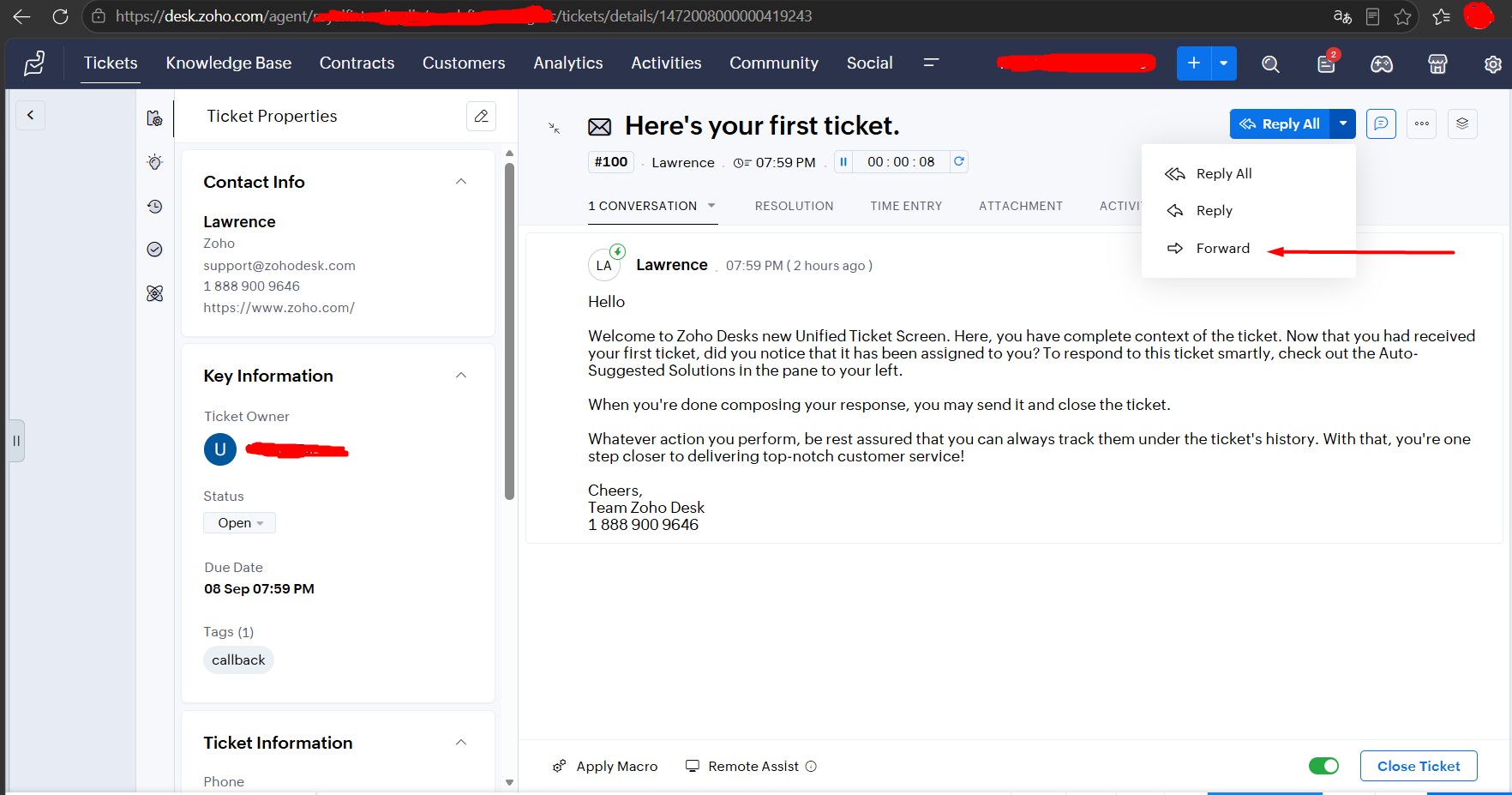
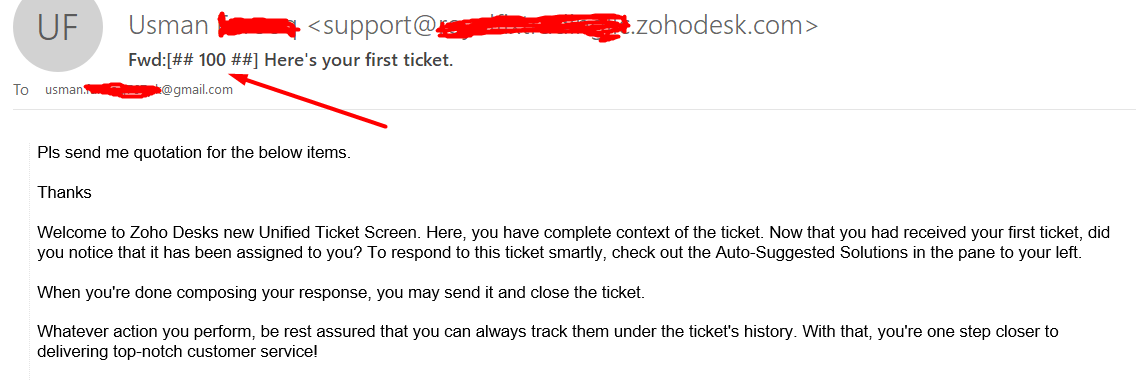
This feature is already available in Zoho Desk as “Forward,” as shown below.
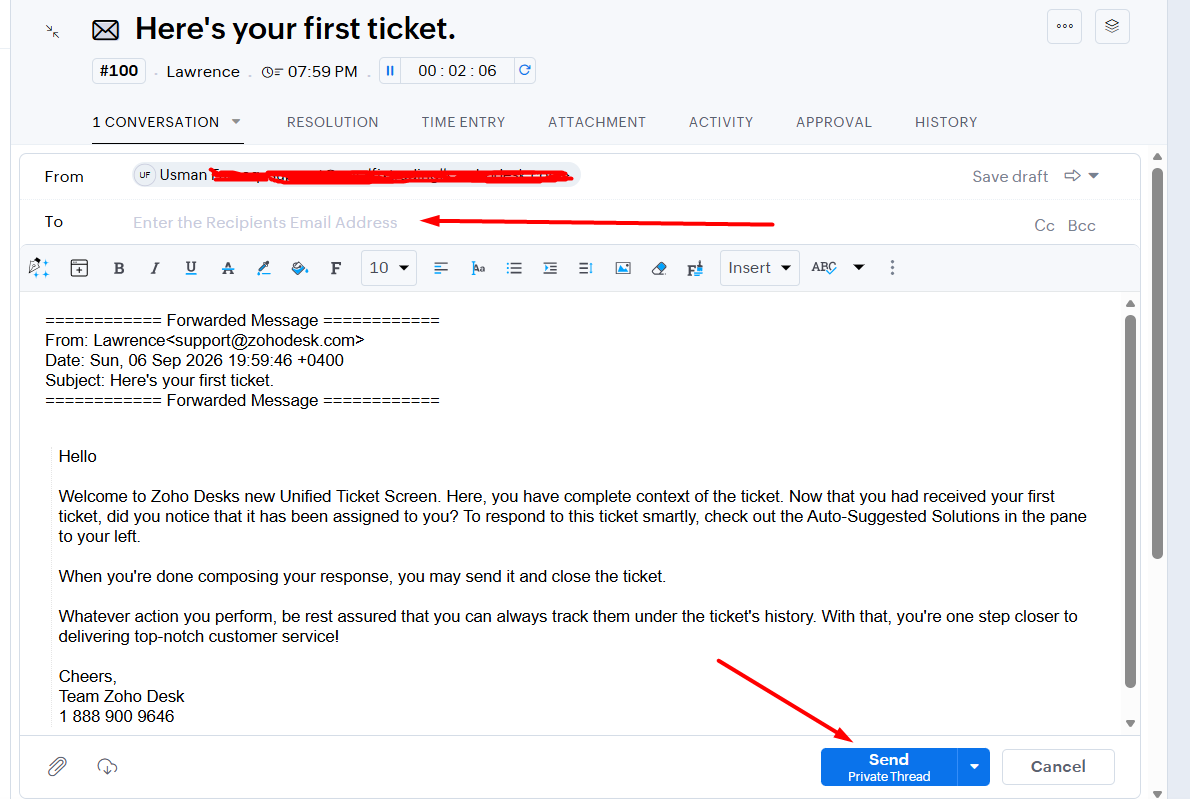
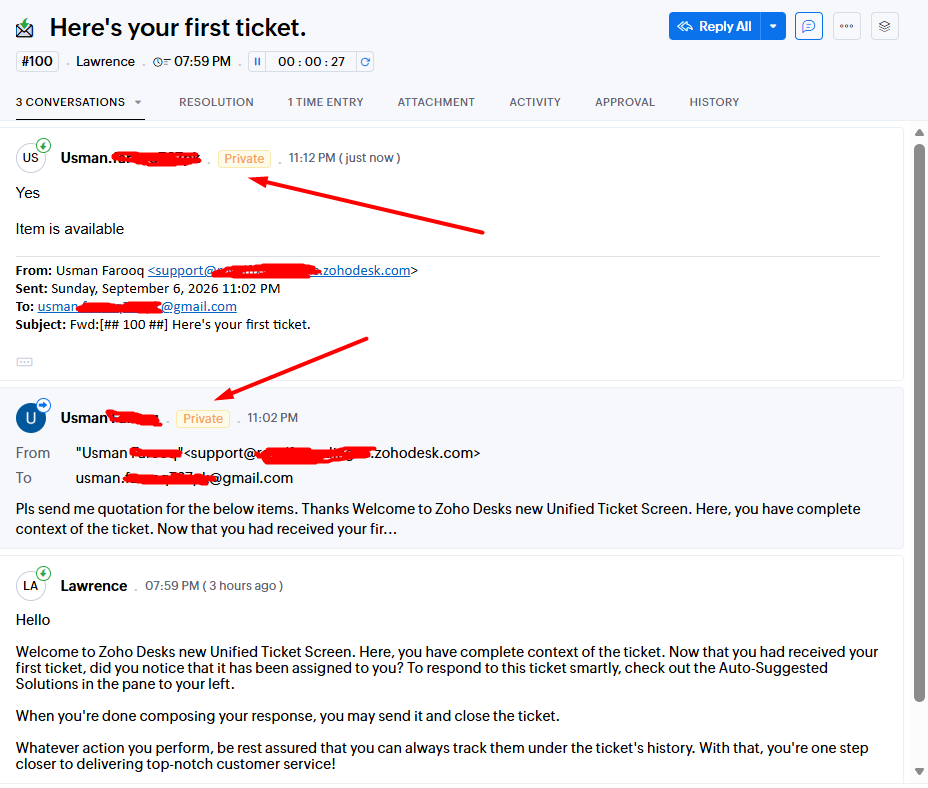
When clicking Forward, the To address becomes empty, and the forwarded email is recorded as a Private Thread, as shown below.
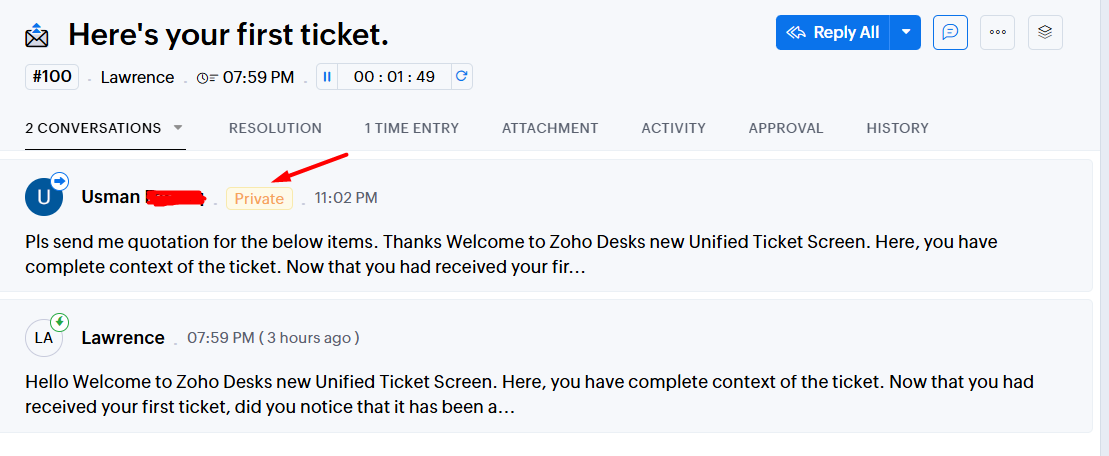
The email forwarded to the supplier appears as a Private Thread, and the supplier’s reply is also stored within the same Private Thread.
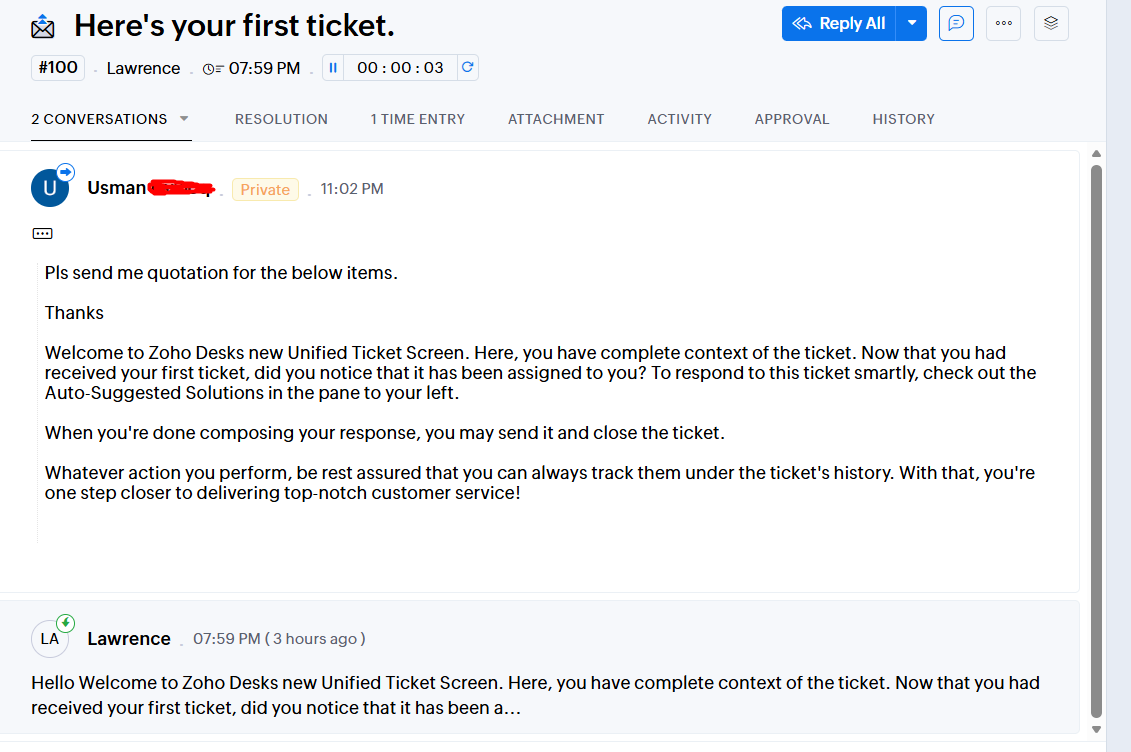
Conversations and threads are collapsible.
The same ticket number is maintained when forwarding the inquiry to the supplier and we can remove the customer details so the supplier only receives the relevant inquiry..
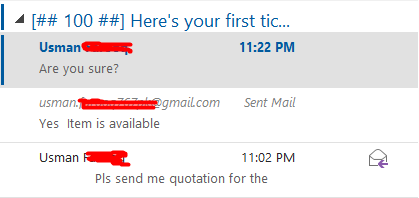
When the supplier replies, the reply is received within the same ticket and Private Thread.
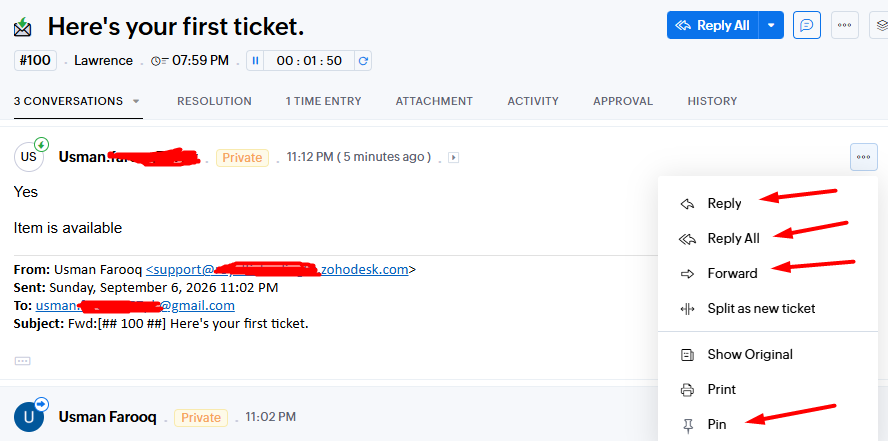
Each Private Thread email can be replied to, replied all, forwarded, or pinned.
The same ticket, thread, and subject are maintained throughout the conversation.
I hope I have explained the workflow clearly with the examples above.
Please let me know if you need any further information.
Look forward to your feedback.
Your example needs the supplier’s outgoing messages and replies to stay in a private conversation attached to the original ticket. I’d also keep an editable preview before sending, so the agent can remove customer details and choose attachments.
Would you consider commissioning that as a Helpdesk extension, or are you looking only for an upstream feature?
Upstream feature as I am not a developer.