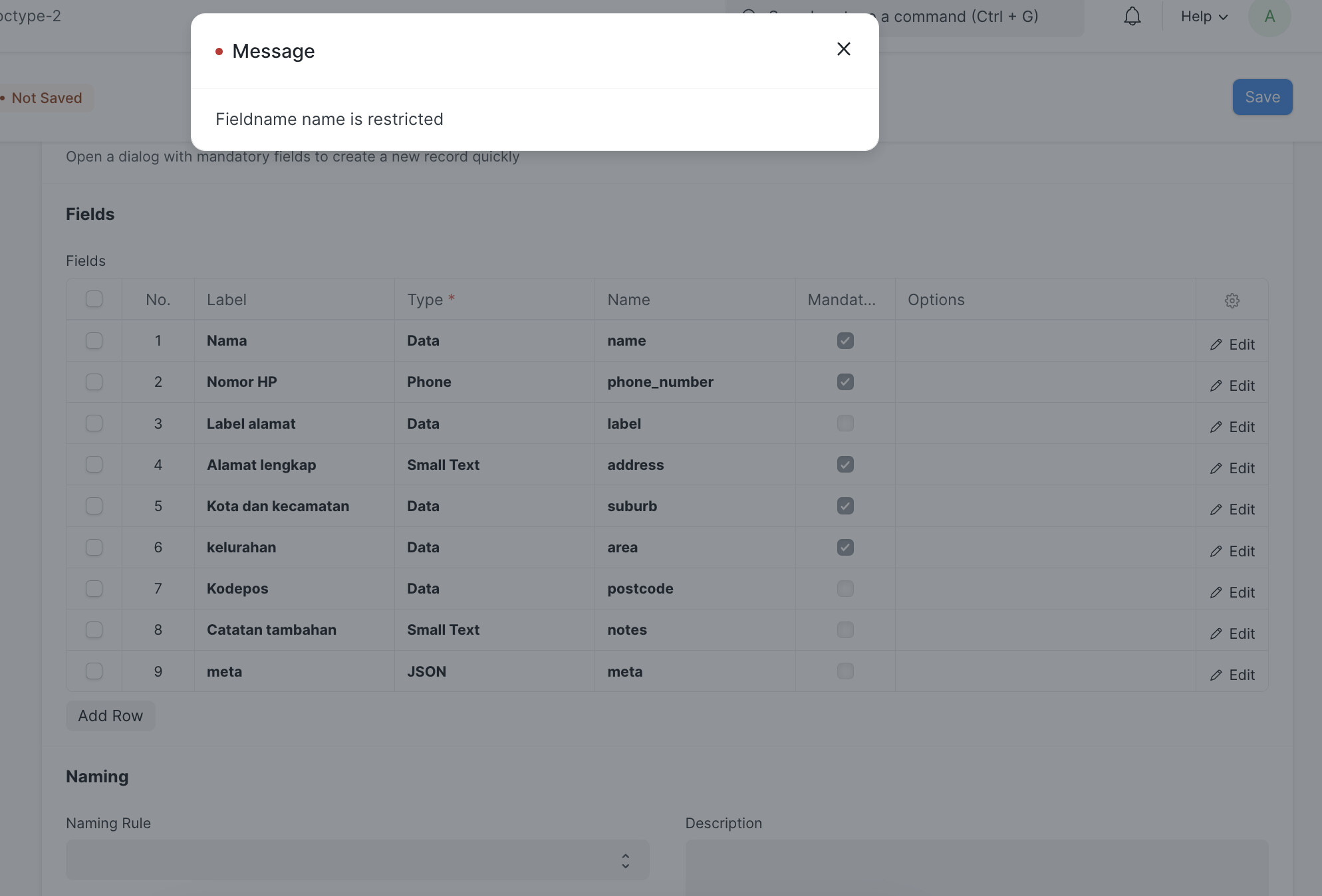
How can I resolve the issue of receiving an error message repeatedly while attempting to create a new doctype?
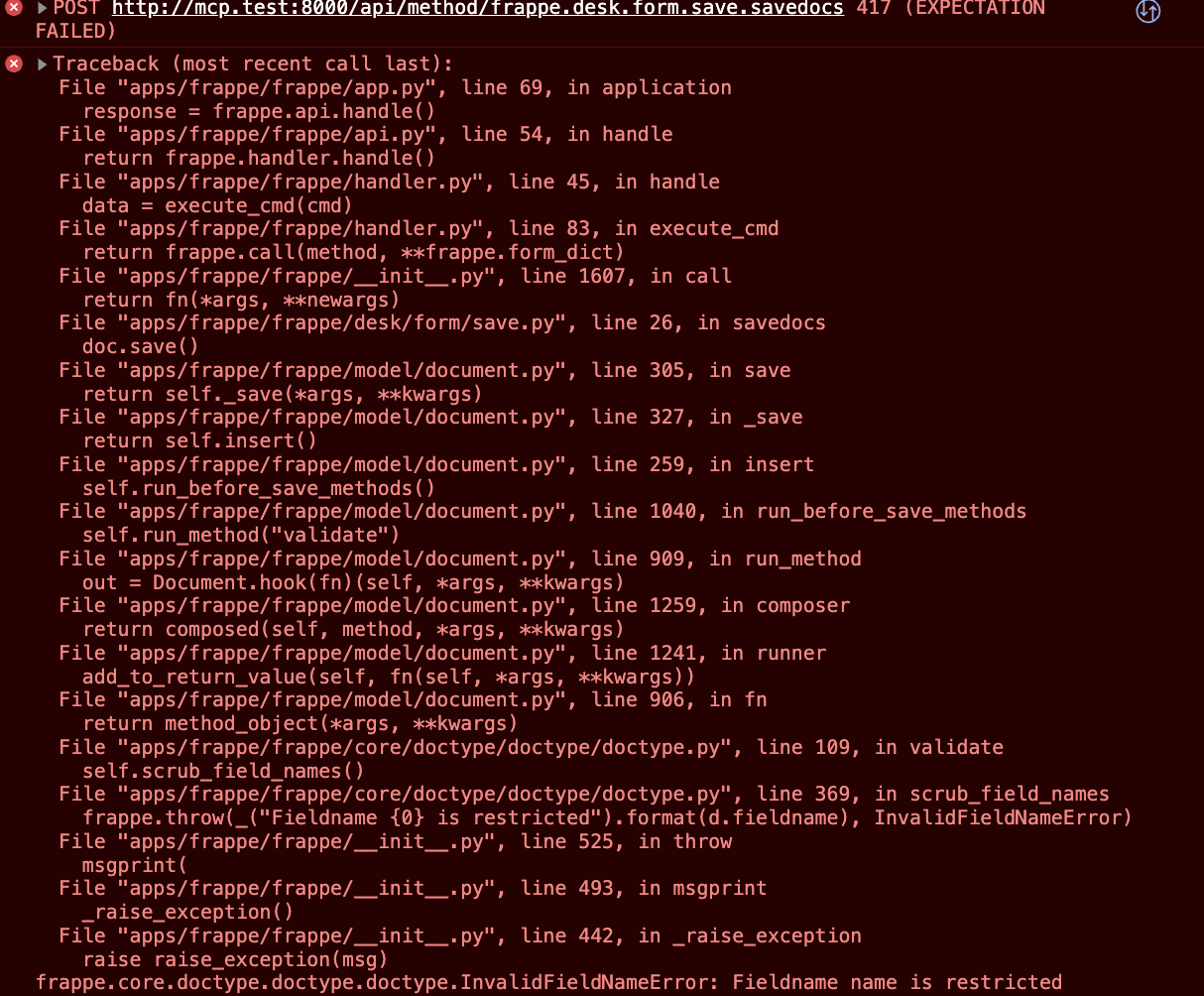
Can, you share your console log error screenshot.
@asuramus
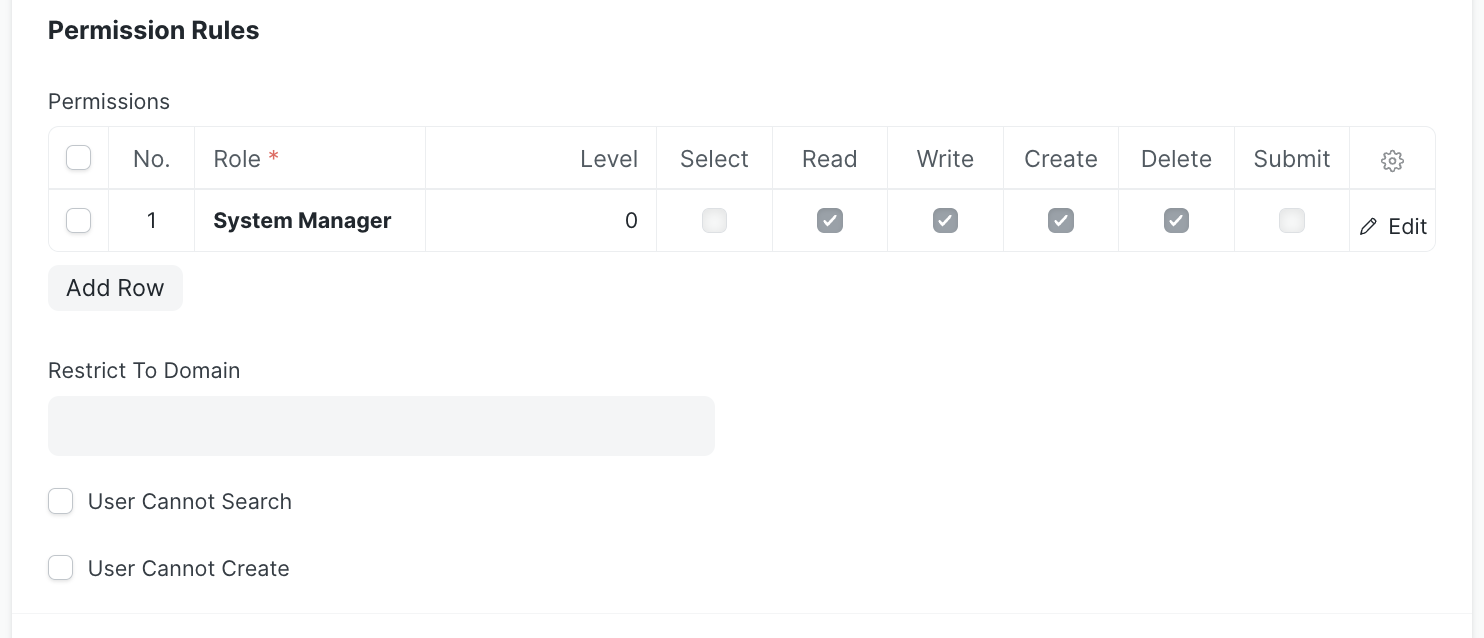
In the doc-type have you set the permission level for writing.
@asuramus
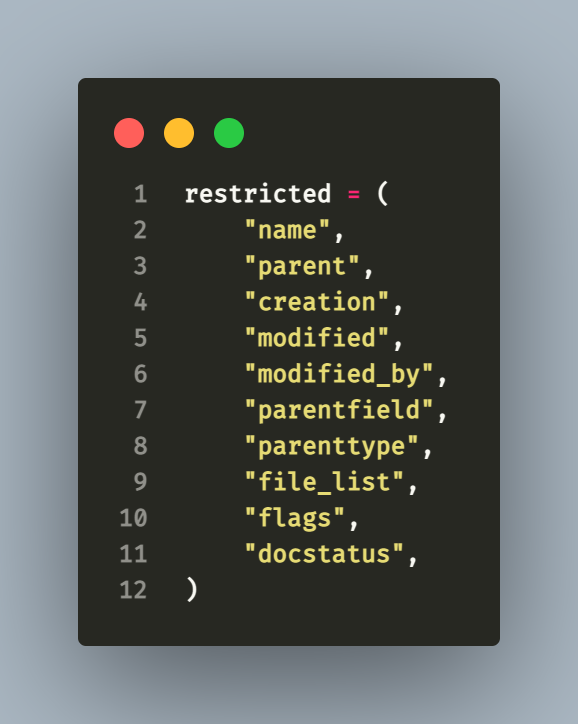
you should not use filedname as “name” that you have used in the first row, so set any other word for that this will resolve your problem.
Thank you.
Ah yes i seen this variable restricted
I also face another issue
Shipper Address: fieldname cannot be set to reserved keyword meta
That meta is in _reserved_keywords variable
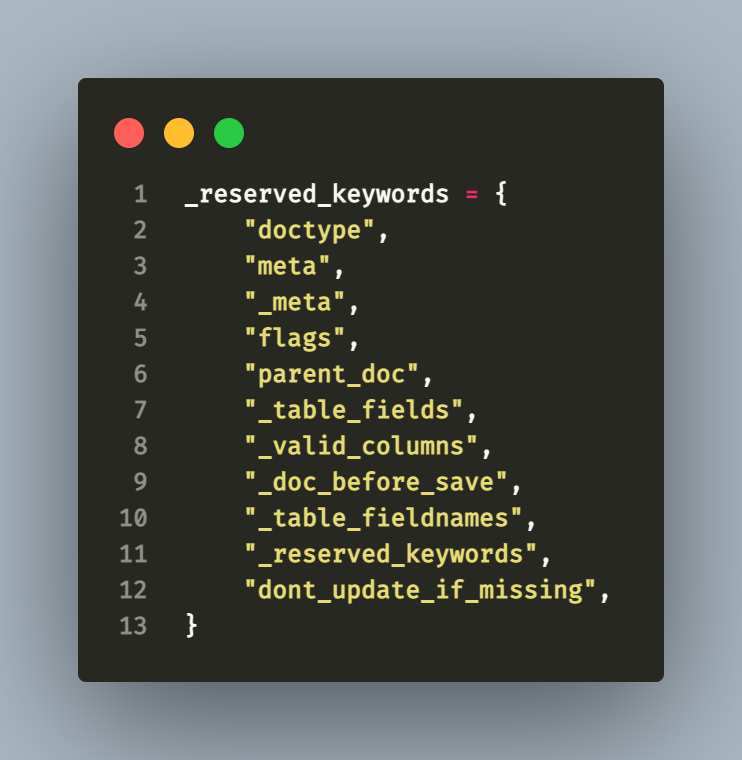
@VINOTH thank you!
@asuramus
The error fieldname cannot be set to reserved keyword meta which is not permitted. To fix this problem, select an alternative fieldname that does not clash with any reserved keywords in ERPNext.
It’s ideal to use descriptive and relevant names that represent the function of the field when naming custom fields or doctypes, and to avoid using any reserved keywords or special characters.
1 Like