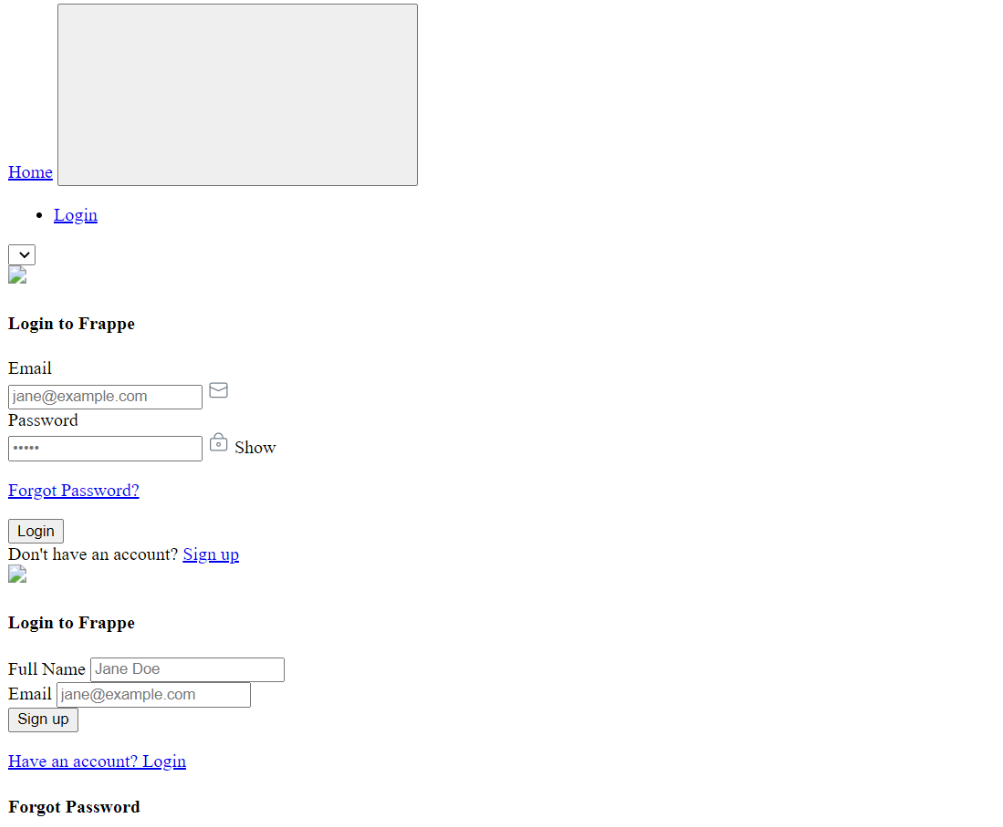
I am trying to build frappe helpdesk on docker. I am facing the same issue.
This is my dockerfile, entrypoint.sh and supervisor.conf (I am doing this to run as kubernetes setup)
# ================================================================
# Multi-stage Dockerfile for Custom Frappe Helpdesk
# ================================================================
# Includes:
# - Frappe Framework (base)
# - Custom Helpdesk app (forked)
# - Node.js runtime for socketio.js
# - Supervisor-managed processes (Gunicorn + Socket.IO)
# ================================================================

# ----------------------------------------------------------------
# Build Arguments - Configurable parameters for all build stages
# Can be overridden at build time with --build-arg flag
# ----------------------------------------------------------------
ARG FRAPPE_BRANCH=version-15
ARG PYTHON_VERSION=3.11
ARG NODE_VERSION=18
ARG FRAPPE_USER=frappe
ARG BENCH_DIR=/home/frappe/frappe-bench
ARG SITES_DIR=${BENCH_DIR}/sites
ARG APPS_DIR=${BENCH_DIR}/apps
ARG LOGS_DIR=${BENCH_DIR}/logs


# ================================================================
# STAGE 1: Base Frappe Build
# ================================================================
FROM frappe/build:${FRAPPE_BRANCH} AS base-frappe

# Re-declare args needed in this stage (ARGs don't persist across FROM)
ARG FRAPPE_BRANCH
ARG FRAPPE_USER
ARG BENCH_DIR
ARG SITES_DIR

# Run as non-root user for security and set working directory
USER ${FRAPPE_USER}
WORKDIR /home/${FRAPPE_USER}

# Initialize Frappe bench with minimal config for containerized deployment
# Skips procfile/backups/redis config as these are handled externally in production
RUN bench init \
    --frappe-branch=${FRAPPE_BRANCH} \
    --no-procfile \
    --no-backups \
    --skip-redis-config-generation \
    ${BENCH_DIR} && \
    cd ${BENCH_DIR} && \
    echo "{}" > ${SITES_DIR}/common_site_config.json


# ================================================================
# STAGE 2: Add and Build Custom Helpdesk App
# ================================================================
FROM base-frappe AS add-helpdesk

# Re-declare args needed in this stage
ARG FRAPPE_USER
ARG BENCH_DIR
ARG SITES_DIR
ARG APPS_DIR
ARG NODE_VERSION

# Switch to non-root user and navigate to bench directory
USER ${FRAPPE_USER}
WORKDIR ${BENCH_DIR}

# Copy helpdesk app source code from build context with proper ownership
# Ensures frappe user owns all app files for runtime operations
COPY --chown=${FRAPPE_USER}:${FRAPPE_USER} . ${APPS_DIR}/helpdesk

# Switch to root and install build tools (gcc, make) and utilities (curl, certificates)
# needed for compiling Python packages and downloading Node.js, then clean up to reduce image size
USER root
RUN apt-get update && \
    apt-get install -y --no-install-recommends build-essential curl ca-certificates gnupg && \
    apt-get clean && rm -rf /var/lib/apt/lists/*

# Install helpdesk app Python dependencies into bench virtual environment
# Uses --no-cache-dir and --prefer-binary to minimize image size and build time
USER ${FRAPPE_USER}
RUN cd ${APPS_DIR}/helpdesk && \
    if [ -f requirements.txt ]; then \
    ${BENCH_DIR}/env/bin/pip install --no-cache-dir --prefer-binary --progress-bar off -r requirements.txt; \
    fi && \
    ${BENCH_DIR}/env/bin/pip install --no-cache-dir --prefer-binary -e .

# Install Node.js from NodeSource repository and Yarn package manager
# Required for building frontend assets (Vue.js components, CSS, JS bundles)
USER root
RUN curl -fsSL https://deb.nodesource.com/setup_${NODE_VERSION}.x | bash - && \
    apt-get install -y --no-install-recommends nodejs && \
    npm install -g yarn && \
    apt-get clean && rm -rf /var/lib/apt/lists/* /tmp/* /var/tmp/*

# Configure site settings and build production frontend assets for all apps
# Removes .git folders and caches to minimize final image size
USER ${FRAPPE_USER}
RUN cd ${BENCH_DIR} && \
    echo '{"socketio_port": 9000}' > ${SITES_DIR}/common_site_config.json && \
    echo "frappe\nhelpdesk\ntelephony" > ${SITES_DIR}/apps.txt && \
    rm -rf /home/${FRAPPE_USER}/.cache/yarn && \
    bench get-app telephony && \
    echo "Installing yarn dependencies for helpdesk app..." && \
    cd ${APPS_DIR}/helpdesk && yarn install || { echo "ERROR: yarn install for helpdesk failed. Exiting build."; exit 1; } && \
    echo "Yarn dependencies for helpdesk installed successfully." && \
    cd ${BENCH_DIR} && bench build && \
    find ${APPS_DIR} -mindepth 1 -path "*/.git" -exec rm -rf {} + 2>/dev/null || true

# ================================================================
# STAGE 3: Final Runtime Image
# ================================================================
FROM frappe/base:${FRAPPE_BRANCH} AS runtime

# Re-declare args needed in runtime stage
ARG FRAPPE_USER
ARG BENCH_DIR
ARG SITES_DIR
ARG LOGS_DIR
ARG NODE_VERSION

# Set environment variables for runtime processes (supervisor, gunicorn, socketio)
# PYTHONUNBUFFERED ensures logs appear immediately, DEBIAN_FRONTEND prevents interactive prompts
ENV FRAPPE_USER=${FRAPPE_USER} \
    BENCH_DIR=${BENCH_DIR} \
    SITES_DIR=${SITES_DIR} \
    APPS_DIR=${BENCH_DIR}/apps \
    LOGS_DIR=${LOGS_DIR} \
    PYTHONUNBUFFERED=1 \
    DEBIAN_FRONTEND=noninteractive

# Switch to root for system-level configuration and set working directory
USER root
WORKDIR ${BENCH_DIR}

# Install Node.js (for socketio.js real-time communication) and supervisor (process manager)
# Create required directories for supervisor and application logs, then clean up to reduce image size
RUN apt-get update && \
    apt-get install -y --no-install-recommends curl ca-certificates gnupg supervisor && \
    curl -fsSL https://deb.nodesource.com/setup_${NODE_VERSION}.x | bash - && \
    apt-get install -y --no-install-recommends nodejs && \
    npm install -g yarn && \
    mkdir -p /var/log/supervisor /var/run/supervisor ${LOGS_DIR} && \
    apt-get clean && rm -rf /var/lib/apt/lists/* /tmp/* /var/tmp/* /root/.cache

# Copy pre-built bench from previous stage (includes frappe, helpdesk, and all dependencies)
# Copy supervisor config for managing gunicorn and socketio processes
# Copy and make entrypoint script executable for container initialization
COPY --from=add-helpdesk --chown=${FRAPPE_USER}:${FRAPPE_USER} ${BENCH_DIR} ${BENCH_DIR}
COPY --chown=root:root supervisord.conf /etc/supervisord.conf
COPY --chown=root:root docker-entrypoint.sh /usr/local/bin/docker-entrypoint.sh
RUN chmod +x /usr/local/bin/docker-entrypoint.sh

# Define volumes for persistent data (sites directory) and logs
# Allows data to persist across container restarts and enables log access from host
VOLUME ["${SITES_DIR}", "${LOGS_DIR}"]
WORKDIR ${BENCH_DIR}/sites

# Expose ports for HTTP (Gunicorn) and WebSocket (Socket.IO) traffic
# 8000 → Gunicorn (HTTP API and web pages)
# 9000 → Socket.IO (WebSocket for real-time updates)
EXPOSE 8000 9000

# Run as root to allow entrypoint script to perform initialization tasks
# Entrypoint handles common config creation and starts supervisor
USER root
ENTRYPOINT ["/usr/local/bin/docker-entrypoint.sh"]
#!/bin/bash
set -e

# ================================================================
# Frappe Helpdesk Docker Entrypoint
#
# Uses environment variables defined in Dockerfile:
# - BENCH_DIR, SITES_DIR, LOGS_DIR, FRAPPE_USER
# ================================================================

echo "🚀 Starting Frappe Helpdesk container..."

# Validate Path Environment Variables (from Dockerfile)
: "${BENCH_DIR:?ERROR: BENCH_DIR not set}"
: "${SITES_DIR:?ERROR: SITES_DIR not set}"
: "${LOGS_DIR:?ERROR: LOGS_DIR not set}"
: "${FRAPPE_USER:?ERROR: FRAPPE_USER not set}"

# Define config file path
COMMON_SITE_CONFIG="${SITES_DIR}/common_site_config.json"

echo "📁 Using paths:"
echo "   BENCH_DIR: ${BENCH_DIR}"
echo "   SITES_DIR: ${SITES_DIR}"
echo "   LOGS_DIR: ${LOGS_DIR}"

# Validate Required Runtime Environment Variables
echo ""
echo "🔍 Validating runtime environment variables..."

: "${DB_HOST:?❌ ERROR: DB_HOST must be set}"
: "${DB_PORT:?❌ ERROR: DB_PORT must be set}"
: "${DB_ROOT_USER:?❌ ERROR: DB_ROOT_USER must be set}"
: "${DB_ROOT_PASSWORD:?❌ ERROR: DB_ROOT_PASSWORD must be set}"
: "${REDIS_CACHE:?❌ ERROR: REDIS_CACHE must be set}"
: "${REDIS_QUEUE:?❌ ERROR: REDIS_QUEUE must be set}"
: "${REDIS_SOCKETIO:?❌ ERROR: REDIS_SOCKETIO must be set}"
: "${SOCKETIO_PORT:?❌ ERROR: SOCKETIO_PORT must be set}"
: "${DNS_MULTITENANT:?❌ ERROR: DNS_MULTITENANT must be set}"
: "${ENABLE_FRAPPE_LOGGER:?❌ ERROR: ENABLE_FRAPPE_LOGGER must be set}"

echo "✅ All required environment variables are set"

# Configure common_site_config.json (only if it doesn't exist)
echo ""
cat > "$COMMON_SITE_CONFIG" <<EOF
{
  "db_host": "${DB_HOST}",
  "db_port": ${DB_PORT},
  "socketio_port": ${SOCKETIO_PORT},
  "redis_cache": "${REDIS_CACHE}",
  "redis_queue": "${REDIS_QUEUE}",
  "redis_socketio": "${REDIS_SOCKETIO}",
  "dns_multitenant": ${DNS_MULTITENANT},
  "enable_frappe_logger": ${ENABLE_FRAPPE_LOGGER},
  "use_nginx": false
}
EOF

# Set proper ownership
chown ${FRAPPE_USER}:${FRAPPE_USER} "${COMMON_SITE_CONFIG}"
echo "✅ common_site_config.json created successfully"

# Start Supervisor
echo ""
echo "🎯 Starting Supervisor to manage Frappe services..."
echo "================================================"
echo ""

exec /usr/bin/supervisord -c /etc/supervisord.conf
# ================================================================
# Supervisor Configuration for Frappe Helpdesk
#
# Uses environment variables from Dockerfile:
# - BENCH_DIR, SITES_DIR, APPS_DIR, LOGS_DIR, FRAPPE_USER
# ================================================================

### Global Supervisor Settings
[supervisord]
nodaemon=true                               # Run in foreground (required for Docker)
user=root                                   # Supervisor runs as root
pidfile=/var/run/supervisord.pid            # PID file location
logfile=%(ENV_LOGS_DIR)s/supervisord.log
logfile_maxbytes=50MB
logfile_backups=10
loglevel=info

### Unix Socket for supervisorctl
[unix_http_server]
file=/var/run/supervisor.sock               # Socket file location
chmod=0700                                  # Restrict access to root only

[supervisorctl]
serverurl=unix:///var/run/supervisor.sock

[rpcinterface:supervisor]
supervisor.rpcinterface_factory = supervisor.rpcinterface:make_main_rpcinterface

# ----------------------------------------------------------------
# Frappe Web Server (Gunicorn)
# Serves the main HTTP application on port 8000
# ----------------------------------------------------------------
[program:frappe-web]
directory=%(ENV_SITES_DIR)s
command=%(ENV_BENCH_DIR)s/env/bin/gunicorn -b 0.0.0.0:8000 --workers 4 --threads 4 --timeout 120 --graceful-timeout 30 --log-level debug frappe.app:application
priority=4
autostart=true
autorestart=true
user=%(ENV_FRAPPE_USER)s
stdout_logfile=%(ENV_LOGS_DIR)s/web.log
stderr_logfile=%(ENV_LOGS_DIR)s/web.error.log
stdout_logfile_maxbytes=50MB
stderr_logfile_maxbytes=50MB
stopwaitsecs=40
killasgroup=true
stopasgroup=true

# ----------------------------------------------------------------
# Socket.IO Server (Node.js)
# Handles real-time WebSocket connections
# ----------------------------------------------------------------
[program:frappe-socketio]
directory=%(ENV_APPS_DIR)s/frappe
command=/usr/bin/node socketio.js
priority=1
autostart=true
autorestart=true
user=%(ENV_FRAPPE_USER)s
stdout_logfile=%(ENV_LOGS_DIR)s/node-socketio.log
stderr_logfile=%(ENV_LOGS_DIR)s/node-socketio.error.log
stdout_logfile_maxbytes=50MB
stderr_logfile_maxbytes=50MB
stopwaitsecs=20
killasgroup=true
stopasgroup=true

# ----------------------------------------------------------------
# Frappe Scheduler
# Runs scheduled jobs and background tasks
# ----------------------------------------------------------------
[program:frappe-schedule]
directory=%(ENV_BENCH_DIR)s
command=/usr/local/bin/bench schedule
priority=3
autostart=true
autorestart=true
user=%(ENV_FRAPPE_USER)s
stdout_logfile=%(ENV_LOGS_DIR)s/schedule.log
stderr_logfile=%(ENV_LOGS_DIR)s/schedule.error.log
stdout_logfile_maxbytes=50MB
stderr_logfile_maxbytes=50MB
stopwaitsecs=15
killasgroup=true
stopasgroup=true

# ----------------------------------------------------------------
# Frappe Background Worker
# Processes queued jobs (default, short, long queues)
# ----------------------------------------------------------------
[program:frappe-worker]
directory=/home/frappe/frappe-bench
command=/usr/local/bin/bench worker --queue default,short,long
priority=2
autostart=true
autorestart=true
user=%(ENV_FRAPPE_USER)s
stdout_logfile=%(ENV_LOGS_DIR)s/worker.log
stderr_logfile=%(ENV_LOGS_DIR)s/worker.error.log
stdout_logfile_maxbytes=50MB
stderr_logfile_maxbytes=50MB
stopwaitsecs=360
killasgroup=true
stopasgroup=true

# ================================================================
# PROCESS GROUPS
# ================================================================

# ----------------------------------------------------------------
# Web Services Group
# Manages web server and Socket.IO
# Usage: supervisorctl start frappe-web:*
# ----------------------------------------------------------------
[group:frappe-web]
programs=frappe-web,frappe-socketio

# ----------------------------------------------------------------
# Background Services Group
# Manages scheduler and workers
# Usage: supervisorctl start frappe-workers:*
# ----------------------------------------------------------------
[group:frappe-workers]
programs=frappe-schedule,frappe-worker
Where do I need to change the permission?