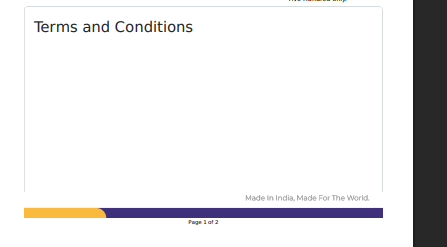
I am facing a PDF print issue in Frappe/ERPNext print format.
Problem:
The “Terms and Conditions” title appears on the first page, but the actual terms content moves to the second page, leaving a large blank space on page 1.
The PDF is generated using wkhtmltopdf.
Current behavior:
-
Page 1 shows item table and empty Terms section area
-
Page 2 starts with actual Terms and Conditions content
-
Large unused blank space appears on first page
Expected behavior:
-
Terms title and content should stay together
-
Content should continue naturally without unnecessary page break
-
PDF should auto-adjust height properly
Possible cause:
This issue seems related to:
-
fixed height or min-height in Terms section
-
page-break-inside CSS
-
wkhtmltopdf rendering issue with flex/absolute positioning
Environment:
-
Frappe / ERPNext Print Format
-
PDF generated using wkhtmltopdf