ERPNext v15 – Handling Stripe Processing Fee Recovered From Customer Creates Unallocated Advance Amount
ERPNext Version
-
ERPNext: v15.61.1
-
Frappe Framework: v15.68.1
Problem Summary
We are integrating Stripe Card payments with ERPNext Payment Entry flow.
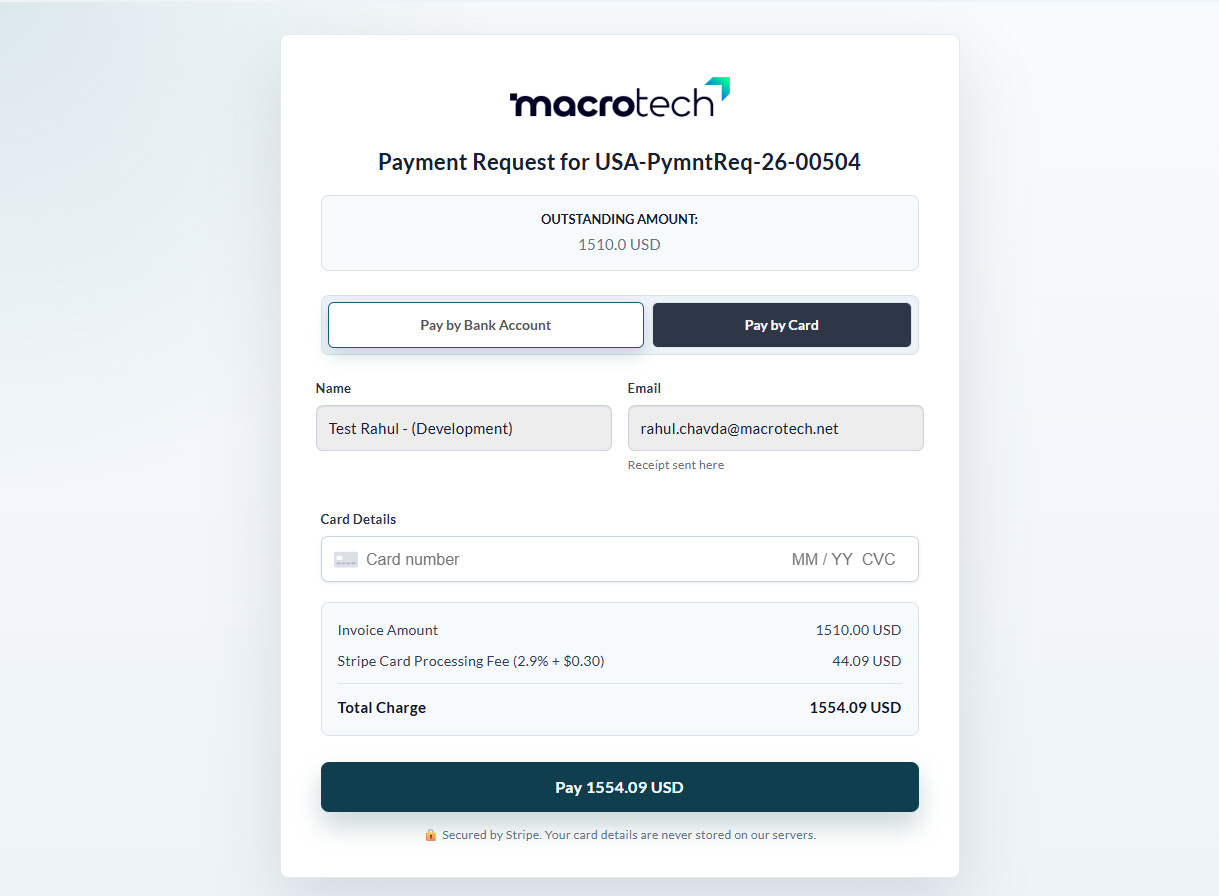
Our business model recovers Stripe processing fees directly from the customer during checkout.
Example:
| Description | Amount |
|---|---|
| Sales Invoice Amount | $100 |
| Stripe Processing Fee | $3 |
| Total Customer Paid | $103 |
The issue is:
ERPNext treats the extra $3 as an unallocated customer advance/payment credit.
Current Accounting Behavior
Payment Entry Created
| Field | Amount |
|---|---|
| Paid Amount | 103 |
| Allocated to Invoice | 100 |
| Unallocated Amount | 3 |
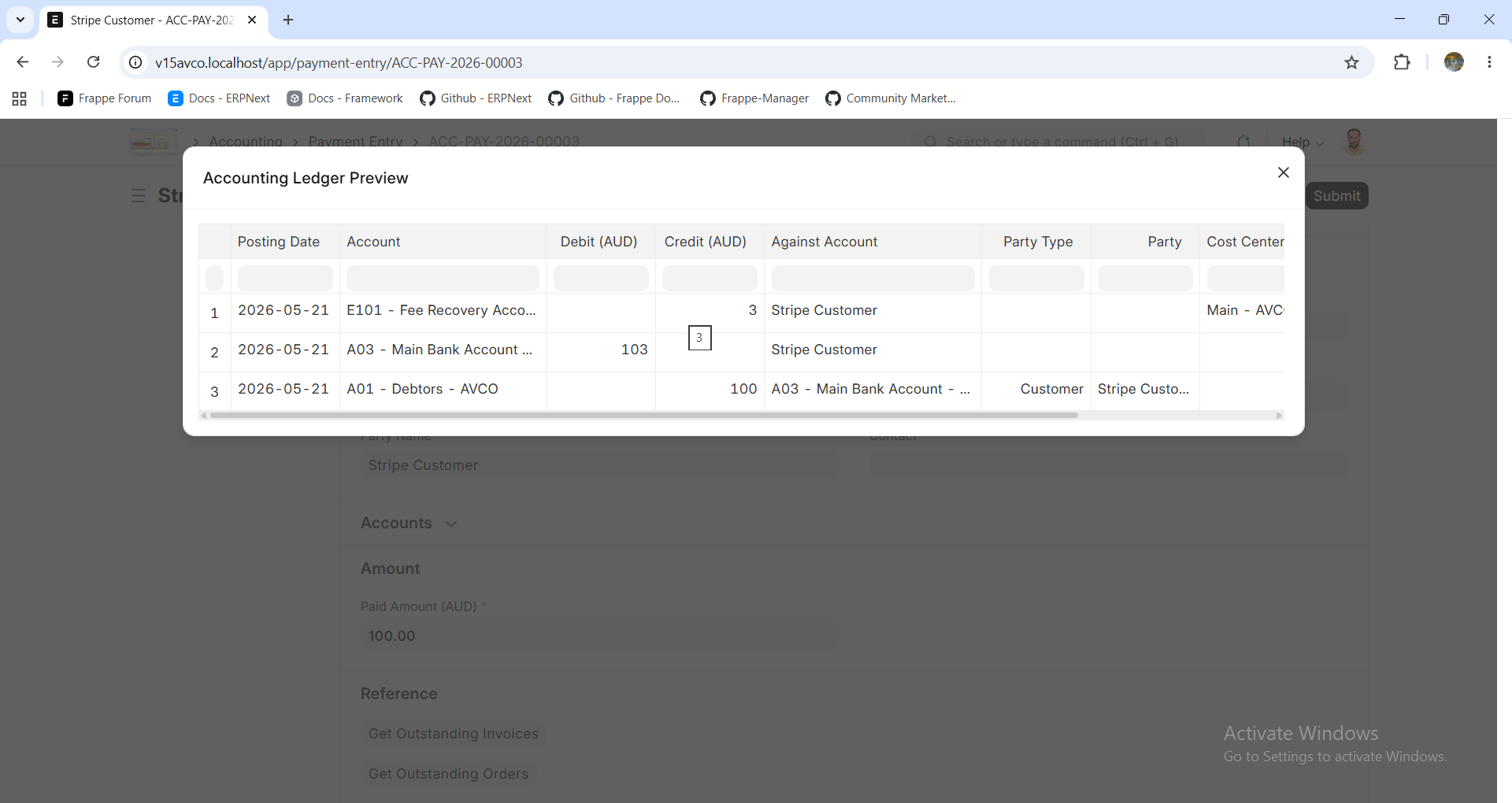
ERPNext accounting becomes:
| Account | Debit | Credit |
|---|---|---|
| Stripe Clearing / Bank | 103 | |
| Accounts Receivable | 100 | |
| Customer Advance / Unallocated | 3 |
This leaves a customer advance balance even though:
-
customer does not actually have a credit balance
-
the extra amount is only Stripe fee recovery
-
invoice is fully paid
Why This Is Problematic
This creates multiple accounting/reporting issues:
-
Customer ledger shows incorrect advance balance
-
AR aging/reporting becomes confusing
-
Manual reconciliation required
-
Additional Journal Entry needed to clear advance
-
No native surcharge/convenience fee handling in ERPNext
-
Payment Entry and GL entries become semantically misleading
Attempted Solutions & Problems
1. Creating Journal Entry After Payment Entry
We tried:
-
Payment Entry = 103
-
Invoice allocation = 100
-
Additional JE to remove customer advance
Technically this works.
However:
Payment Entry still shows:
| Field | Amount |
|---|---|
| Paid Amount | 103 |
| Allocated | 100 |
| Unallocated | 3 |
So the document itself becomes misleading because:
-
customer does not actually have an advance
-
extra amount is not a real credit balance
-
audit trail becomes confusing
2. Using Payment Entry Deductions
We tried using Payment Entry deductions for the Stripe fee.
Problem:
ERPNext deductions are designed for:
-
bank charges
-
gateway deductions
-
withheld amounts
Meaning ERPNext assumes:
“Gateway deducted amount FROM merchant”
But our use case is opposite:
“Customer paid EXTRA amount to cover gateway fee”
This causes:
-
double imbalance/unallocated amounts
-
incorrect GL impact
-
incorrect outstanding handling
Example:
| Customer Paid | 103 |
| Invoice | 100 |
| Deduction | 3 |
This resulted in unexpected additional unallocated behavior.
3. Using Negative Deduction
We also tried negative deduction values.
Problem:
ERPNext credits the expense account.
Example:
| Account | Effect |
|---|---|
| Stripe Expense Account | CREDIT |
This becomes semantically/accounting-wise incorrect because:
-
expense accounts should not be credited for customer surcharge recovery
-
financial reports become misleading
Potential Alternative Solution
The only fully clean accounting approach we found is:
Add Stripe Fee As Invoice Item
Example invoice:
| Item | Amount |
|---|---|
| Product/Service | 100 |
| Stripe Processing Fee | 3 |
| Total Invoice | 103 |
Then:
-
Stripe Charge = 103
-
Payment Entry = 103
-
Invoice = 103
-
Outstanding = 0
-
No advance
-
No deductions
-
No cleanup JE
-
Clean GL and AR
Additional ERPNext Limitation
However, another issue is:
ERPNext does not allow modifying submitted Sales Invoices.
Meaning after invoice submission:
-
item rows cannot be added/removed normally
-
totals cannot be adjusted safely
-
dynamically adding Stripe surcharge later becomes difficult
In many real-world cases:
-
customer selects payment method only during checkout
-
surcharge amount is known only at payment time
-
invoice is already submitted before payment
So dynamically appending:
“Stripe Processing Fee” item
after submit is not straightforward or recommended.
Root ERPNext Limitation
ERPNext Payment Entry fundamentally assumes:
Paid Amount == Amount Applied To Receivable
But surcharge/convenience fee scenarios require:
Customer Paid Amount > Invoice Amount
There is currently no native concept for:
-
surcharge
-
convenience fee
-
gateway fee recovery
-
pass-through processing fee
Expected / Desired ERPNext Feature
ERPNext should ideally support native surcharge/convenience fee handling.
Example desired behavior:
| Component | Amount |
|---|---|
| Invoice Amount | 100 |
| Gateway Fee Charged To Customer | 3 |
| Total Customer Paid | 103 |
Accounting:
| Account | Debit | Credit |
|---|---|---|
| Stripe Clearing | 103 | |
| Accounts Receivable | 100 | |
| Fee Recovery Account | 3 |
without creating:
-
unallocated payment
-
customer advance
-
misleading deductions
-
manual reconciliation cleanup
Questions To Community
-
What is the recommended ERPNext accounting approach for Stripe surcharge recovery?
-
How are other ERPNext users handling convenience fees/payment gateway fee recovery?
-
Is there any native ERPNext feature available for this use case?
-
Has anyone implemented a cleaner solution in ERPNext v15?
-
Would it make sense to introduce:
-
surcharge field in Payment Entry?
-
gateway fee recovery support?
-
convenience fee allocation logic?
-
payment method based surcharge support?
-
Additional Notes
This issue is common with:
-
Stripe card surcharge
-
ACH fee recovery
-
Convenience fees
-
Credit card processing fees passed to customers
Would appreciate suggestions from the ERPNext/Frappe accounting community regarding the cleanest accounting design for this scenario.