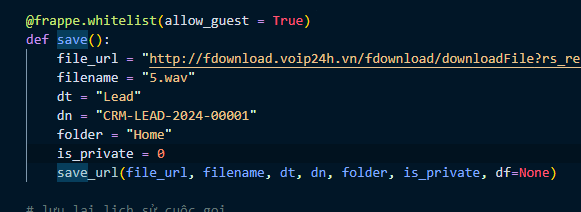
it not work for me, why

I don’t do that direction, because the URL I want to save when I download it, I can see it but when uploaded to Frappe, I can’t see
“http://fdownload.voip24h.vn/fdownload/downloadFile?rs_record=2024/05/21&hostname=192.168.2.94&file_name=inbound-20240521-084151-0911015591-227&pkeyID=external-227-0911015591-20240521-084152-1716255712.40167.gsm&xKey=0&_pl=4595”
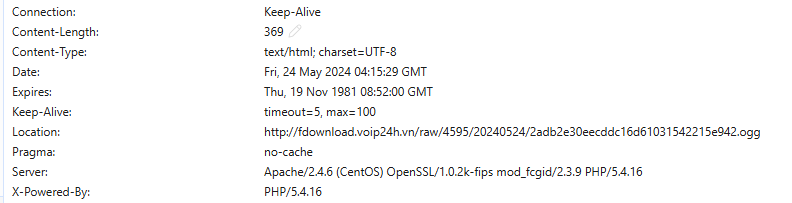
So I took another URL to download the file and then upload it to Frappe and have a problem when using Request.get () to get the location in the header, this location is not exactly when I do it in the browser.
@frappe.whitelist(allow_guest = True)
def download_and_upload_file(url, doctype, docname):
    try:
        response = requests.get(url, allow_redirects=False)
        if response.is_redirect or response.status_code in (301, 302):
            redirect_url = response.headers.get('Location')
            # this localtion different with browser
            print(redirect_url)
            if redirect_url:
                final_response = requests.get(redirect_url)
                if final_response.status_code == 200:
                    new_filename = "downloaded_audio.wav"
                    with open(new_filename, 'wb') as file:
                        file.write(final_response.content)
                        print("File downloaded and saved as:", new_filename)

                    with open(new_filename, 'rb') as f:
                        fname = "hello.wav"
                        content = f.read()
                        print("content")
                        print(content)
                        save_file(fname, content, doctype, docname)
                        print("File uploaded to Frappe")
                else:
                    print("Failed to download the file. Status code:", response.status_code)
    except Exception as e:
        print("An error occurred:", str(e))
when i print location in code:

and this is location in browser