I have an expected COGS as a “Periodic Inventory”, calculated as following: (Open Stock Value - Closing Stock Value) + Purchases
In my case we are using “Perpetual Inventory”, so by the end of the month I should expect that the Periodic Inventory will match the Perpetual Inventory.
My question: Is there is a way to verify the COGS in “Perpetual Inventory”? How to trigger recalculating the COGS?
1 Like
Did You got the solution for these ? Please help me on these .
You’re right that under Periodic Inventory, COGS is typically calculated as:
(Opening Stock Value - Closing Stock Value) + Purchases
Whereas with Perpetual Inventory, COGS is updated continuously with each purchase and sale transaction.
To verify COGS in a Perpetual Inventory system, you generally want to:
- Check transaction-level details: Since COGS is calculated per sale, review your sales invoices or inventory movements to see if COGS values are recorded accurately.
- Run inventory valuation reports: Most ERP or accounting systems with perpetual inventory will have reports that show COGS and inventory levels in real-time. Comparing these to your Periodic method totals can help you verify accuracy.
- Recalculate or adjust COGS:
- Some systems allow you to trigger a recalculation or inventory revaluation process. This might be called something like “Recalculate Inventory Valuation” or “Repost Inventory Transactions.”
- Check your system’s documentation for a way to run these processes — they usually reprocess transactions and update COGS based on current inventory costing methods (FIFO, LIFO, weighted average, etc.).
If you’re using specific software, let me know which one, and I can help you find the exact steps to trigger the recalculation.
Hi @Naik_Shreyas @A7medAbdien
The Both valuation systems 1. Perpetual and 2. Periodic are supported within ERPNext.
The Periodic Valuation system does not impact general ledger for any of the stock transactions such as purchase receipt, delivery note, stock entry and reconciliations at all But Stock Ledger is there for valuation purposes. You have to book COGS manually into GL by having stock reports.
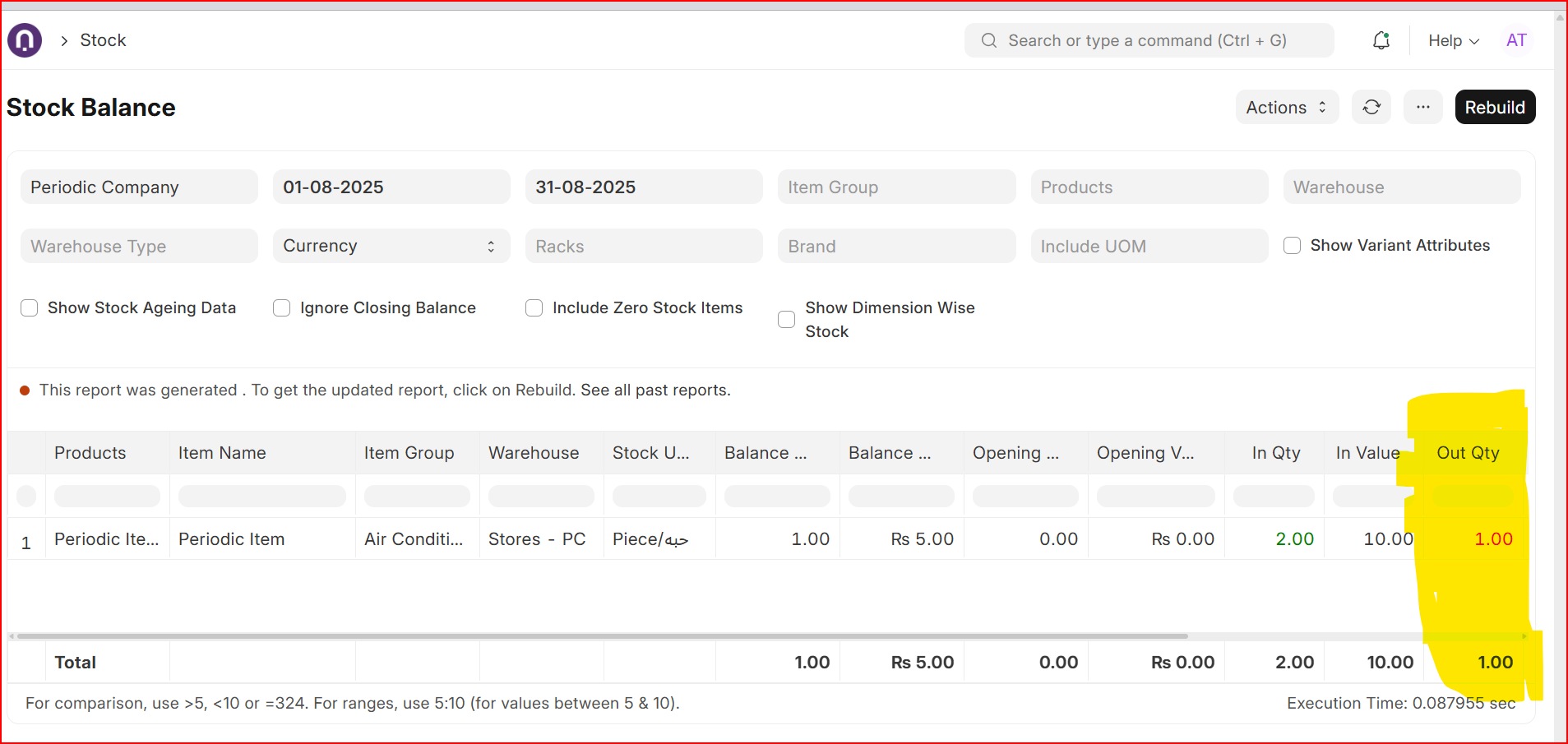
Talking about COGS, by the time you want a JV to be passed for P&L reporting generally by the end of each month, stock balance report Out Qty column will be reflecting items either sold, scrapped or consumed with respective costs. Please keep in mind stock ledger is recording each stock transactions for Valuation Purposes but that impact is not going into GL due to periodic setting ON.
The following is the stock balance report with highlighted columns capturing costs.
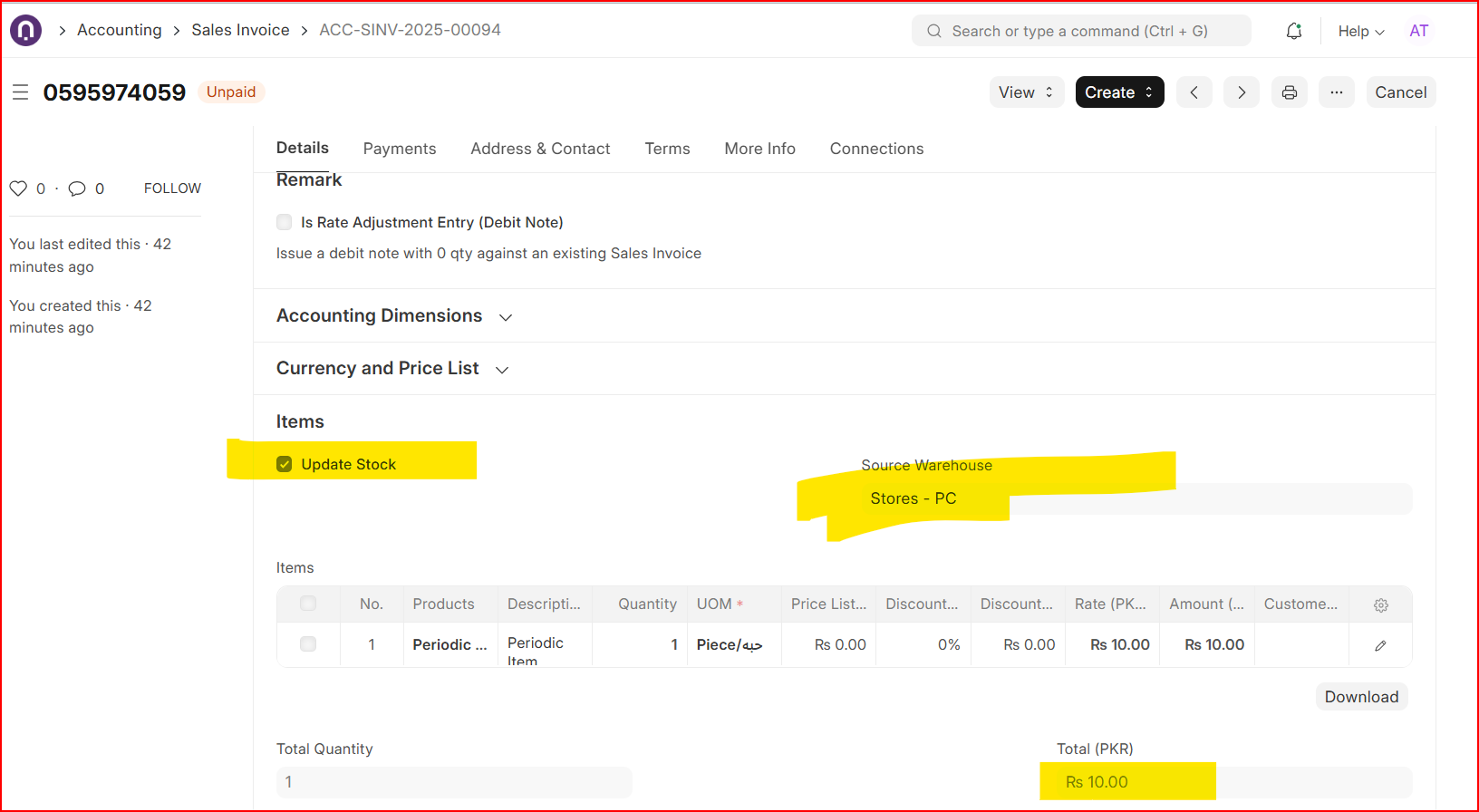
I made a sales invoice selling item as following hitting stock ledger but not GL due Periodic settings on within company.
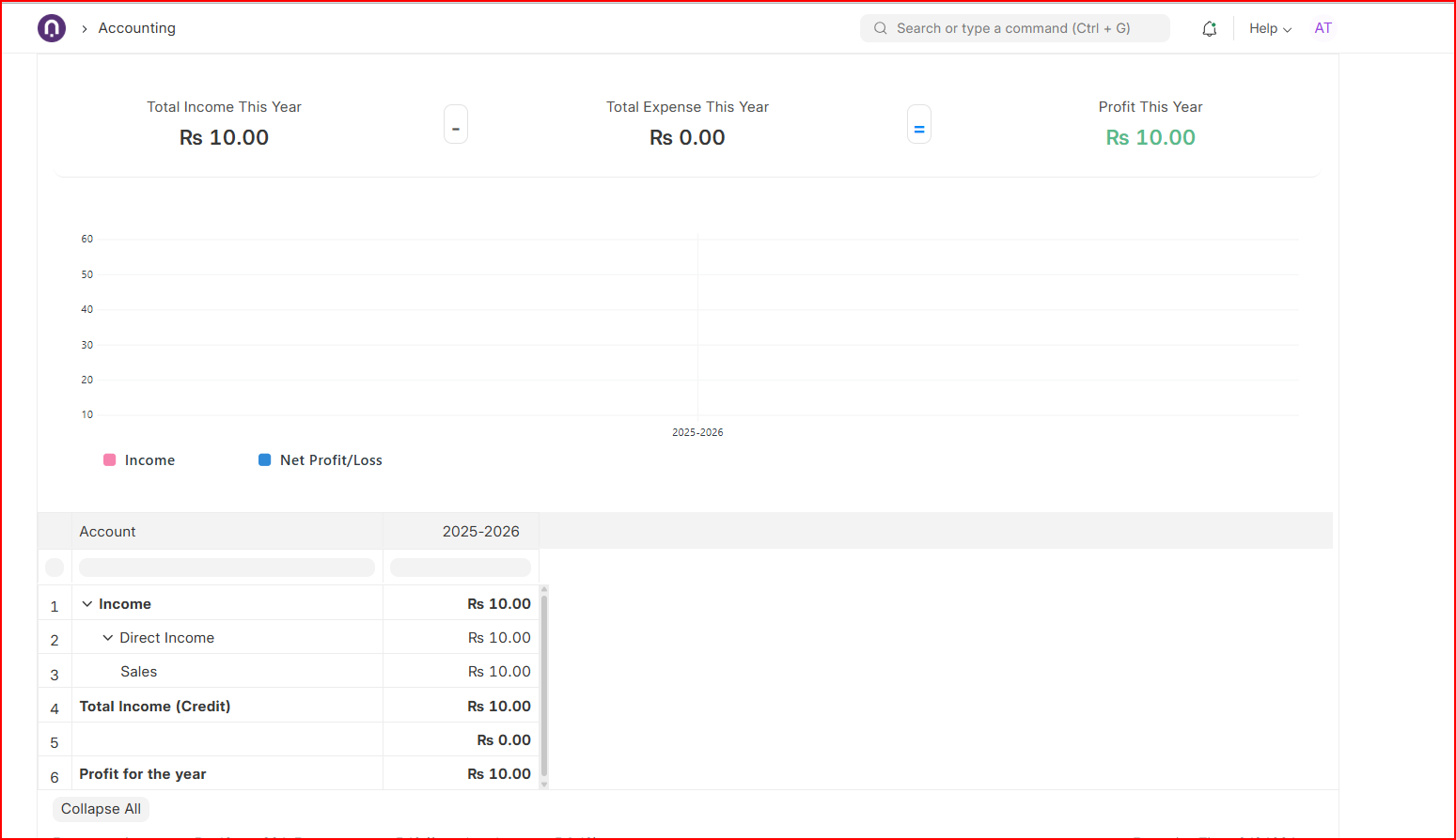
The accounting of sales invoice did not hit COGS.
My profit and loss still waiting for COGS posted through a JV manually…
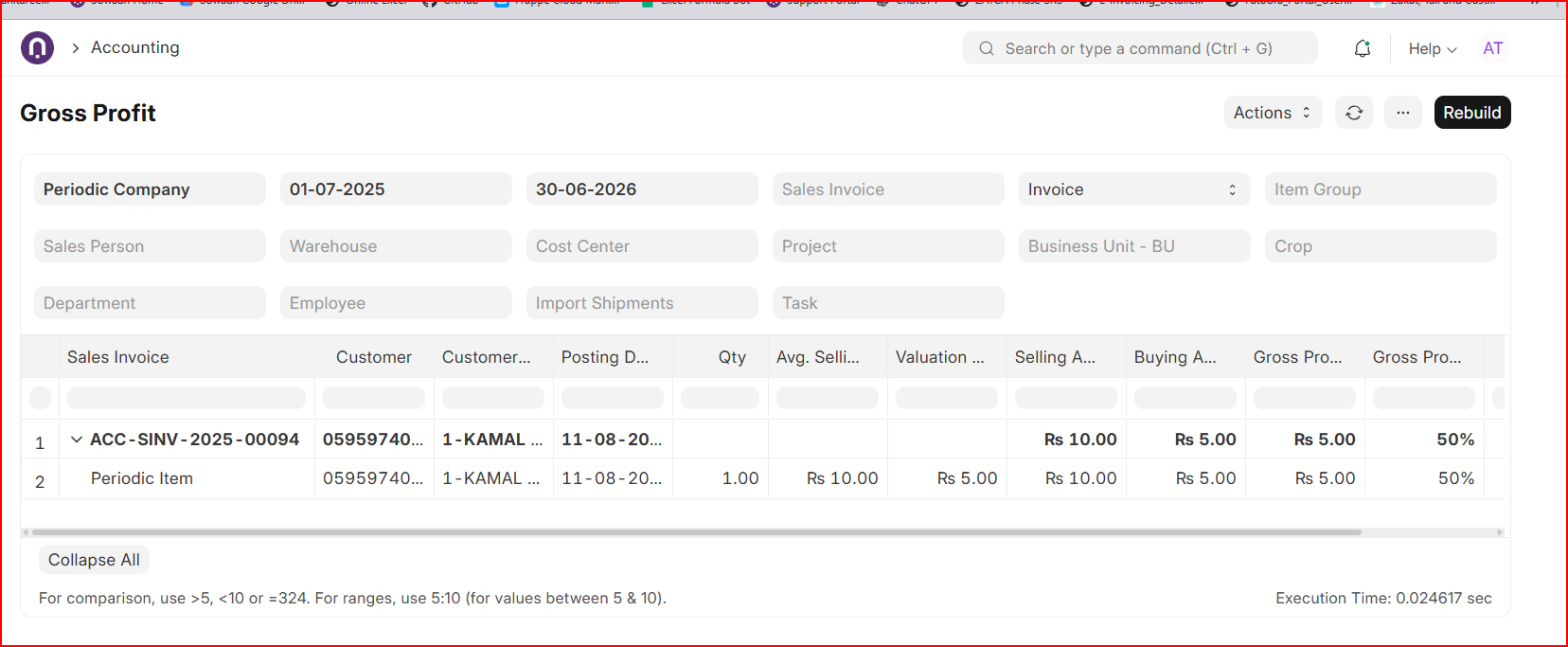
The Gross Profit Report helps you find each item or invoice COGS as following;
Hi @invokker
Please avoid Chatgpt style answers.
2 Likes
Hello, Just Simple i want to make report where opening value is matching with stock balance opening value and closing value is matching with balance value of stock balance. So purchase value i have taken only when voucher type is purchase receipt and take the value of stock value difference from stock ledger entry . Now my COGS formula = Opening + Purchase Value - Closing. I am calculating Item Group wise COGS. So My custom COGS is not matching with the Standard COGS by Item Group and Also on Balance sheet COGS is not getting Match. Please help if i am doing anything wrong here . I want to matched the COGS.
Hi @Naik_Shreyas
Please use Stock Balance Report and use data from it to pass your JV to match your GLs with your Stock Reports as this is what Periodic Valuation System requires you to do by end of each month.
The Stock Balance Report has all you want as opening balance + In Qty and Value Columns (purchase receipt) - Out Qty (COGS) = Closing Balance (Stock in Hand).
Item group is also located of top of the report to server filtering purposes.
You only need to generate report on a date where you want to match it with your GLs and for that pass a compound JV as following;
Dr Inventory (Closing) XXX
Dr COGS XXX
Cr Inventory (Opening) XXX
Cr Purchases XXX
Ah, busted!  Guess my “overly organized, bullet-point-loving” brain does sound a bit like ChatGPT sometimes.
I’ll try to add more typos, half-finished sentences, and random tangents next time so it feels authentically human. 
1 Like