Adding Custom Icons to Workspace for a Frappe Custom App
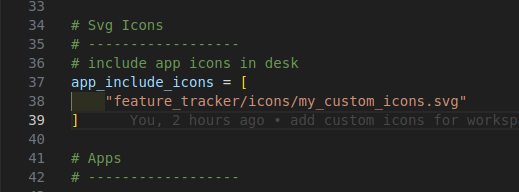

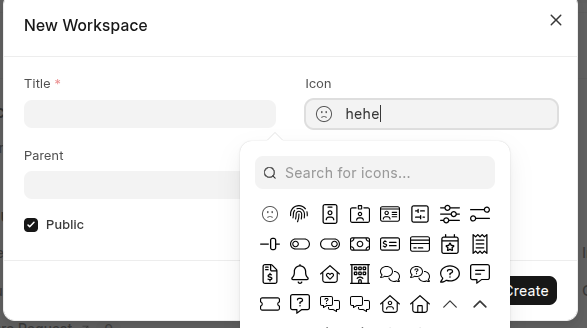
Custom icons are added via an SVG sprite file and registered in your app using hooks.
You can add custom SVG icons to the Workspace in your custom Frappe app using the following steps.
1. Create the Icons Directory and SVG Sprite File
Navigate to your app’s public directory and create an icons folder (if it doesn’t exist):
apps/<YOUR_APP_NAME>/<YOUR_APP_NAME>/public/icons
Inside this folder, create an SVG file named /my_custom_icons.svg
apps/<YOUR_APP_NAME>/<YOUR_APP_NAME>/public/icons/my_custom_icons.svg
2. Add the SVG Sprite Template
Open my_custom_icons.svg and paste the following template:
<?xml version="1.0" encoding="utf-8"?>
<svg id="frappe-symbols" aria-hidden="true" style="position: absolute; width: 0; height: 0; overflow: hidden;" class="d-block" xmlns="http://www.w3.org/2000/svg">
    <symbol id="icon-custom_icon_name_1" viewBox="0 0 24 24" xmlns="http://www.w3.org/2000/svg">
        <!-- Paste your SVG path content here (without <svg> tags) -->
    </symbol>
    <symbol id="icon-custom_icon_name_2" viewBox="0 0 24 24" xmlns="http://www.w3.org/2000/svg">
        <!-- Paste your SVG path content here (without <svg> tags) -->
    </symbol>
        <symbol id="icon-custom_icon_name_3" viewBox="0 0 24 24" xmlns="http://www.w3.org/2000/svg">
        <!-- Paste your SVG path content here (without <svg> tags) -->
    </symbol>
    ....etc
</svg>
Tip: Replace
custom_icon_name_1,custom_icon_name_2, etc., with meaningful names (e.g., icon-invoice, icon-delivery).
You’ll use these IDs (e.g., invoice) when selecting the icon in the icon fields.
Recommended to include the inner content of the original SVG (i.e.,
<path>,<circle>, etc.), not the outer<svg>tag.
3. Register the Icon File in hook.py:
# Svg Icons
# ------------------
# include app icons in desk
app_include_icons = [
    "<YOUR_APP_NAME>/icons/my_custom_icons.svg"
]
4. Build the App and Clear Cache
bench build --app <your_app_name>
bench --site <your_site_name> clear-cache
This compiles your static assets and ensures the icons are loaded into the Desk.
What is an SVG Sprite and SVG Sprite Template?
SVG Sprite is a single SVG file that contains multiple icons grouped together using <symbol> elements. Instead of loading each icon as a separate file, they are combined into one file for better performance and easier management.
SVG Sprite Template is a boilerplate structure used to create an SVG sprite. It includes <symbol> tags where each represents an individual icon with a unique id, viewBox, and SVG paths inside — without displaying them immediately.
Example Template:
<svg xmlns="http://www.w3.org/2000/svg" style="display: none;">
  <symbol id="icon-home" viewBox="0 0 24 24">
    <path d="M3 9l9-7 9 7v11a2 2 0 0 1-2 2H5a2 2 0 0 1-2-2z"/>
  </symbol>
  <symbol id="icon-user" viewBox="0 0 24 24">
    <circle cx="12" cy="8" r="5"/>
  </symbol>
</svg>
Icons are then used in HTML with:
<svg><use href="icons.svg#icon-home"></use></svg>
Benefits:
- Faster loading (fewer HTTP requests)
- Reusable, scalable, and styleable with CSS
- Ideal for web apps (like Frappe/ERPNext) needing custom icons