Hi, The number format # ###,### is not listed in the list of number formats in the System settings? How can I add it to the list? Thanks, –Sami
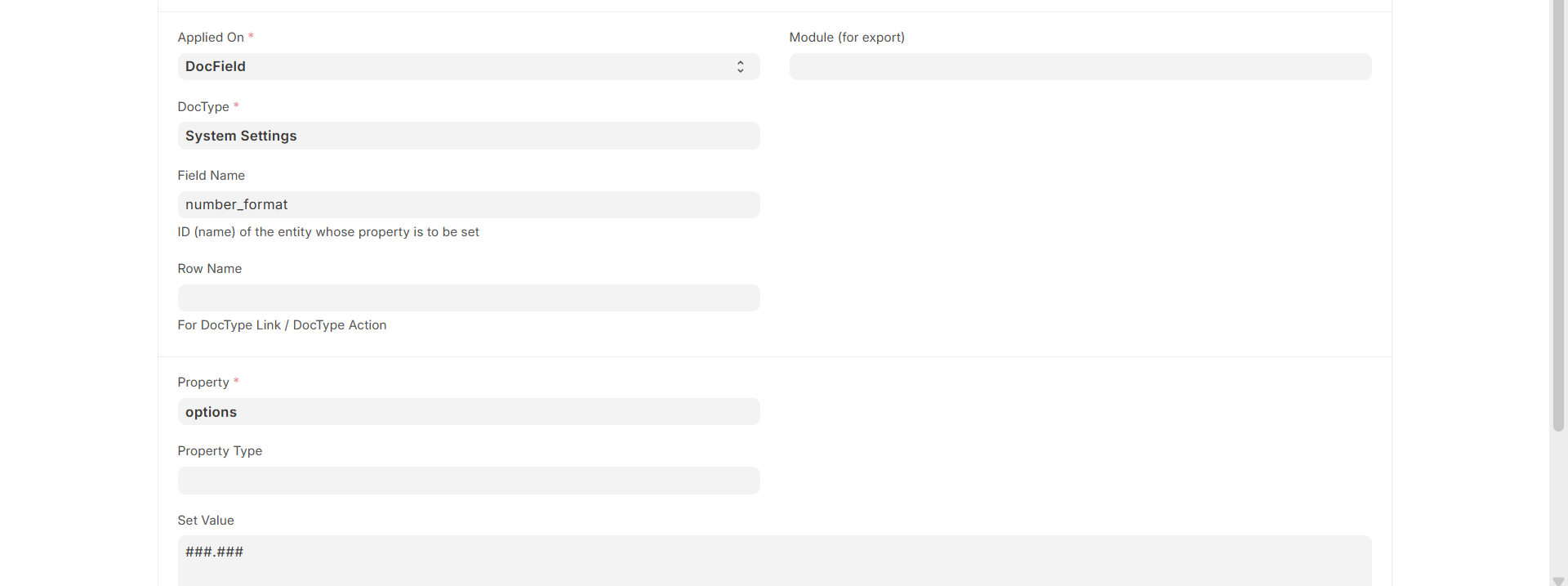
- Go to Property Setter:
Create to New Property Setter. - Select Applied On:
Choose DocField . - Select Module:
From the Module dropdown, select your desired module. - Select Applied:
Choose System Settings. - Fill the Field Name:
enternumber_format. - Fill the Property:
enteroptions. - Set the Value:
enter# ###,###. - Save it
- After that, go to System Settings to select the number format.
If you have any doubts, please refer to the image below for further clarification.
Thank you Sanjesh. Your setup did not work but you pointed me in the right direction!!! I think this Property Setter —I did not know it— is the right way to do it. I need to learn more about the Property Setter and get it to work.
–Sami