Finally find it, first you should join with Adminstration account (Not any admin user just Adminstration user As far as I can see)
For folder like this:

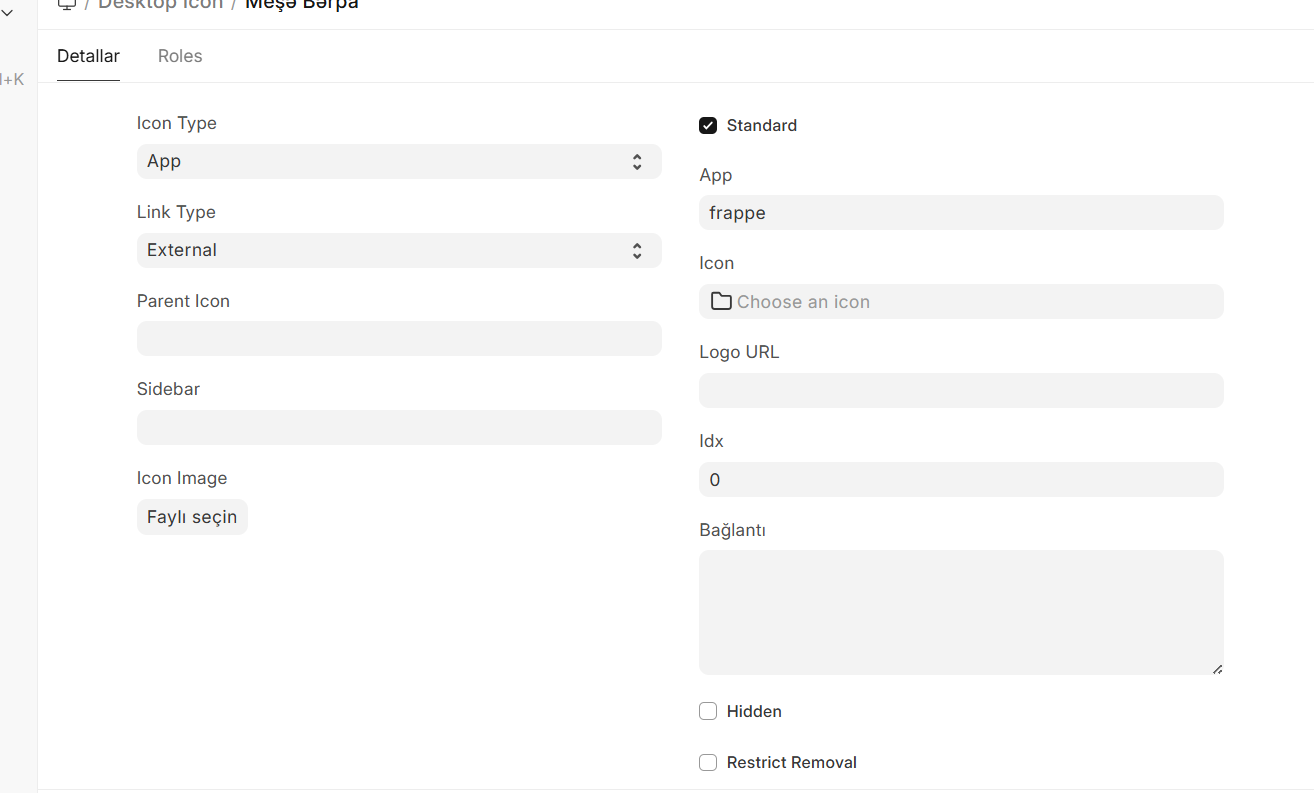
First Create a desktop icon with this settings (not sure why just find with trying)
1.Icon type: App
2.Link type External
3.App frappe (or erpnext)
Then create another desktop icon like this:
- Icon type: Link
- Link type: Workspace sidebar
- App: Frappe
- Most importantly Parent Icon: The first desktop icon that we created
- For icon you can use Logo Url for Module Logo
- For the last part you should create a Workspace Sidebar at Link To field

Workspace sidebar:

And thats all