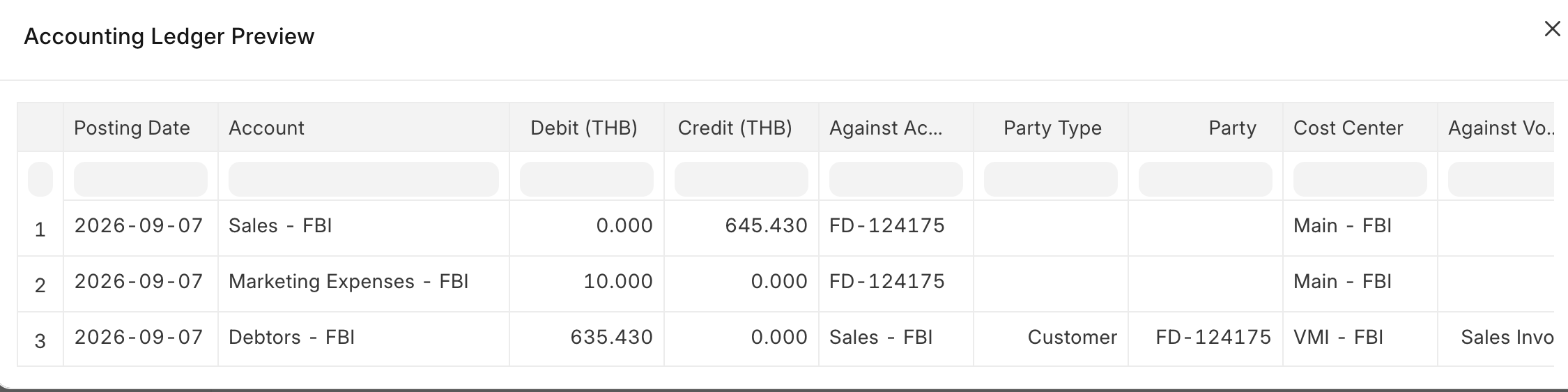
We have a use case where an invoice needs to defer both the sales income and the discount over multiple months,
For example, on an invoice dated August 1, 2026:
-
Deferred Sales Income: 840,000 total across a 3-month term ($280,000 / month).
-
Deferred Discount: 150,000 total across the same 3-month term ($50,000 / month).
At the end of each month, the accounting entry should independently recognize:
-
Recognized Income: 280,000
-
Recognized Discount: 50,000
What We Have Tried:
1.Global Discount:When applying a discount, ERPNext automatically nets it against the item value ($840,000 - $150,000 = $690,000 total) and defers the combined net amount ($230,000/month). Because of this, we cannot separately observe the gross income and the discount on a monthly basis.
2.Line Item Level Discount (Negative Value): We tried adding the discount as a separate line item using a negative value with “Enable Deferred Revenue” checked. However, it does not defer at all—in the very first month, it dumps the full amount (150,000) instead of splitting it across the 3 months (50,000/month).
3.Credit Notes: We also tested using a Credit Note since it allows negative quantities/amounts, but it suffers from the exact same issue as the line item level approach—it fails to defer the discount across the schedule at all.
Any guidance or standard implementation patterns would be greatly appreciated! ERPNext Version is 15.
Is a Server Script the only way to solve this, or is there a standard workaround/best practice in Frappe/ERPNext to achieve separate monthly deferred schedules for discounts?