How to hide unused ERPNext modules from Desk in Frappe v16?

Hi Community,

I’m using Frappe v16 (Desktop view) and currently see all ERPNext modules on the desk.
I want to keep only the modules I actually use (like HR & Accounts) and hide the rest (Manufacturing, Projects, Quality, etc.).

What is the recommended approach in v16 to do this cleanly without breaking upgrades?

Should this be handled via Workspaces, Roles, or App removal?

Thanks in advance!

Hello @Nusrath02

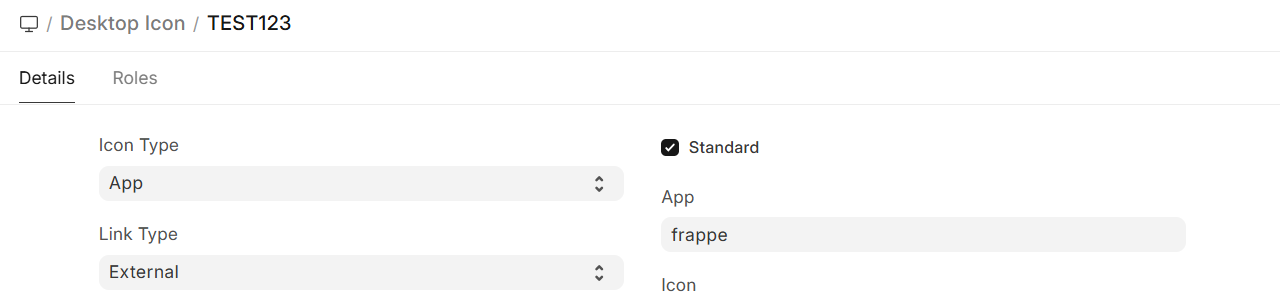
Go to the Desktop Icon from the Doctype list, over there you will find out the option to hide them.

Hope this will works for you.

Thanks for the suggestion! :folded_hands:

I tried using the Desktop Icon doctype to hide modules, but after that I’m running into an issue.

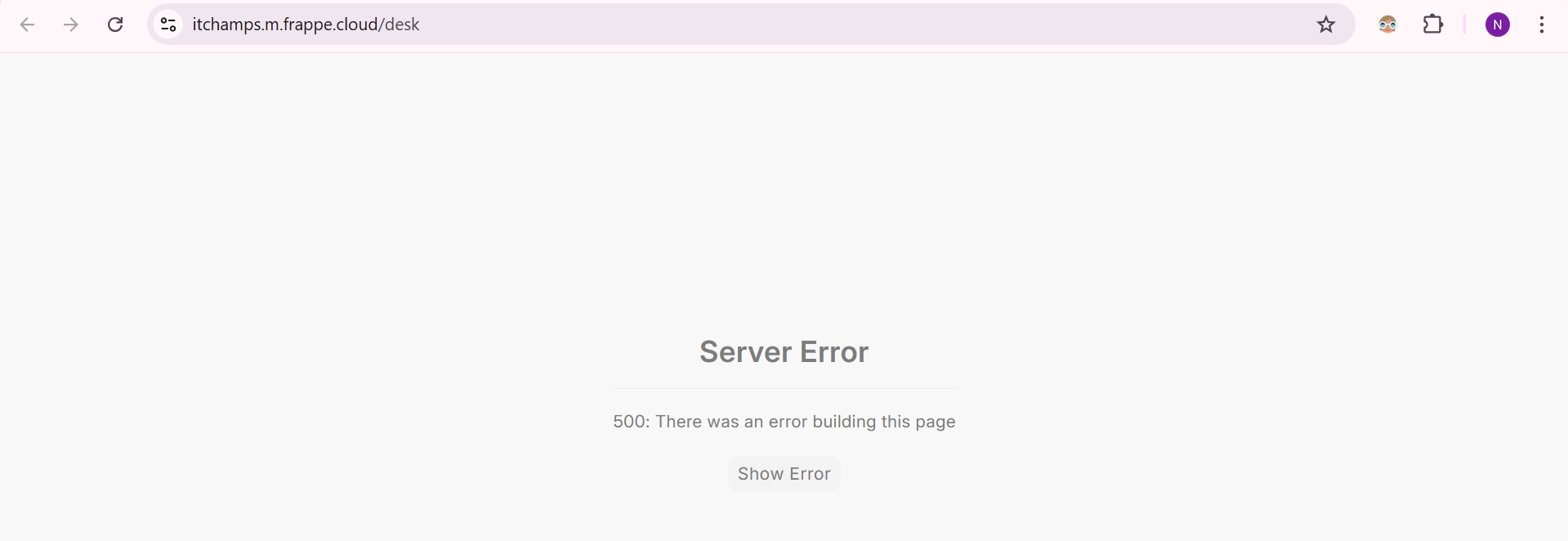
Whenever I create or modify anything related to Desktop / Workspace, the Desk page shows a 500 – Server Error (There was an error building this page) and I’m not able to access anything on the desktop.

Could you please advise what might be causing this and how I can safely fix or reset the Desk in Frappe v16?

Appreciate your help!

Hello @Nusrath02

Please share the entire error, based on that we can guide you.

Sure, here is the Error

Traceback (most recent call last): File “apps/frappe/frappe/www/desk.py”, line 30, in get_context boot = frappe.sessions.get() File “apps/frappe/frappe/sessions.py”, line 144, in get bootinfo = get_bootinfo() File “apps/frappe/frappe/boot.py”, line 60, in get_bootinfo bootinfo.desktop_icons = get_desktop_icons(bootinfo=bootinfo) ~~~~~~~~~~~~~~~~~^^^^^^^^^^^^^^^^^^^ File “apps/frappe/frappe/desk/doctype/desktop_icon/desktop_icon.py”, line 234, in get_desktop_icons icon = frappe.get_doc(“Desktop Icon”, s) File “apps/frappe/frappe/model/utils/_init_.py”, line 218, in wrapper return dispatch(args[0])(*args, **kw) ~~~~~~~~~~~~~~~~~^^^^^^^^^^^^^ File “apps/frappe/frappe/model/document.py”, line 125, in get_doc_str doc = controller(doctype, name, **kwargs) File “apps/frappe/frappe/model/document.py”, line 208, in _init_ self.load_from_db() ~~~~~~~~~~~~~~~~~^^ File “apps/frappe/frappe/model/document.py”, line 276, in load_from_db frappe.throw( ~~~~~~~~~~~~^ _(“{0} {1} not found”).format(_(self.doctype), self.name), ^^^^^^^^^^^^^^^^^^^^^^^^^^^^^^^^^^^^^^^^^^^^^^^^^^^^^^^^^^ frappe.DoesNotExistError(doctype=self.doctype), ^^^^^^^^^^^^^^^^^^^^^^^^^^^^^^^^^^^^^^^^^^^^^^^ ) ^ File “apps/frappe/frappe/utils/messages.py”, line 148, in throw msgprint( ~~~~~~~~^ msg, ^^^^ …<6 lines>… primary_action=primary_action, ^^^^^^^^^^^^^^^^^^^^^^^^^^^^^^ ) ^ File “apps/frappe/frappe/utils/messages.py”, line 109, in msgprint _raise_exception() ~~~~~~~~~~~~~~~~^^ File “apps/frappe/frappe/utils/messages.py”, line 58, in _raise_exception raise exc frappe.exceptions.DoesNotExistError: Desktop Icon {‘label’: ‘Build’, ‘link’: ‘/desk/build’, ‘link_type’: ‘External’, ‘app’: ‘frappe’, ‘icon_type’: ‘App’, ‘parent_icon’: None, ‘icon’: ‘hammer’, ‘link_to’: None, ‘idx’: 0, ‘standard’: 0, ‘logo_url’: ‘/assets/frappe/images/frappe-framework-logo.svg’, ‘hidden’: 1, ‘name’: ‘Framework’, ‘sidebar’: None} not found The above exception was the direct cause of the following exception: Traceback (most recent call last): File “apps/frappe/frappe/website/serve.py”, line 20, in get_response return renderer_instance.render() ~~~~~~~~~~~~~~~~~~~~~~~~^^ File “apps/frappe/frappe/website/page_renderers/template_page.py”, line 84, in render html = self.get_html() File “apps/frappe/frappe/website/utils.py”, line 540, in cache_html_decorator html = func(*args, **kwargs) File “apps/frappe/frappe/website/page_renderers/template_page.py”, line 95, in get_html self.update_context() ~~~~~~~~~~~~~~~~~~~^^ File “apps/frappe/frappe/website/page_renderers/template_page.py”, line 163, in update_context data = self.run_pymodule_method(“get_context”) File “apps/frappe/frappe/website/page_renderers/template_page.py”, line 223, in run_pymodule_method return method(self.context) File “apps/frappe/frappe/www/desk.py”, line 32, in get_context raise frappe.SessionBootFailed from e

Have you deleted any Desktop Icon?

No, I try to hide it

It’s trying to find out the Framework Desktop Icon and not able to find it, check that once, may that solve your issue.

Thanks, I understand what you’re pointing to :+1:

The issue is that I’m currently not able to access any Desk / Doctype page at all, even to check the Framework → Desktop Icon record.

As soon as I try to load /desk or open anything related to Desktop/Workspace, it immediately throws the 500 SessionBootFailed error.

Since the UI is completely inaccessible, could you please suggest:

  • how to check or fix this via backend / safe reset, or

  • a way to disable or remove the broken Desktop Icon / Workspace record without using the Desk UI?

That would really help me recover access. Thanks!

From backend check the Frappe github repo, is anything changed over there, stash it for now then perform migration, that will help you.

Thanks for the suggestion! :folded_hands:

I’m currently using Frappe Cloud, so I don’t have direct access to the server filesystem to check or stash changes in the Frappe GitHub repo.

Could you please let me know if there’s an equivalent or recommended way to do this on Frappe Cloud (for example, via migrate, reinstall, or reset options)?

Meanwhile, I’ll try running the migrate option once and see if that helps.

Thanks again for your guidance!

Quick update: I tried running the migrate option on Frappe Cloud, but unfortunately, the issue still persists.

The Desk is still failing to load with the same SessionBootFailed / 500 error, so I’m unable to access any Workspace or Desktop-related pages from the UI.

At this point, would you recommend:

  • resetting/removing the corrupted Workspace / Desktop Icon data, or

  • dropping and reinstalling the site as a last resort?

I’d prefer to avoid a full reinstall if possible, so please let me know if there’s a safer recovery approach on Frappe Cloud.

Thanks again for your help.

Try this anwsers that I shared:

If you still need help, please share

Sure, I’ll try this once. Thank you for sharing and for your help! :folded_hands:

I wanted to share an update.

I had previously dropped and recreated the site because of the same issue.
This time, on the fresh site, I did not hide or modify any existing Desktop Icons.

However, the moment I created a new Desktop Icon, the Desk again started failing with the same SessionBootFailed / Desktop Icon not found error.

This seems to be reproducible on Frappe v16, and it occurs even on a fresh site as soon as a Desktop Icon is created.

Please let me know the recommended way to fix or recover from this without dropping the site again.

Thanks.

Here is the Error message

Traceback (most recent call last): File “apps/frappe/frappe/www/desk.py”, line 30, in get_context boot = frappe.sessions.get() File “apps/frappe/frappe/sessions.py”, line 144, in get bootinfo = get_bootinfo() File “apps/frappe/frappe/boot.py”, line 60, in get_bootinfo bootinfo.desktop_icons = get_desktop_icons(bootinfo=bootinfo) ~~~~~~~~~~~~~~~~~^^^^^^^^^^^^^^^^^^^ File “apps/frappe/frappe/desk/doctype/desktop_icon/desktop_icon.py”, line 234, in get_desktop_icons icon = frappe.get_doc(“Desktop Icon”, s) File “apps/frappe/frappe/model/utils/_init_.py”, line 218, in wrapper return dispatch(args[0])(*args, **kw) ~~~~~~~~~~~~~~~~~^^^^^^^^^^^^^ File “apps/frappe/frappe/model/document.py”, line 125, in get_doc_str doc = controller(doctype, name, **kwargs) File “apps/frappe/frappe/model/document.py”, line 208, in _init_ self.load_from_db() ~~~~~~~~~~~~~~~~~^^ File “apps/frappe/frappe/model/document.py”, line 276, in load_from_db frappe.throw( ~~~~~~~~~~~~^ _(“{0} {1} not found”).format(_(self.doctype), self.name), ^^^^^^^^^^^^^^^^^^^^^^^^^^^^^^^^^^^^^^^^^^^^^^^^^^^^^^^^^^ frappe.DoesNotExistError(doctype=self.doctype), ^^^^^^^^^^^^^^^^^^^^^^^^^^^^^^^^^^^^^^^^^^^^^^^ ) ^ File “apps/frappe/frappe/utils/messages.py”, line 148, in throw msgprint( ~~~~~~~~^ msg, ^^^^ …<6 lines>… primary_action=primary_action, ^^^^^^^^^^^^^^^^^^^^^^^^^^^^^^ ) ^ File “apps/frappe/frappe/utils/messages.py”, line 109, in msgprint _raise_exception() ~~~~~~~~~~~~~~~~^^ File “apps/frappe/frappe/utils/messages.py”, line 58, in _raise_exception raise exc frappe.exceptions.DoesNotExistError: Desktop Icon {‘label’: ‘Build’, ‘link’: None, ‘link_type’: ‘Workspace Sidebar’, ‘app’: None, ‘icon_type’: ‘Link’, ‘parent_icon’: None, ‘icon’: ‘hammer’, ‘link_to’: ‘Employee Test’, ‘idx’: 0, ‘standard’: 0, ‘logo_url’: None, ‘hidden’: 0, ‘name’: ‘Nusrath’, ‘sidebar’: None} not found The above exception was the direct cause of the following exception: Traceback (most recent call last): File “apps/frappe/frappe/website/serve.py”, line 20, in get_response return renderer_instance.render() ~~~~~~~~~~~~~~~~~~~~~~~~^^ File “apps/frappe/frappe/website/page_renderers/template_page.py”, line 84, in render html = self.get_html() File “apps/frappe/frappe/website/utils.py”, line 540, in cache_html_decorator html = func(*args, **kwargs) File “apps/frappe/frappe/website/page_renderers/template_page.py”, line 95, in get_html self.update_context() ~~~~~~~~~~~~~~~~~~~^^ File “apps/frappe/frappe/website/page_renderers/template_page.py”, line 163, in update_context data = self.run_pymodule_method(“get_context”) File “apps/frappe/frappe/website/page_renderers/template_page.py”, line 223, in run_pymodule_method return method(self.context) File “apps/frappe/frappe/www/desk.py”, line 32, in get_context raise frappe.SessionBootFailed from e

Did you made this at Desktop Icon ?

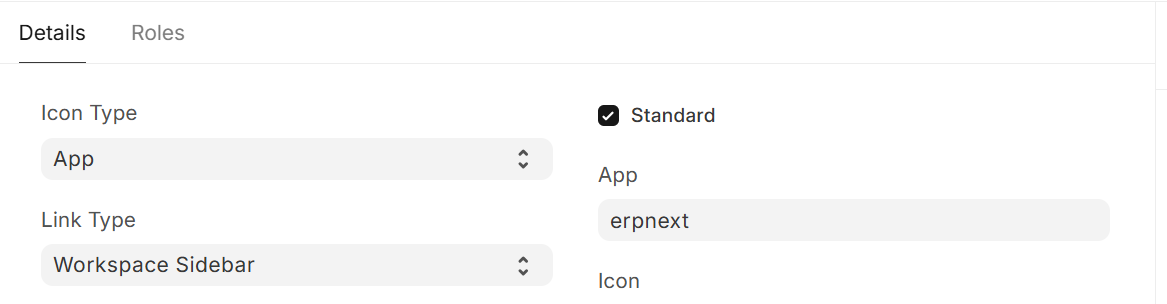
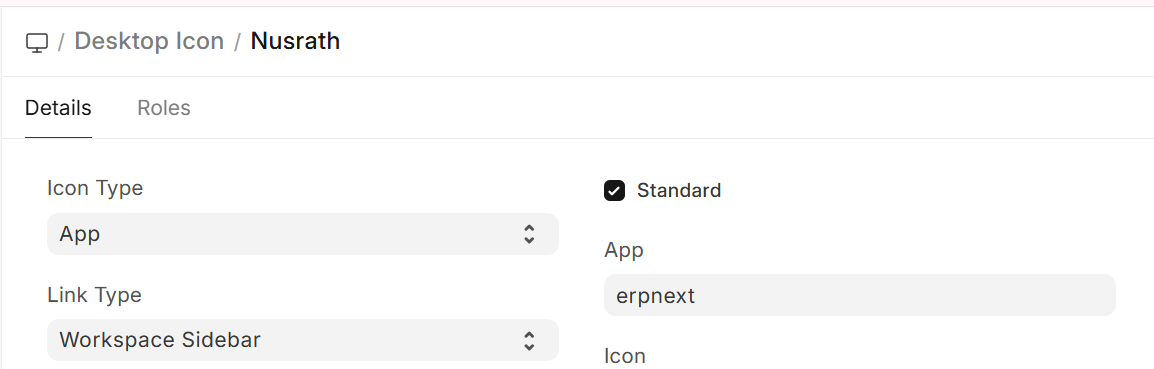
You has to Standart checkbox true and choose and App,
probably a bug but for now this solution worked for me

ox

Yes, I did

And didn’t work ? Are you sure you did this at Nusrath Desktop icon ?

yes,