Hi @rucha_mahabal,
How can I override this file in my custom module?
/frappe-bench/apps/hrms/frontend/src/components/CheckInPanel.vue
Thank You!
Hi @rucha_mahabal,
How can I override this file in my custom module?
/frappe-bench/apps/hrms/frontend/src/components/CheckInPanel.vue
Thank You!
@buildwithhussain, @avc
Please let me know if anyone has a solution for this.
Thank You!
Thanks for the reply @avc,
I still have trouble understanding. Can you send the steps on how to override?
Thank You!
By default, Frappe UI doesn’t offer an easy way to override components like we can with desk-based logic using hooks. The video above is more of a workflow guide. It shows how to create a separate app, copy its code, and then override specific components without altering the original code. It maybe not the most convenient solution but works.
For example, if you have a CRM app with frontend code in the /frontend directory, we’ll create a new app, say CRM_Override. In this new app, we add a custom build script to copy all Vue code from the CRM app. Then, we apply our specific overrides, like customizing a component, and build it. After that, we override the final HTML created in the www folder, which is the file that loads the app and bundle.
The example on GitHub shows a working example of overriding the sidebar in the CRM app.
Original discussion:
Hi @esafwan
Thank for the reply
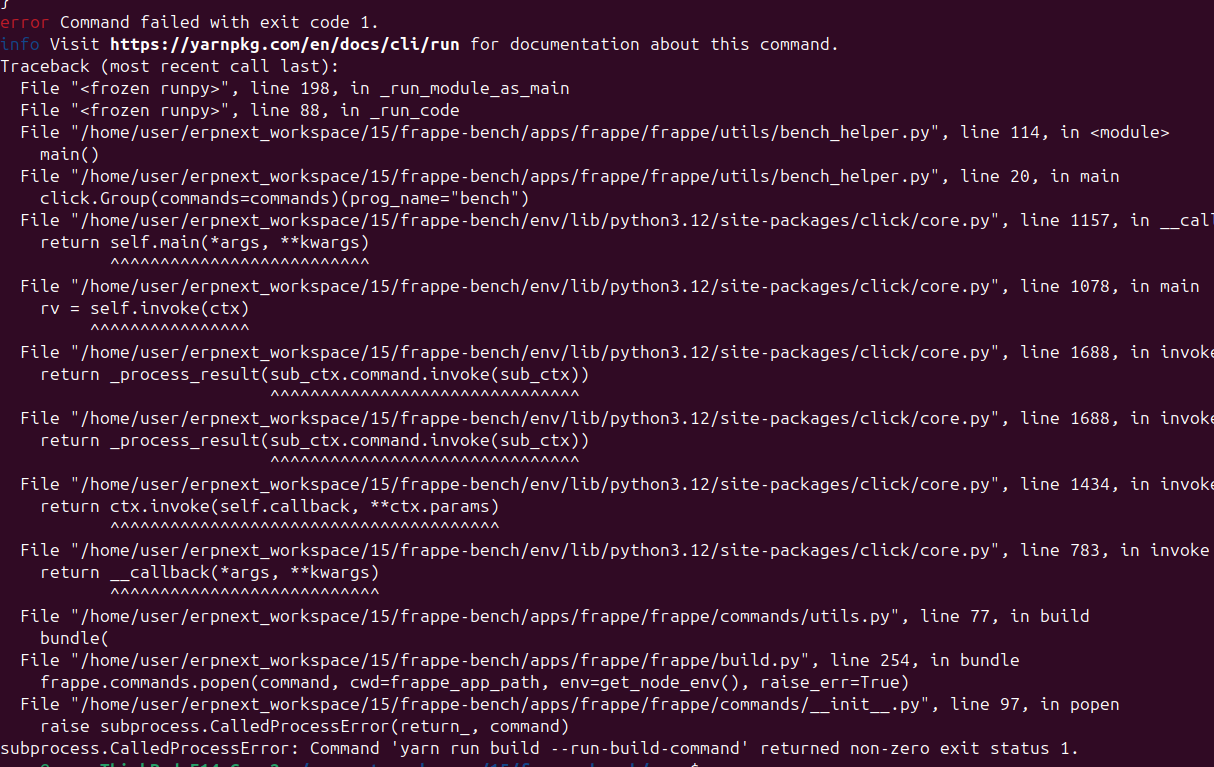
Follow your given step task. But when I used the bench build command I faced this error.
Thank you!
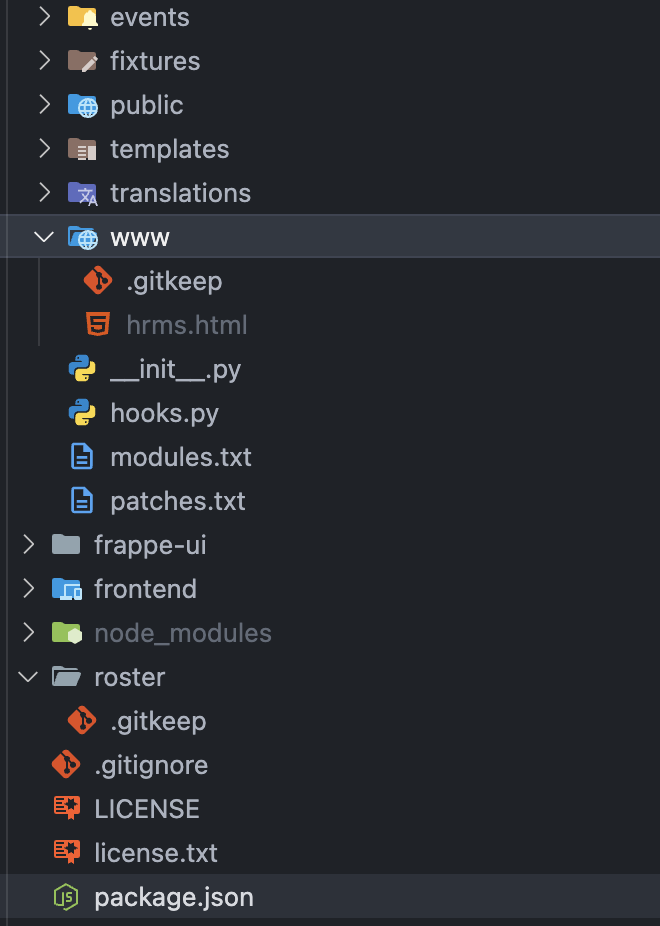
The build command fails because required folders are missing from your project. For the HRMS app, the roster and www folders are needed, as the build process places files into these directories.
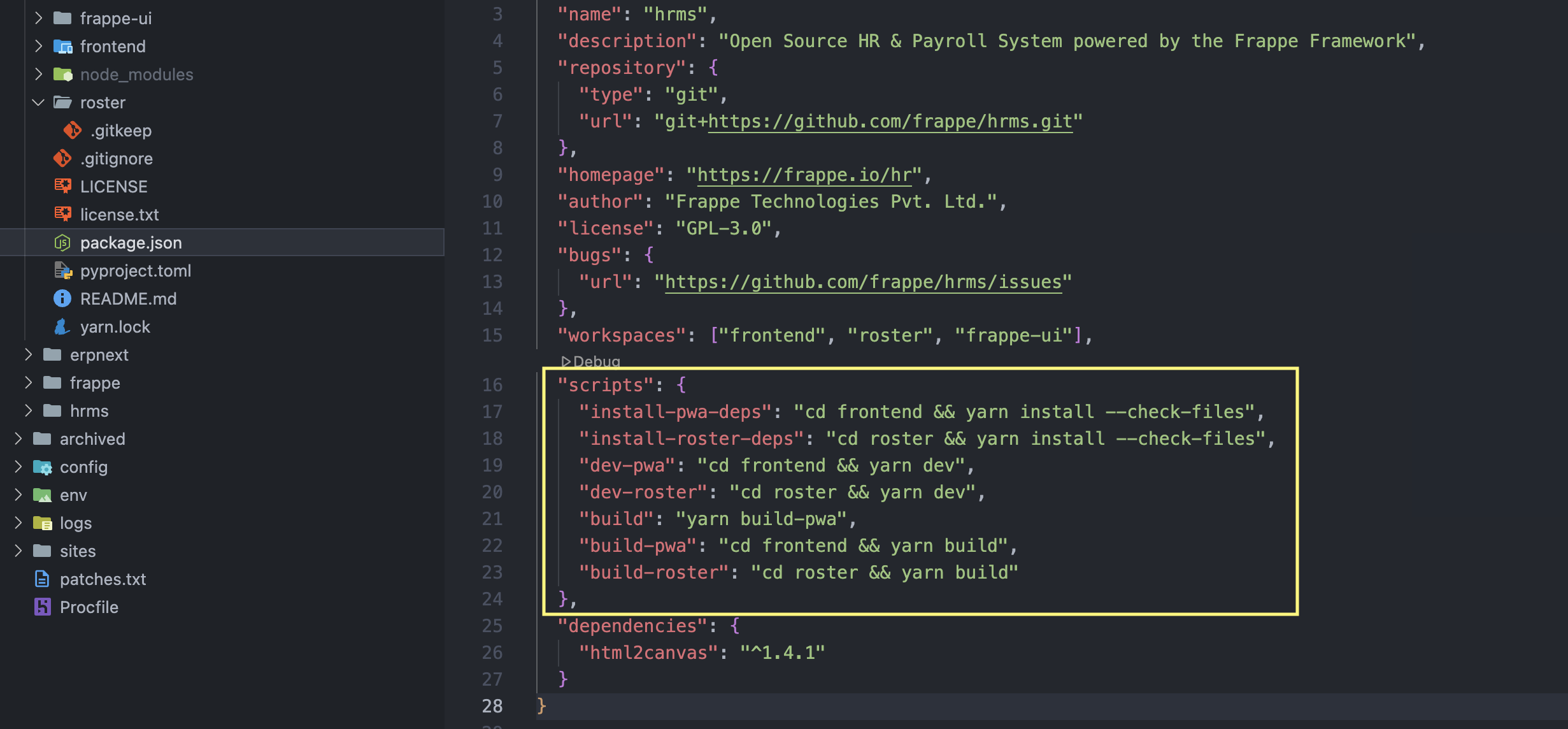
After adding these folders, the build command works but runs infinitely. To resolve this issue, remove these commands from the package.json file( the one that you copied by this command cp -rf apps/hrms/package.json apps/{app_name} not the package.json on the frontend folder).
put the empty folder like this(look at roster and www folders)
script to avoid infinite loop, basically removed the yarn build-roster from the build script and removed this script as a whole "postinstall": "yarn install-pwa-deps && yarn install-roster-deps",
Tested on frappe cloud by this approach and it works.
@roba , I am attempting to follow the same steps to override the Vue.js files in the Frappe LMS frontend, but my modifications are not being reflected. Why is this happening?
@Prathyusha are you placing it inside the src_override folder? If so, run the bench build or bench build --app your_custom_app (to make the build app specific) command to see the changes.
Overriding any Vue-based app (Without Modifying Core)
Create a frontend folder in your custom app
Inside your custom app (e.g., helpdesk_override), create a desk folder with:
custom-build.js – Merges the original Helpdesk source with your overrides.package.json – Frontend dependencies and build scripts.vite.config.js – Configures the Vite build output.src_override/ – Contains only the components you want to override.Find the component you want to customize
Ex. helpdesk/desk/src/components/layouts/Sidebar.vue
Copy the same folder structure
Inside src_override, recreate the exact same path:
src_override/components/layouts/Sidebar.vue (The folder structure must exactly match the original Helpdesk source.)
Make your changes
Edit the copied component in src_override.
Only this file will be overridden. Everything else will continue to come from the original Helpdesk app.
Build the frontend
yarn build
During the build:
The original Helpdesk source is copied.
Your src_override files replace matching files.
Vite builds the merged source.
The compiled assets are generated in your custom app.