I want user only print status submitted not draft
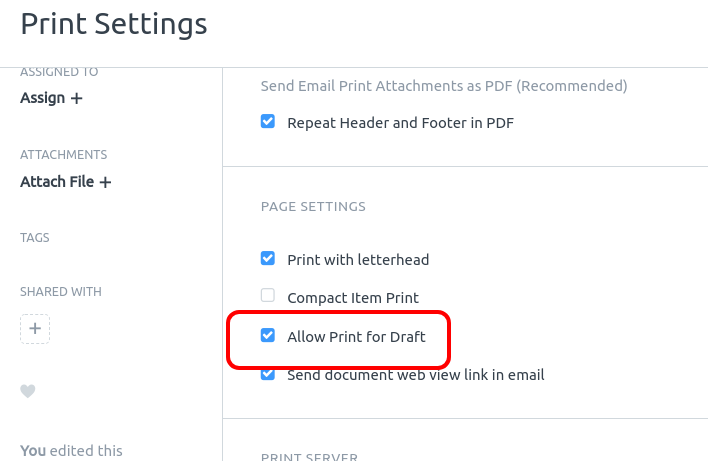
I need it for only one document like delivery note
You can edit the pint format and add an if to prevent it from printing anything (?)
Can you give me example plz @Nahuel_Nso
https://erpnext.com/docs/user/manual/en/customize-erpnext/print-format
https://erpnext.com/docs/user/manual/en/setting-up/print/print-format-builder
@clarkej @Nahuel_Nso @fkardame
Dear all
i want to prevent user to print draft delivery not all draft on system
@Ashraf_El_Sharqawy
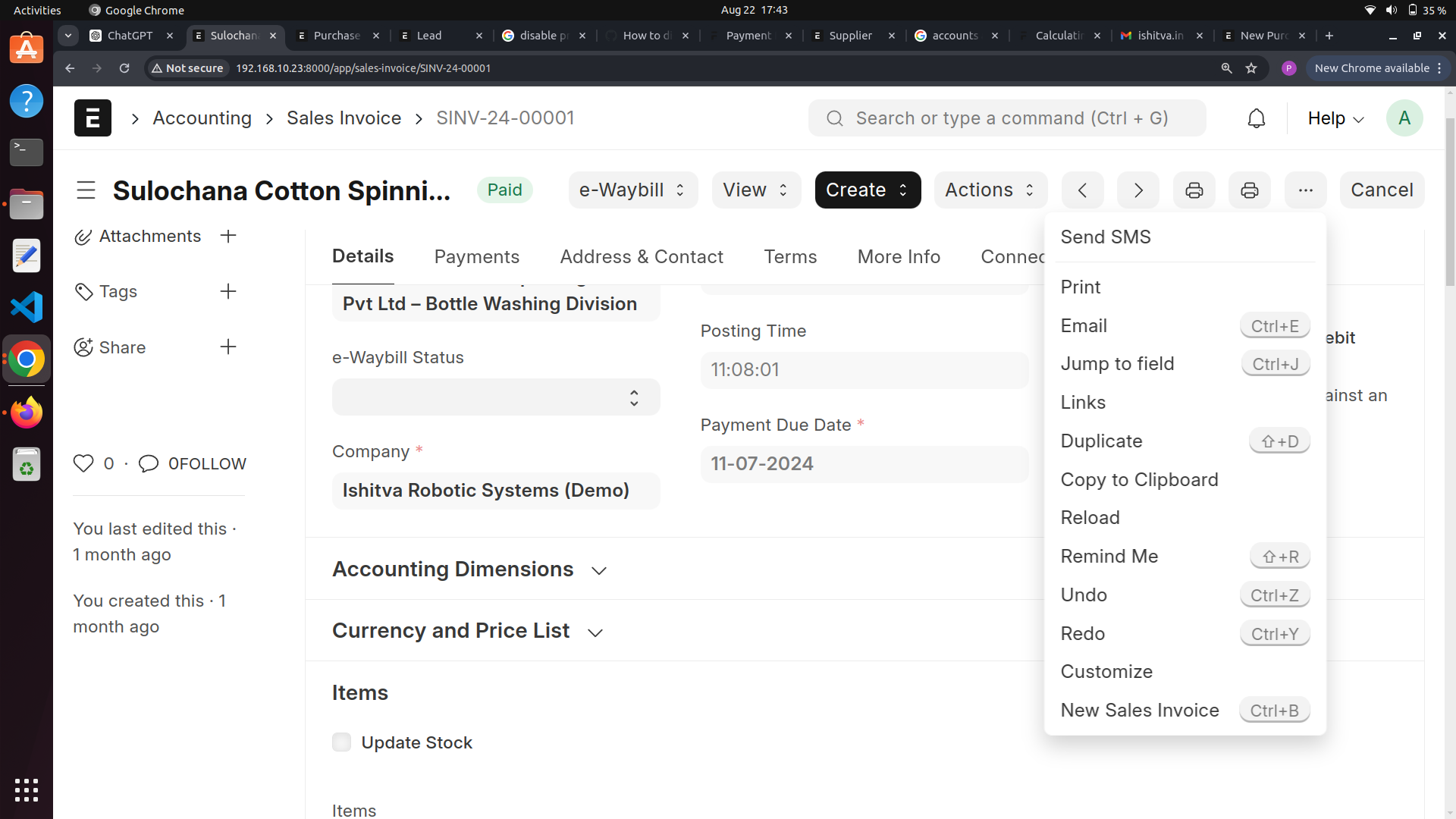
You can use a custom client script, and remove the “Print” from icons and “Print” form menu bar.
This will make it difficult enough for a print if not impossible for printing.
Here is some code for custom script:
function removePrintBtn(frm){
 var print_menu = $(".dropdown-menu > li:contains('Print')");
 if (print_menu.length >0){
    print_menu[0].parentElement.removeChild(print_menu[0]);
 }

 var print_btn = $(".fa-print");
 if(print_btn.length > 0){
    print_btn[0].parentElement.removeChild(print_btn[0]);
 }
}
1 Like
@dhananjay
I try it but it doesn’t work
Do you able to solve this?
If you want to disable for only specific doctype then apply the client script.
Here, I applied for Sales Invoice.
frappe.ui.form.on('Sales Invoice', {
    refresh: function(frm) {
        if (frm.doc.docstatus === 0) {
            frm.dashboard.set_headline_alert('Printing is disabled in the Draft stage.', 'orange');

            // Disable the print shortcut (Ctrl+P) for draft documents
            frappe.ui.keys.add_shortcut({
                shortcut: "ctrl+p",
                action: () => function(e) {
                    return false;
                }
            });

        } else {
            if (frappe.model.can_print(null, frm) && !frm.meta.issingle) {
                frm.page.add_menu_item(
                    __("Print"),
                    function () {
                        frm.print_doc();
                    },
                    true
                );
                frm.page.add_action_icon(
                    "printer",
                    function () {
                        frm.print_doc();
                    },
                    "",
                    __("Print")
                );
            }
        }
    }
});
Output:
I hope this helps everyone! 
3 Likes
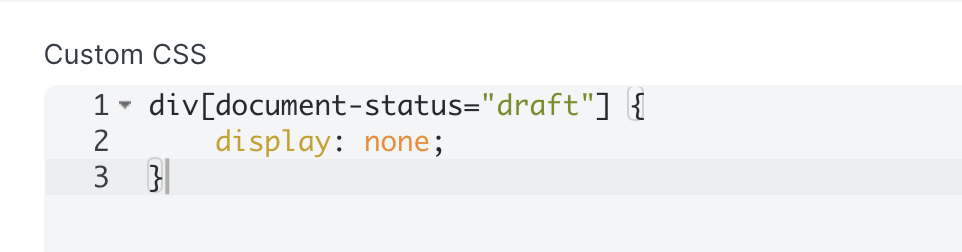
In the custom print format, edit properties and the below CSS in the Custom CSS section to hide the Element print Draft
div[document-status="draft"] {
    display: none;
}
1 Like