The key for me was to use imap when setting up your email domain, otherwise you can only create one kind of document with an email account. When using imap, you can map imap folders to doctypes. Then you can create special folders on your imap server (all for a single email account) and when an email is filed in that specific folder, a new document of the type you specify will be created.
For example, if my email is [email protected], i can create a folder on my Service imap server called Tasks and then any emails put into that folder will cause ERPNext to create a task based on it.
I’m not sure it works for all imap servers, but if i send an email to [email protected], then the email will automatically be sent to the Task imap folder, and thus a Task will be created in ERPNext.
To configure ERPNext to do this, you will need to configure your Email account like:
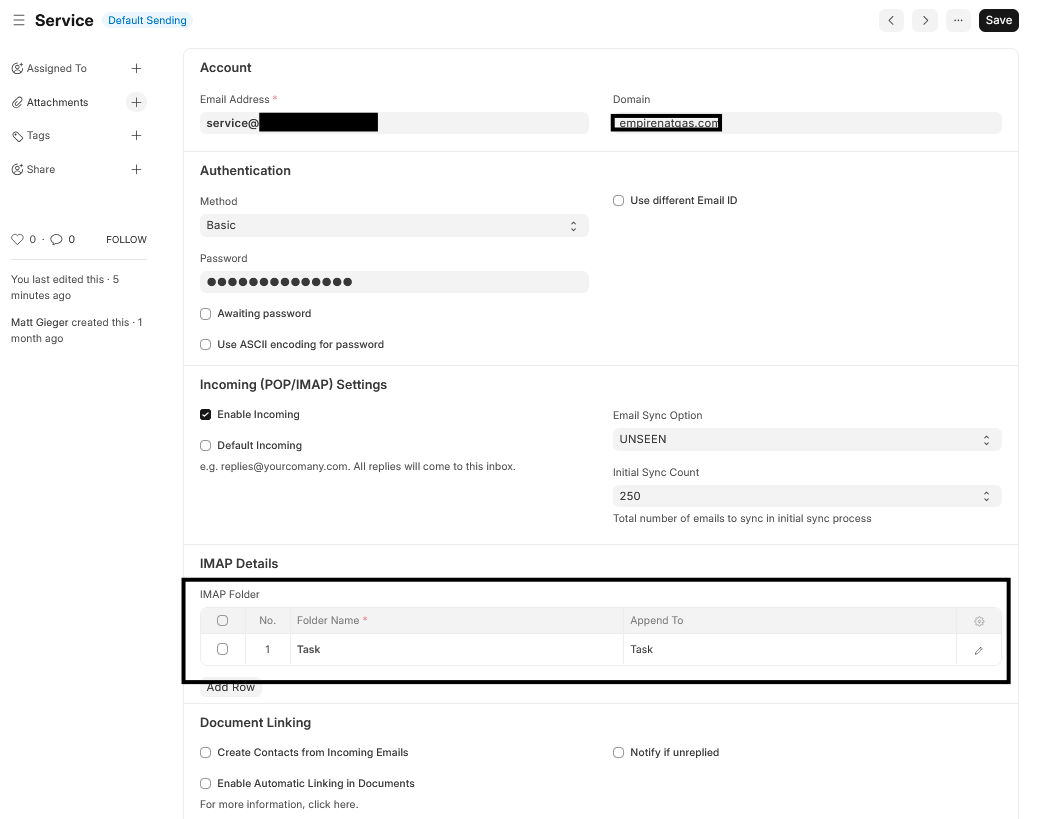
Then you will need to customize your Task doctype to create the tasks (Note, by default Tasks, will not work, unless you create a custom field that has Email as the option):
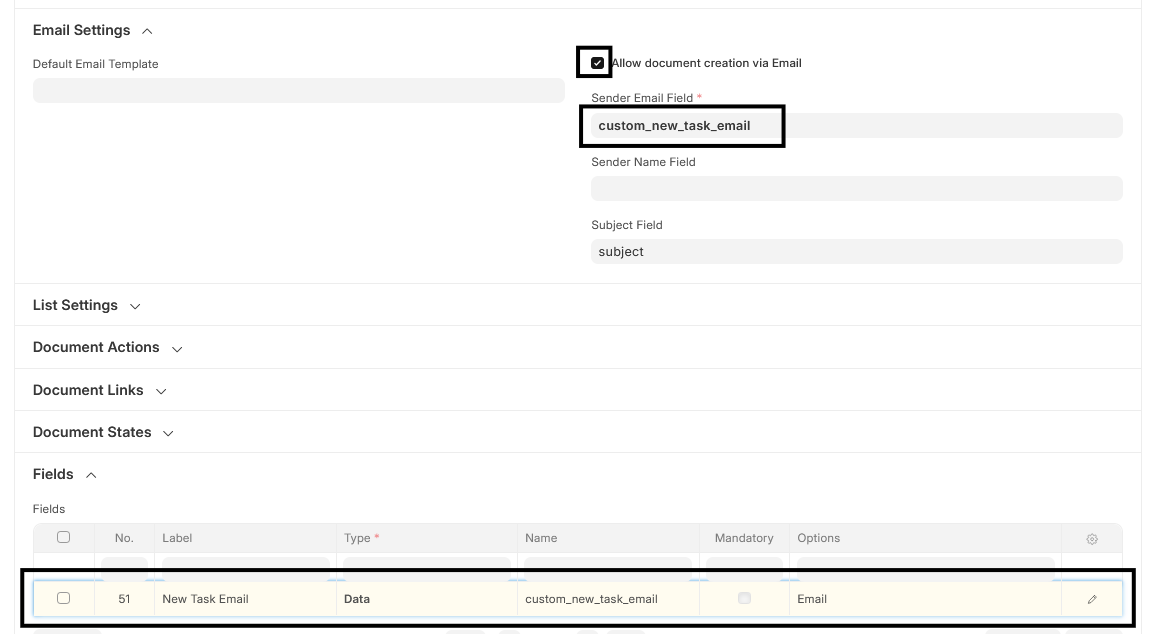
Some doctypes already have a field called sender or something similar that has the Email options already. If so, you can enter that field name in the Sender Email Field instead of creating a new custom field.