I don’t quite understand how to include shipping costs in item valuation.
I frequently purchase items from foreign suppliers. The purchases are always paid in advance, and the shipping costs are are already known at the time of the purchase. Hence, I create a purchase order with the item quantity and rate, and in the Taxes and Charges section, I add a row with Type “Actual” and Account “5205 - Freight and Forwarding Charges” with an amount equalling to the billed shipping cost. I’ve set the account 5205 to be of type “Expenses Included in Valuation”.
Now, when I create and submit a Purchase Receipt, the resulting item valuation is only based on the item row rate and the freight charges are ignored.
How should I fix this? When googling for this issue, all suggestions point towards using a Landed Cost Voucher. As I understand it, an LCV should be used for recording extra costs unknown at the time of the purchase, but in my case, the freight charges were already known, and since I’ve already entered them in the purchase order, they’re also included in the payment, and I believe creating an LCV would result in the freight cost being recorded twice.
What am I doing wrong? Any help would be appreciated!
Entering the Charges in Purchase Order solely means that it will finally affect the accounting ledger and hence adding up to the Accounts Payable of Supplier.
As its appended from PO → PR → PI
Accoutning view after PI of this PO:
Expense Dr
Payable Account Cr
Since the expense (freight) is to be added in item’s valuation you have to create LCV
select same account, same amount in LCV of the item’s PR (Puchase Receipt) as you added in Purchase Order (PO).
Accounting View:
Expense head Cr
Stock in Hand Dr with amount spread across PR’s Items (Distribution method either amount/qty/manual)
In short until you do not do the LCV with same expense account and amount as of the Receipt’s PO, the P&L will reflect dr balance of that Expense (Freight) Account.
and w/o LCV auto valuation doesnt update.
Keep in view, The posting date of invoice & LCV has to be withing same month to nullif the expense in Profit and Loss Statement when viewed of a specific date range.
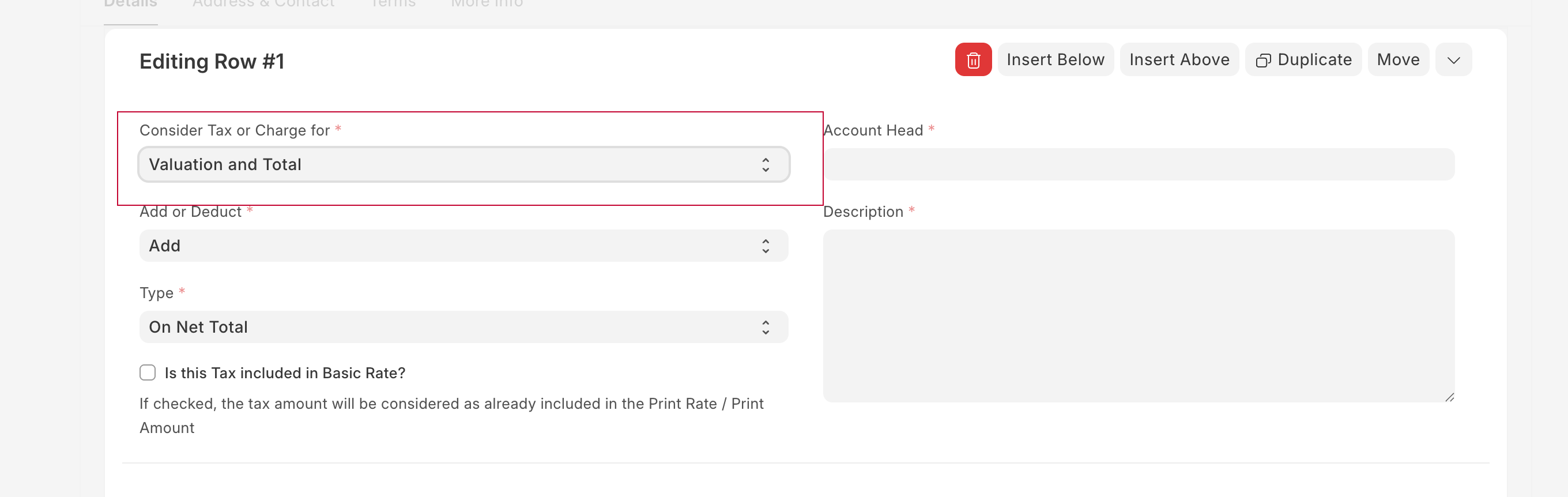
in purchase tax you can see Consider Tax or Charge for, This you can use to add rate in Item valuation
Also sharing documentation url: Include Tax or Charge in Valuation or Total?
If we select Valuation only, we are updating the item valuation right and hence shouldnt reflect as credit balance on the expense account selected in P&L.
Because whatever expense has been incurred has been added to stock value.
I checked my P&L on Actual → Expense Account → Amount added → with Valuation only → Credit Balance in P&l
Excellent! I had completely missed that. Thank you!
I tried to see if it would be possible to change the default value of that setting but couldn’t find anything - I suppose it needs to be set manually every time?