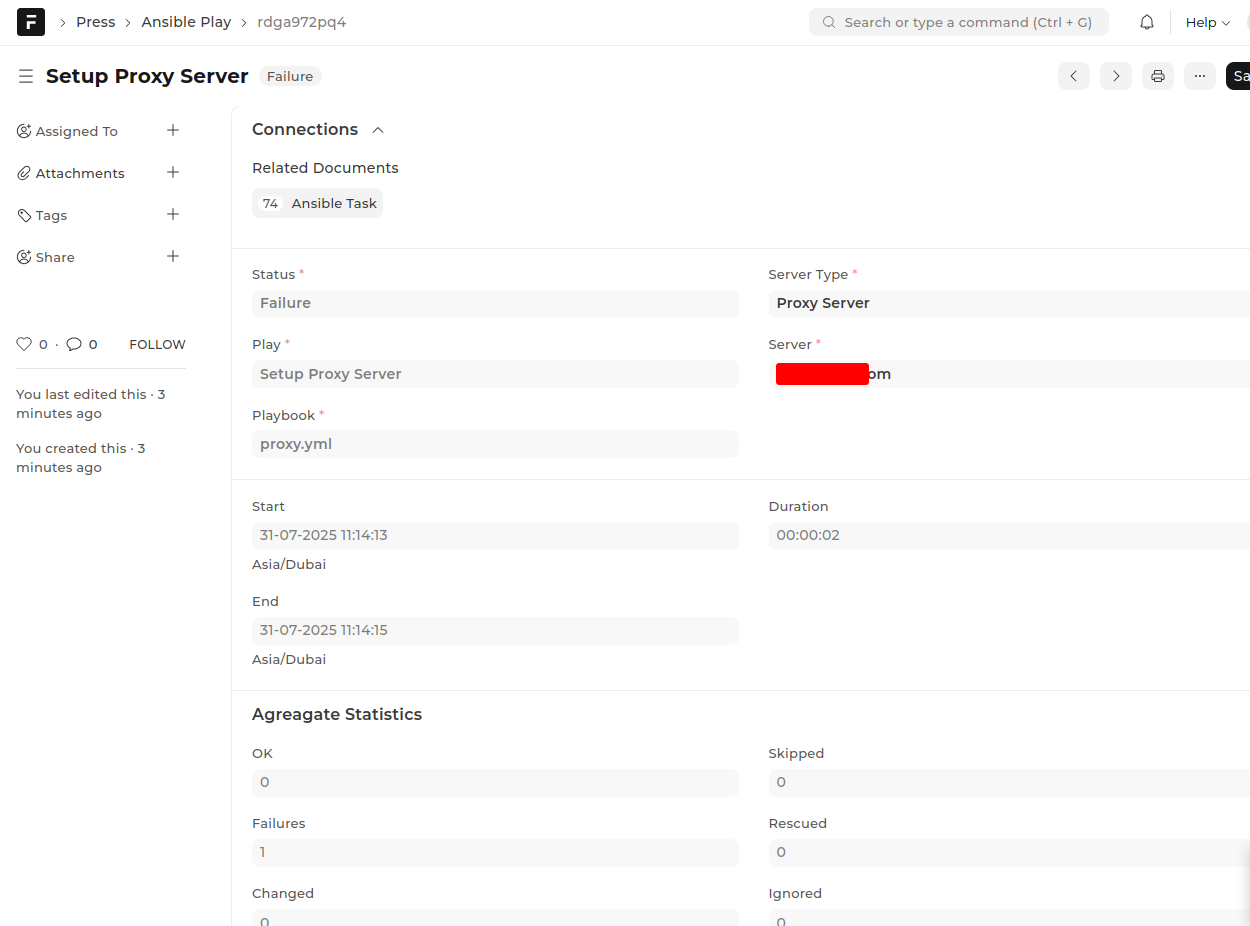
I have set up the Press app on DigitalOcean by following a YouTube tutorial step-by-step.three separate servers designated for the App, Proxy, and Database services. And for DNS management, I am utilizing Cloudflare as my DNS provider .
when I create Root Domain: the TLS Certificate is not created!
knimer
July 29, 2025, 2:45pm
2
Hello @aazaqout
Can you share the YouTube video here?
K
anupd
July 29, 2025, 4:16pm
3
You need to use Ruote 53 for dns management. As far as I know, Press doesnot support other dns providers.
Switch your dns provider and try again.
knimer
July 29, 2025, 4:30pm
4
As far as you know @aazaqout … Do you know how Press handles certificates?
If via cerbot, then install certbot’s dns plugin for Cloudflare. I did this somewhere and worked perfectly fine.
If via Traefik, then make sure to say to Traefik to use Cloudflare as it is by default using Route53 which is the default used by Frappe.
Let me know if you need help in more details.
Thank you
I’m using CloudFlare
anupd
July 30, 2025, 4:15am
8
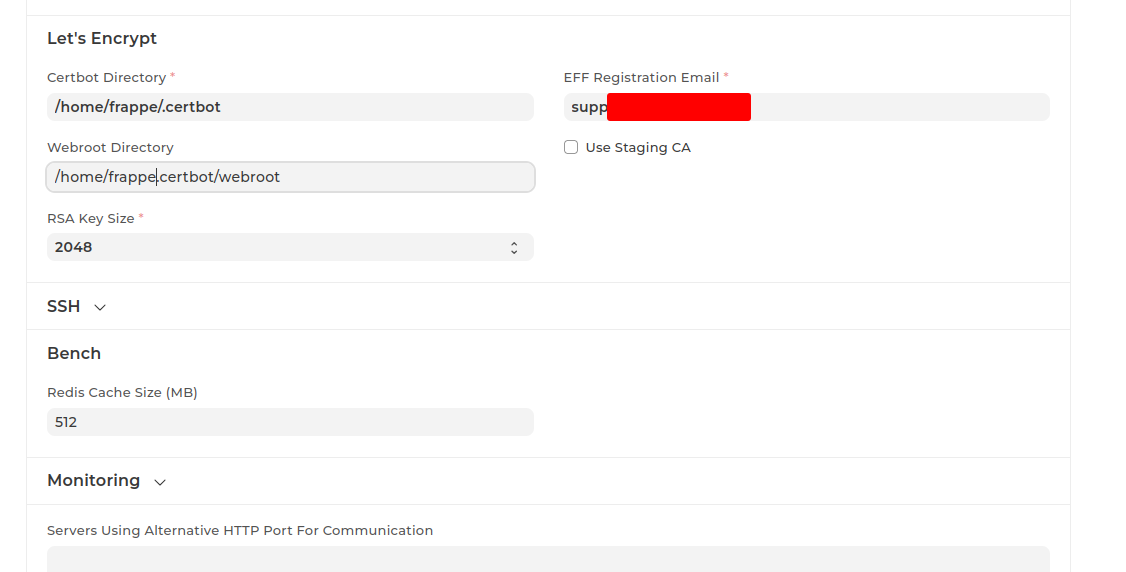
Another issue could be you didnot create .certbot and .webroot folders.
Also you might have forgotten to set the folder routes in press settings.
I already created .certbot and set the required fields in settings
@knimer @anupd
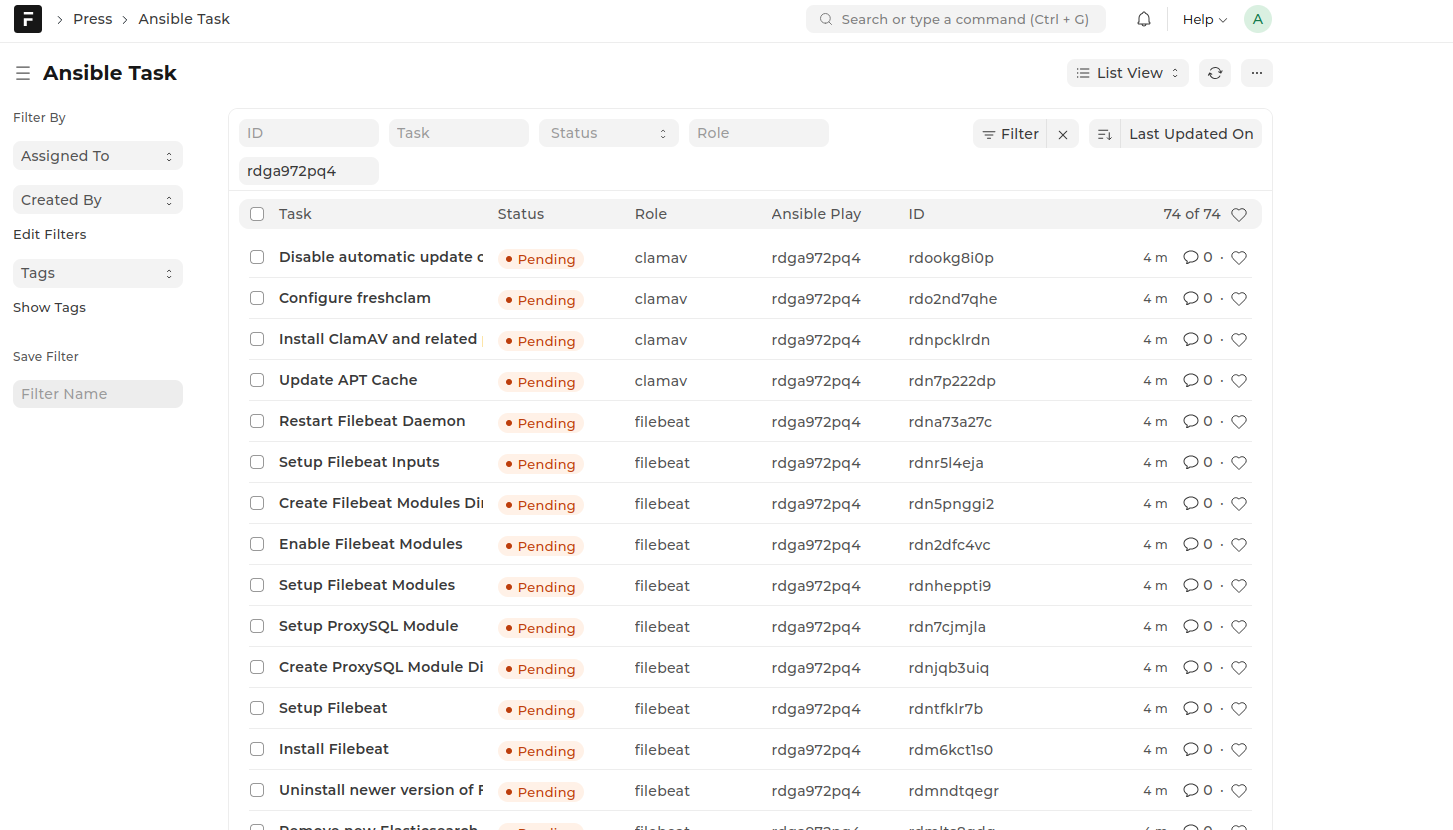
I switched to AWS Route 53 for DNS Provider, but when I setup the proxy, it shows as broken. Are there any specific Nginx server configurations I need to apply before completing the server setup?
anupd
August 1, 2025, 7:08am
11
There could be many possibilities for broken status. Some of them are:
user creation error: solution clear up UID and GID 1000 in your servers.
ssh as root error: if you can’t ssh into server with [email protected]
Hi
May you also please provide some detail on which Ubuntu version you used and size of droplets you selected ?
AWS
August 1, 2025, 9:11am
13
Although Ubuntu 20 is the officially recommended version, I’ve been running Ubuntu 22 in my setup without any issues it works smoothly and has proven to be stable in production.
I currently have a production environment deployed with the following two clusters and server specifications:
Production Cluster – Finland All servers in this setup are part of a single cluster hosted in Finland :
Server Name
Instance Type
vCPUs
RAM
Disk
Press
CCX33
8
32 GB
240 GB
Registry
CCX13
2
8 GB
80 GB
Proxy
CCX13
2
8 GB
80 GB
Log
CCX33
8
32 GB
240 GB
Monitor
CCX13
2
8 GB
80 GB
Database
CCX43
16
64 GB
360 GB
App
CCX33
8
32 GB
240 GB
Secondary Cluster – Germany The Germany cluster is structured as follows:
Server Name
Instance Type
vCPUs
RAM
Disk Size
App2
CCX43
16
64 GB
360 GB + 1024 GB
App-server
CCX43
16
64 GB
360 GB
DB-server
CCX43
16
64 GB
360 GB
Proxy-server
CCX23
4
16 GB
160 GB
Monitor-server
CCX23
4
16 GB
160 GB
Log-server
CCX33
8
32 GB
240 GB
Registry-server
CCX13
2
8 GB
80 GB
Press-server
CCX33
8
32 GB
240 GB
2 Likes
Thank you @AWS for this comprehensive answer. May I also ask if you used
I see you have a full production setup. I think I shall use smaller droplets at first , just to get the principle / procedure right.
Thank you for all the information @AWS
1 Like
Any help on this design for AWS
Terraform Infrastructure for Frappe Press on AWS
Production-grade, multi-tenant Frappe Press (“Press”) hosting platform infrastructure on AWS using Terraform.
Overview This repository contains Terraform modules and configurations to deploy a complete Frappe Press infrastructure on AWS ECS Fargate, providing:
Multi-tenant architecture with wildcard DNS routing
High availability across multiple availability zones
Production-grade state services : RDS MariaDB, ElastiCache Redis, EFS
Secure by default : Secrets Manager, encrypted storage, private subnets
Auto-scaling capable ECS services with Application Load Balancer
Comprehensive monitoring with CloudWatch
Architecture Infrastructure Components
VPC : Custom VPC with public and private subnets across 3 AZs
Networking : Internet Gateway, NAT Gateways, Route Tables
Load Balancing : Application Load Balancer with HTTPS (ACM certificate)
DNS : Route53 with wildcard subdomain support (*.domain.net)
Compute : ECS Fargate cluster with Container Insights
Database : RDS MariaDB Multi-AZ with automated backups
Caching : ElastiCache Redis with automatic failover
Storage : EFS with access points for sites and logs
Security : Security groups, IAM roles, Secrets Manager
Service Architecture Press Control Plane Services
press-web : Management interface (mapped to domain.net )
press-worker : Background job processor
press-scheduler : Scheduled task runner
Frappe Runtime Services
frappe-web : Gunicorn application server (mapped to *.domain.net)
frappe-scheduler : Frappe background scheduler
frappe-queue-short : Short-running background jobs
frappe-queue-long : Long-running background jobs
frappe-websocket : WebSocket server for real-time features
anupd
January 12, 2026, 6:08pm
19
What is it that you are trying to achieve ?
@aazaqout you can check this PR for Cloudflare
develop ← murtaza-ghadiali:cloudflare-dns-support
opened 03:29PM - 02 Jan 26 UTC
### 🧾 Summary
**Integrated Cloudflare API with Certbot DNS validation to enab… le automated TLS certificate issuance and renewal for domains managed in Cloudflare.**
### 🔧 Changes Implemented
- Added support for Cloudflare DNS-based validation using Certbot
- Enabled automated creation and cleanup of DNS records during TLS verification
- Integrated secure Cloudflare API Token–based authentication
### 📦 Prerequisites
Install the required Certbot Cloudflare DNS plugin on the server:
`pip install certbot-dns-cloudflare`
> ⚠️ Ensure Certbot is installed using pip when using this plugin. Mixing apt and pip installations may cause issues.
### 🔑 Cloudflare API Token Setup
**A Cloudflare API Token is required for Certbot to manage DNS records.**
1. Steps to Generate API Token
2. Log in to the Cloudflare Dashboard
3. Click the profile icon (top-right) → My Profile
4. Navigate to API Tokens
5. Click Create Token
6. Select the template:
- **Edit zone DNS** (recommended for Certbot)
7. Configure permissions:
- Zone → DNS → Edit
9. Configure zone resources:
- Include → Specific zone → example.com
10. Click **Continue → Create Token**
### 🔐 Security Considerations
- API Token is restricted to DNS edit access only
- Token is scoped to a specific zone
- Global API Key is not used
### 📸 Screenshots
Screenshot added showing Cloudflare API Token configuration
<img width="1497" height="395" alt="image" src="https://github.com/user-attachments/assets/e56d8b13-d1a8-45a8-acf7-cf7341c629bc" />
Thanks
Hello, could you please confirm whether multiple servers were used in this setup? Specifically, were multiple servers provisioned for the application and/or the database to ensure high availability (HA)?