Hi everyone,
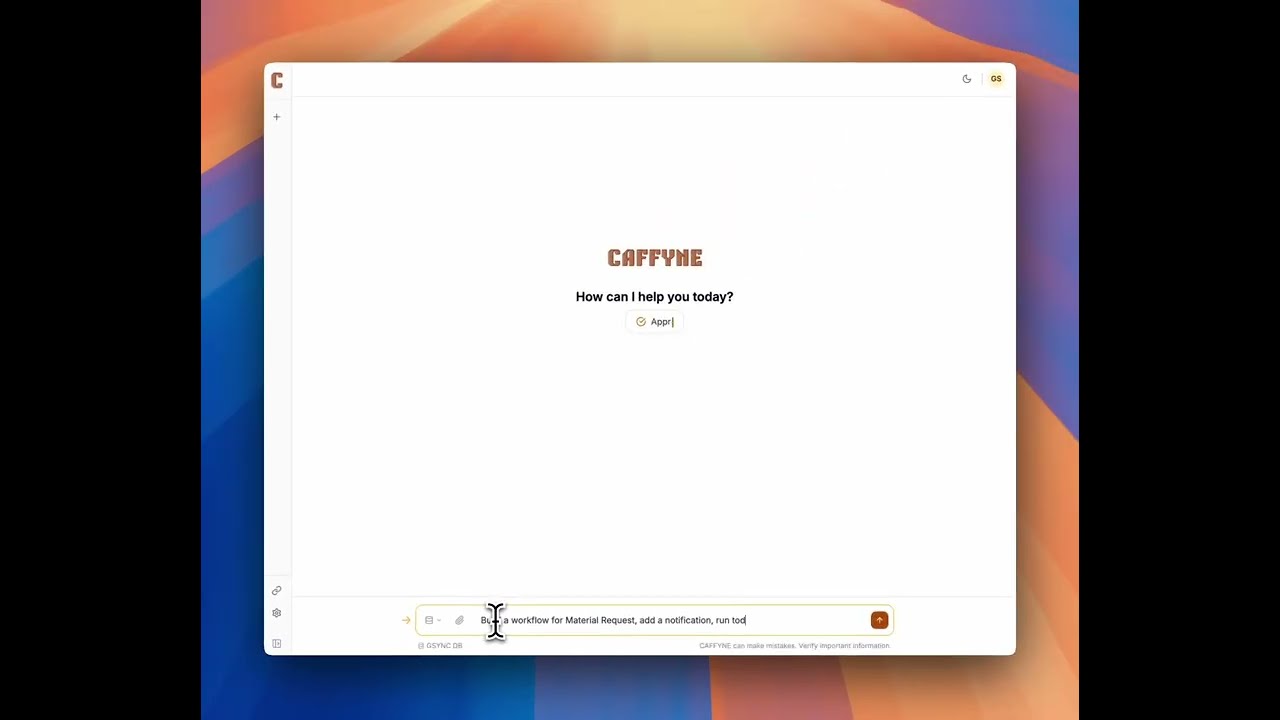
I’m Govind, co-founder at Negentropy Solutions. For the last several months we’ve been building Caffyne — an AI assistant that talks to your Frappe / ERPNext site and actually does the work: builds DocTypes, writes Server Scripts, drafts Print Formats, sets up Workflows, runs reports, draws charts. Not a Q&A bot — an assistant that takes the long path from “I wish my system did X” to a working feature in your site.
We’ve been quietly using it on our own customer projects, and a small group of folks have been kicking the tyres for the last few weeks. It’s at a point where I’d really like the wider community’s eyes on it before we open it up further.
Try it: https://caffyne.ai

Why we started this
Frappe is one of the most capable platforms we work with, which is exactly why its end users still depend on a developer or implementer for almost every change. The person who has the question and the person who can make the change are usually different people, and the round trip is slow:
-
Accounting wants a new column on the Sales Invoice list — they wait a day or two for the implementer to add a Custom Field.
-
Operations wants a Kanban view of open Material Requests by region — they wouldn’t know that’s a Kanban Board record they can configure.
-
The CFO wants AR ageing in 0–30 / 30–60 / 60–90 buckets per region, today, for the board call tomorrow.
-
A new policy needs an approval workflow with three states and two roles — the implementer is on another project, ETA next week.
The bottleneck isn’t Frappe. It’s the round trip. We wanted something that lets the person who actually has the question describe what they want in plain English and get it — with a clear approval card so the technical owner of the site stays in control of what actually changes.
What it actually does today
Everything Caffyne does runs against your Frappe site over the standard REST API — exactly what you’d do by hand, just with a chat interface and an LLM doing the orchestration. A few examples I keep coming back to:
Build & Customise
-
“Create a Salon Appointment DocType with client, stylist, appointment date, duration, status. Enable Calendar and Kanban views. Status options: Scheduled, In Progress, Completed, Cancelled.”
-
“Add a Region field on Customer with options EU / NA / APAC. Make it required and put it in the list view.”
-
“Rename the Tax ID field to VAT Number on Sales Invoice without breaking existing references.”
Automate
-
“Whenever a Sales Invoice is submitted for a customer in EU, set their VAT Verified flag and send the AP team an email.”
-
“Every Monday at 7am, find Purchase Orders pending more than 14 days and assign them to the buyer’s manager.”
-
“Validate that Items with item group Hazardous must have a HSN code on save — block the save with a clear message if not.”
Reports & charts, fast
-
“Top 10 customers by revenue this FY, monthly stacked, only paid invoices.”
-
“Ageing of outstanding receivables in 0–30 / 30–60 / 60–90 / 90+ buckets per region.”
-
“Sales vs purchases per month for the last 12 months, side by side.”
It runs the existing Query / Script Reports on your site too, so the numbers come from your business logic — not a re-implementation.
Workflows, Notifications, Print Formats, Workspaces
-
“Build an approval workflow for Material Request: Draft → Pending Manager → Pending CFO above ₹5L → Approved/Rejected, with the right roles.”
-
“Draft a clean A4 invoice print format with our company colours and a totals block — and a packing slip variant.”
-
“Add a Daily Approvals workspace for the Finance Manager role with shortcuts to pending Material Requests, Purchase Invoices and Journal Entries.”


Guardrails and control
A few things that mattered to us:
-
Anything that changes your site shows you an approval card first. Reads — schema lookups, queries, aggregations, running reports — go through immediately. Writes — creating a DocType, editing a field, deploying a Server Script, sending a notification, posting a record — pause and show you exactly what’s about to happen, with a Confirm or Reject. You decide; nothing is auto-applied.
-
It’s scoped to the Frappe user you connect. Caffyne uses the API key/secret of a user you create. Whatever permissions that user has, Caffyne has — no more. We recommend a dedicated Caffyne Bot user with only the roles you want it to operate under, and you can flip it to read-only at any time.
-
The chat is conversational, but the system underneath is deterministic. Caffyne checks the actual schema of your site before acting. It doesn’t assume an “Item” looks the same in your install as the next person’s — Custom Fields, Property Setters, your customisations are all respected.

Data and privacy
-
We don’t ingest or copy your business data. Caffyne queries your Frappe site live for the slice it needs to answer the current question — same data your user already has. There’s no ETL, no warehouse, no shadow copy.
-
Your API credentials are encrypted at rest in our database, and they only ever leave our servers to call your site.
-
The conversation goes to a frontier LLM to do the reasoning — that’s what makes the assistant work. The relevant snippets of your data (the records you’re asking about, the schema of the DocType in question, etc.) are part of that prompt for that turn, and they aren’t used to train the model.
-
Self-hosted deployments for teams that need data to never leave their infrastructure are on the roadmap.
A few notes on what it’s not
-
It’s not a replacement for the Desk. It complements it. The fastest path to a clean Customer record is still the Customer form. Caffyne shines for the things the Desk is slow at — bulk customisation, multi-step automation, ad-hoc analysis.
-
It’s not “natural language SQL”. It uses your DocType schemas and the right Frappe entrypoint (
frappe.client.get_list,frappe.desk.query_report.run, etc.) so results respect permissions, period filters, multi-currency, prepared report logic — all the things that hand-rolled SQL ontab*tables tends to miss. -
It doesn’t need any app installed on your Frappe site. It connects over REST. Your bench, your hosting, your version — unchanged.
What’s coming
We’re working on a few things based on early feedback:
-
Self-hosted / VPC deployment for teams that can’t send anything outside their own infrastructure.
-
Bring-your-own model so customers can route the LLM calls through their own Anthropic / OpenAI / Azure account and bring their own key.
-
Staging → production promotion for customisations, so you can have Caffyne build something on a sandbox, review the diff, and promote the artefact to prod with one approval.
Try it
Sign up at https://app.caffyne.ai
Happy to take questions in the thread on:
-
Tricky things you’d want to throw at it (“automate this nightmare we have with X”)
-
Privacy and deployment specifics
-
Compatibility with v15 / v16 / custom forks
-
Bugs, edge cases, anything that feels missing
— Govind S Menokee Co-Founder, Negentropy Solutions