Is it possible to put exact invoice numbers in ERPNEXT when migrating from another system to erpnext. We want the invoice numbers to be exactly the same. Let me know please. Thank you.
Yes, when you import items you can set the name. If users are manually entering invoices, you can set the naming to “prompt” or “set by user” which will let the user set the name as they wish.
I went through that process about a year ago and the way I did it was very painful. What I would do different would be:
-
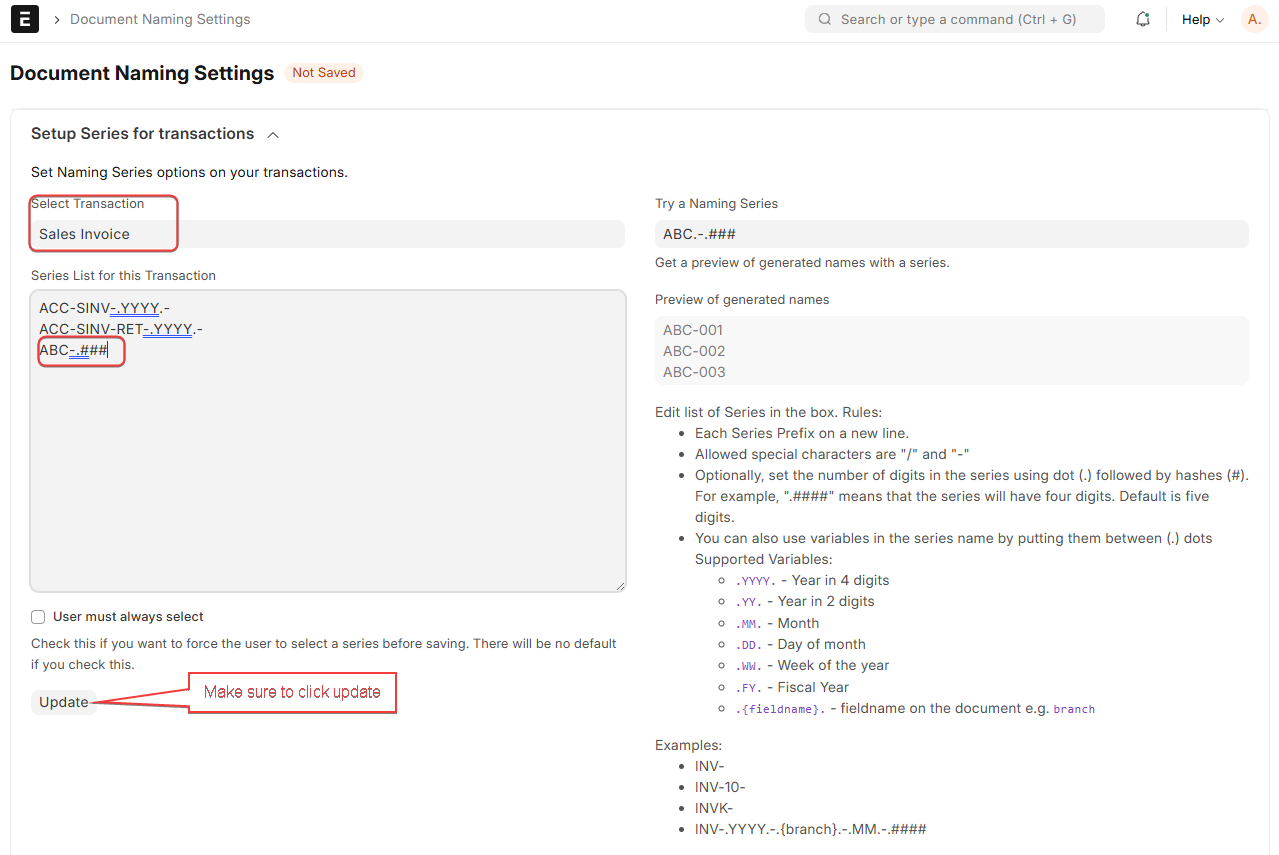
Add the invoice naming rule in “Document Naming Settings” → Transaction: sales invoice
-
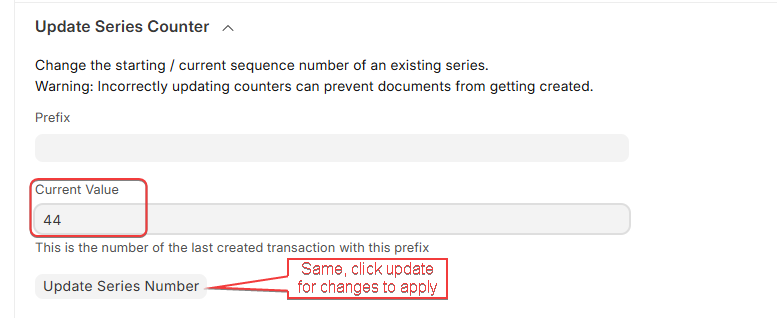
If your team will be using the system at the same time as the migration is happening, set “Current Value” under “Update Series Counter” to the last invoice number you have processed (i.e. if your naming convention is ABC-123 and the last invoice is ABC-044, set the number to 44)
-
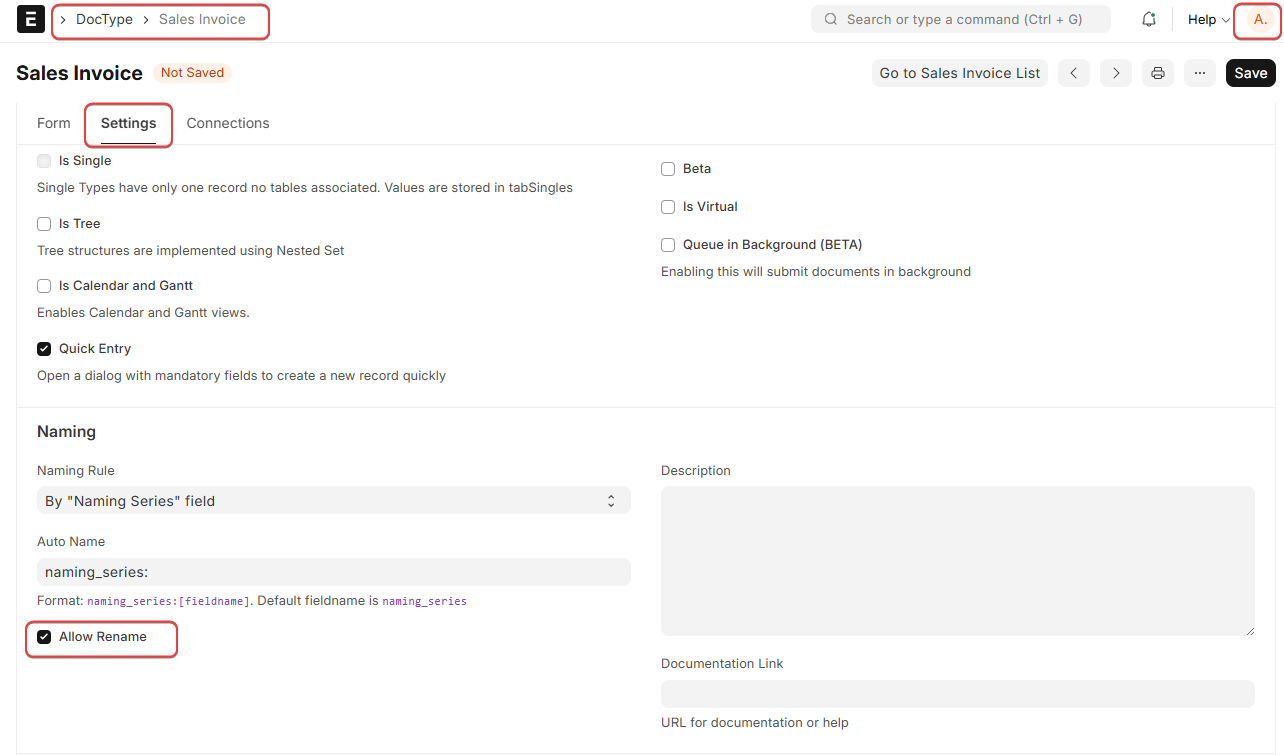
Go to DocType → Sales Invoice and under “Naming”, click “Allow Rename”, this allows you to rename the document after it has been created, in case you need to modify the allocated name after the fact. You will need to be logged in as Admin to do this. You should change this setting back once you are done with the migration.
This is well detailed, thank you for sharing